About this video
Why Wall Count is the Ultimate Strength Setting
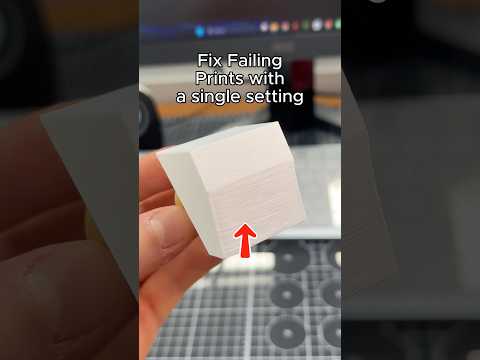
When it comes to making your 3D prints stronger, most users overlook the most impactful adjustment available in every slicer: wall count. While infill percentage gets plenty of attention, increasing your wall thickness delivers superior structural integrity for functional parts.
How to Adjust Wall Thickness in Your Slicer
- Open your preferred slicer (Cura, PrusaSlicer, or similar)
- Import your STL or OBJ model
- Navigate to the Strength or Shell settings tab
- Locate the Wall Line Count or Wall Thickness option
- Increase from the default (typically 2) to 4 or 5 walls
- Slice and preview the changes
Why This Single Setting Works So Well
Walls (also called shells) form the outer perimeter of your print. Each wall adds a continuous layer of material that distributes stress evenly across the entire part. Unlike infill, which is internal and doesn't contribute to surface strength, walls handle external forces directly.
- More walls = thicker outer shell
- Increased layer adhesion across more passes
- Better load distribution under stress
- Reduced warping on larger prints
Best Practices for Maximum Strength
- Use 4-5 walls for functional parts and mechanical components
- Keep walls at 3 for decorative prints to save material
- Combine with 15-20% infill for optimal strength-to-material ratio
- Consider wall thickness in mm (0.8mm-1.2mm) rather than just line count
Materials That Benefit Most
This technique works especially well with:
- PLA – for durable prototypes
- PETG – for outdoor and load-bearing parts
- ABS – for high-temperature applications
- Nylon – for flexible, strong components
Frequently Asked Questions
Does increasing walls significantly slow print time?
Yes, adding walls increases print time, but the strength gains often justify the extra hours for functional parts.
Can I use this setting with all slicers?
Absolutely. Wall count is a universal setting found in Cura, PrusaSlicer, Simplify3D, and most other slicers.
Should I increase walls or infill for strength?
For most functional parts, walls provide better strength-per-gram-of-material than infill. Start with 4 walls and 15-20% infill for balanced results.
What's the maximum wall count recommended?
4-5 walls typically offers the best balance. Going higher provides diminishing returns while dramatically increasing material usage and print time.
This single adjustment transforms weak, brittle prints into durable, load-bearing components without complex settings or advanced techniques.