About this video
What Is Variable Layer Height in Bambu Studio?
Variable Layer Height is a slicing feature available in Bambu Studio that automatically adjusts layer thickness throughout your print. Rather than using a uniform layer height across the entire model, the slicer intelligently varies it — using thinner layers where surface detail matters and thicker layers in areas where strength or speed takes priority.
How to Enable Variable Layer Height
- Open Bambu Studio and import your 3D model
- Select your printer and slicing profile
- Navigate to the Variable Layer Height setting
- Choose "Adaptive" mode — this lets the slicer decide where to use finer or coarser layers
- Slice your model and preview the results
That's it! No extra configuration needed. The adaptive algorithm handles everything.
Why Adaptive Layers Give Smooth Top Surfaces
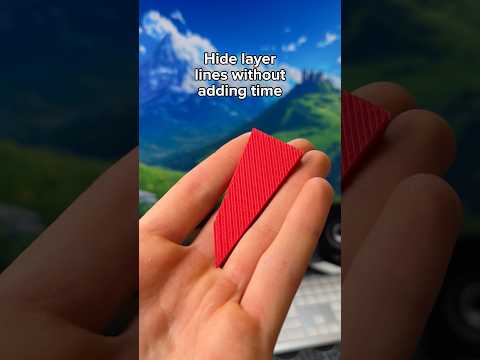
Top surfaces are often the most visible part of a print. With a standard fixed layer height (like 0.2mm), you can see visible stepping. Adaptive slicing detects flat horizontal surfaces — like the top of a model — and automatically switches to much thinner layers in those areas.
- Thinner layers on top = smoother, cleaner finish
- No visible layer lines on flat surfaces
- No manual adjustment needed — the slicer does it
Best Practices for Best Results
- Use Bambu Lab filament or quality third-party materials for consistent extrusion
- Enable Adaptive Layers before your first slice, not after
- For ultra-smooth top surfaces, combine with Ironing mode in Bambu Studio settings
- Variable Layer Height works with all Bambu Lab printers (X1, P1, A1 series)
FAQ
Does Variable Layer Height increase print time?
Only slightly. Thinner layers are used selectively on top surfaces, so the overall increase is minimal compared to printing the entire model at a fine layer height.
Can I control how thin the layers get?
Yes. In the slicing settings, you can set a minimum layer height to control how fine the adaptive layers become on top surfaces.
Does this work with all models?
Adaptive Variable Layer Height works best on models with flat top surfaces. Highly detailed vertical geometry may not benefit as much.
Bottom Line
If you want smooth top surfaces on your 3D prints without manually tweaking settings for every print, simply enable Adaptive Variable Layer Height in Bambu Studio before slicing. It's one of the easiest ways to upgrade your print quality with almost no extra effort.