JPG to 3D model from one photo
Take a photo of almost anything and turn it into a 3D model you can print, edit or share. No scanning rig and no CAD.
- 400,000+ makers
- 2M+ models generated
- No credit card to start
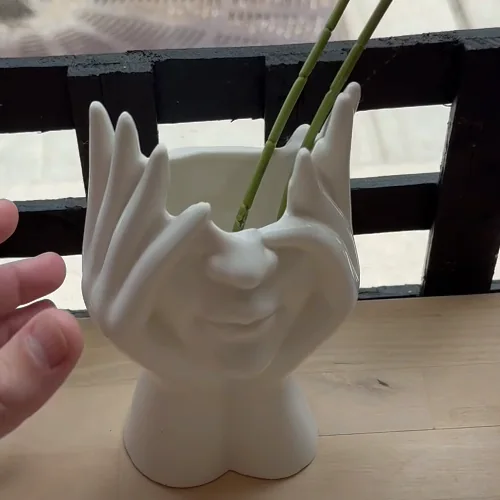 vase.jpg
AI model
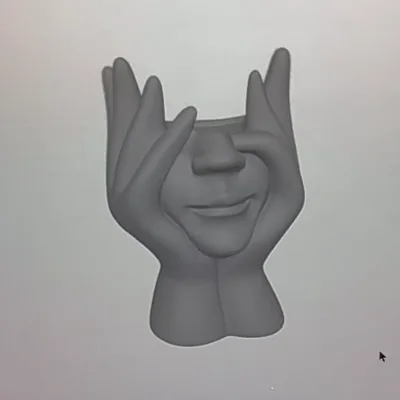 Real result
Used by makers, engineers, and educators at


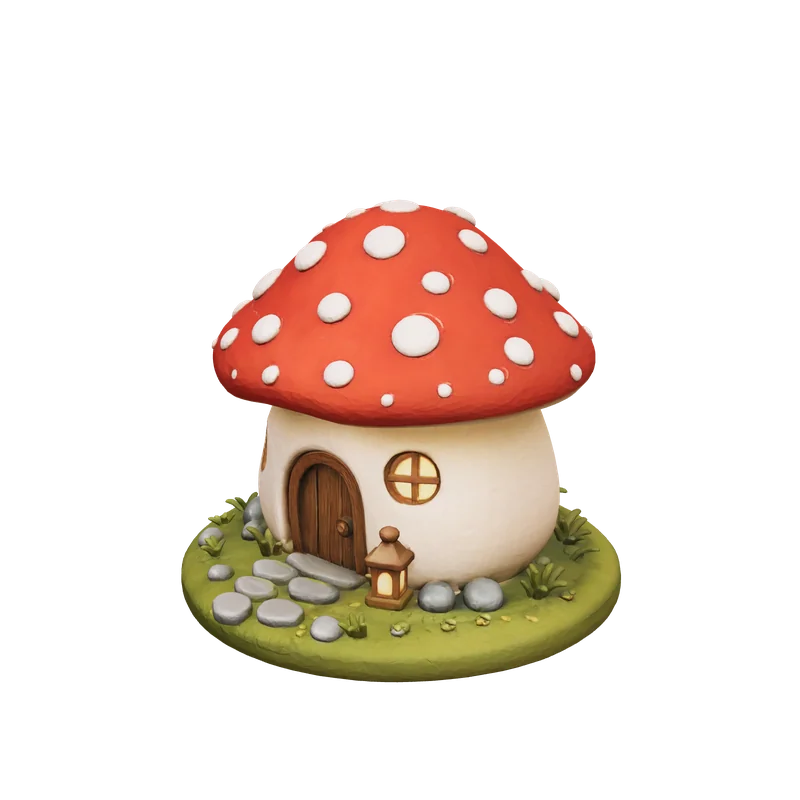 Drag to rotate, click then scroll to zoomDrag to rotate, pinch to zoom
See a real result in 3D
This model was generated by PrintPal from the image beside it. Spin it and compare the full-color version with the plain STL a single-color printer gets.
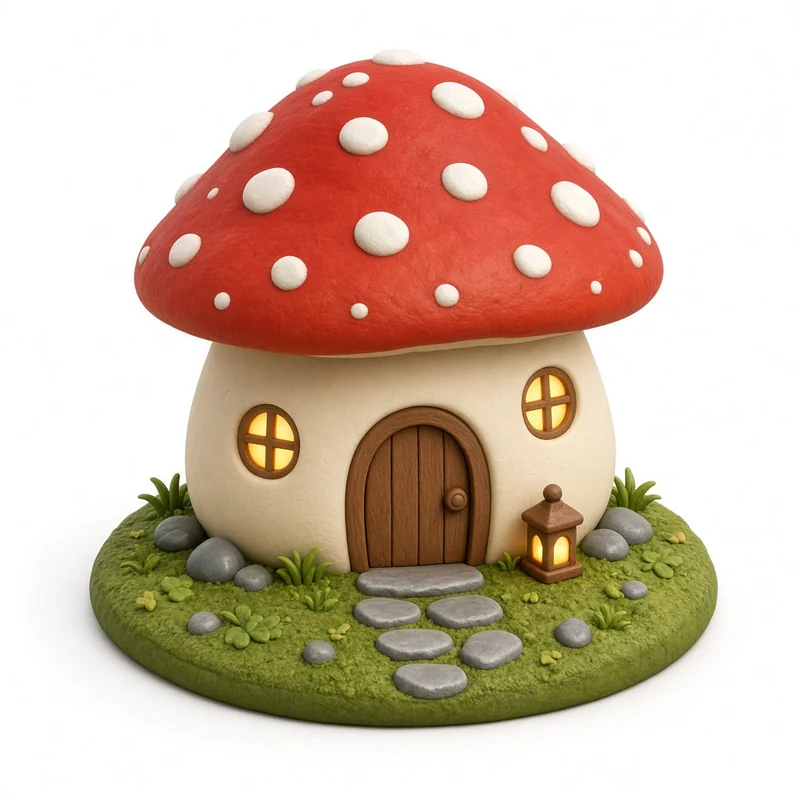
Input: cottage.png, 1024 pxA busy desk diorama, with a spotted cap, door, lantern and pebbles on a grass base, still came out as a single printable body.
- Generated mesh
- 998,594 triangles
- Watertight
- Yes, 1 body
- Detail setting
- High, full color
- This preview
- 59,910 tris, 365 KB
Each example is one AI-generated 1024 px PNG run through PrintPal's full-color image-to-3D at high detail, with no editing afterwards. Mesh checks were run on the raw download with trimesh. The preview is simplified to about 60,000 triangles so it loads fast; your download keeps full detail.
JPG to 3D model: what actually happens
A JPG is a single viewpoint, so turning it into a 3D model means the AI has to reason about what it cannot see: the back of the vase, the far side of the figurine. Image-to-3D models are trained on huge libraries of 3D objects, and for familiar shapes their guesses are very good. For unusual, asymmetric objects the hidden side will be plausible rather than exact.
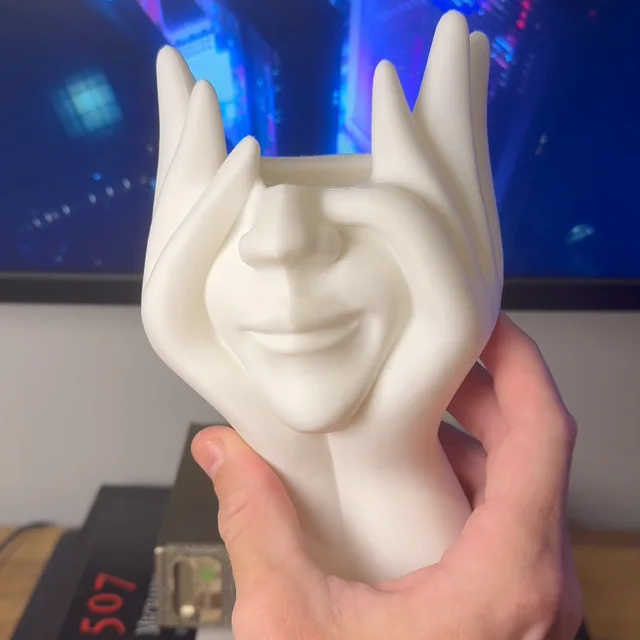
Photos convert best when they look like product shots: one object, centered, evenly lit, from a slightly raised 3/4 angle. The vase further down went from a casual phone photo to a printed planter, and the photo, the model and the print are all shown.
Updated by the PrintPal teamInput: JPG
JPEG (Joint Photographic Experts Group) · .jpg / .jpeg
- Type
- Raster, lossy
- Transparency
- No
- Typical source
- Phone and camera photos, most images on the web
- Watch out for
- Re-compressed copies from social apps (blocky artifacts)
- Background: Separated from the subject automatically; plain backgrounds work best.
- Orientation: The EXIF rotation from your phone is applied before upload.
- Compression: Heavy artifacts can read as surface bumps, so use the original file.
How to convert JPG to 3D model
-
1
Upload a JPG
The original photo, with one object in frame.
-
2
Sign in
Free account, no credit card. The photo comes with you.
-
3
Generate
About a minute at Draft quality.
-
4
Choose a format
STL or OBJ on Free; GLB, PLY and multi-color 3MF on Pro.
From a phone photo to a printed object
Casual photos, not studio shots. Each one was generated on PrintPal and printed on a desktop printer.
Photo
AI model
 Print
Store-bought vase to printed planter
A casual photo of a ceramic face vase, the generated model, and the white PLA print holding up just as well.
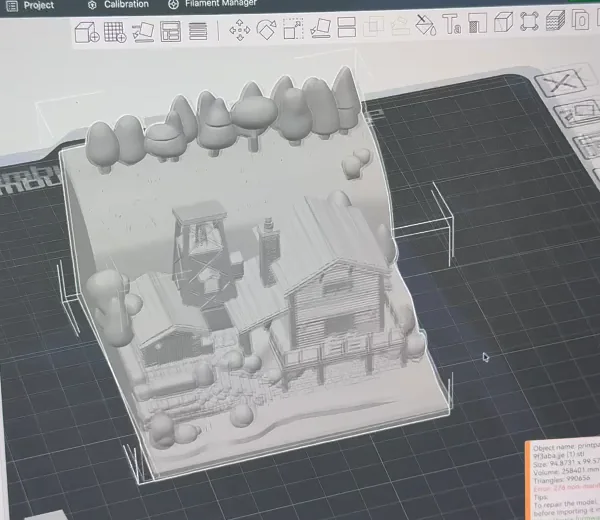 In the slicer
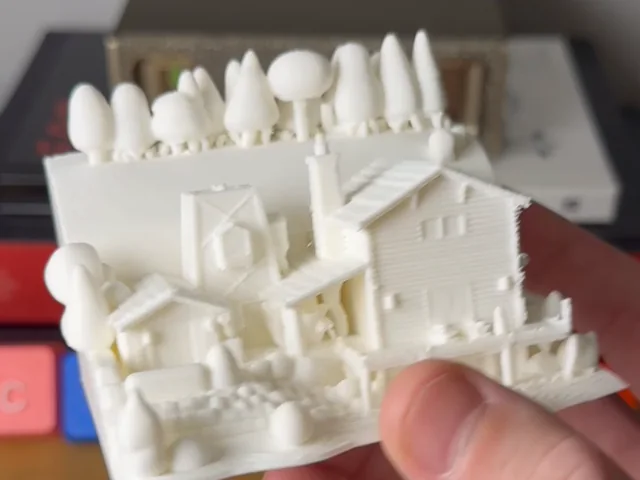 Print
Diorama straight to the slicer
A detailed cabin diorama loaded into Bambu Studio without repairs, then printed at a few centimetres across.
Which kind of 3D model do you need?
Five different things are sold as “image to 3D”. Pick the one that matches what you want to hold in your hand.
| AI reconstruction | Heightmap relief | Extrusion | Photogrammetry | |
|---|---|---|---|---|
| Full 3D object from one image | Yes | No, flat panel | No, flat profile | No, needs 30+ photos |
| Keeps exact dimensions | Proportions only | Yes | Yes, from vectors | Yes |
| Skill needed | None | None | A clean vector file | Careful shooting |
| Time | About a minute | Seconds | Seconds | Hours |
| Color output | Yes (Pro) | Light and shadow | One color per shape | Yes |
| On PrintPal | AI generator | Lithophane, filament painter | SVG extruder | Scanning tips |
Start free. Upgrade for color, GLB and selling.
Simple plans, no contracts. Cancel anytime from your account settings.
Free
For trying image to 3D
Free forever · no credit card
- 10 AI generations / month
- Image to 3D
- Draft quality
- STL & OBJ download
- Free browser tools: SVG extruder, lithophanes, converter
- Full color, GLB & multi-color 3MF
- Refined & Production quality
- Commercial rights
Pro
For makers & sellers
Billed monthly · cancel anytime
Secure checkout with Stripe
- 200 AI generations / month
- Full-color models
- GLB & PLY export
- Multi-color 3MF for AMS (2 to 8 colors)
- Refined & Production quality
- 20 Production models / month (40 in month one)
- Text to 3D and AI model edits
- Priority queue
- Commercial rights
Studio
For print farms & power users
Billed monthly · cancel anytime
Secure checkout with Stripe
- Everything in Pro, plus
- 500 AI generations / month
- 60 Production models / month (80 in month one)
- Built for steady custom-order volume
JPG to 3D model FAQ
Can I convert a JPG to a 3D model for free?
How accurate is a 3D model from one photo?
What kind of photos work best?
What does not work well?
Is my photo private?
How long does a conversion take?
Can I sell prints of the models I make?
Still have questions? Contact our team
Ready to turn your JPG into a 3D model?
Drop in an image and download a print-ready model in about a minute. Start free, or go Pro for full color, GLB, multi-color 3MF and commercial rights.