SVG to STL converter extrude it or sculpt it
Need a sign, badge, keychain or cookie cutter? Extrude your SVG to an exact depth right on this page, free and without an account. Want your mascot as a real 3D figure? Send the same SVG to PrintPal's AI.
- 400,000+ makers
- 2M+ models generated
- No credit card to start
 rocket.png
rocket.stl
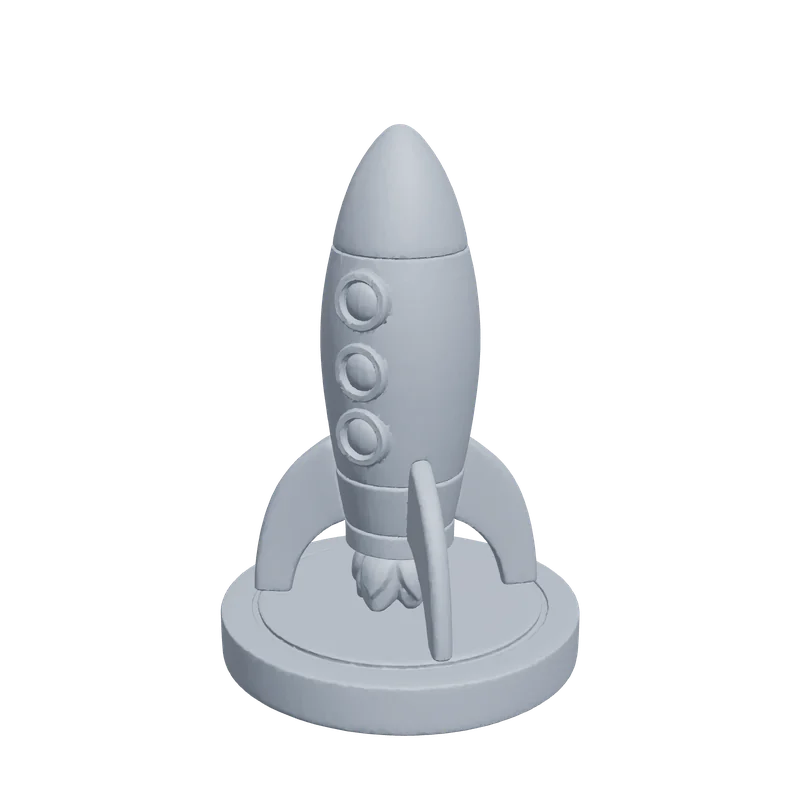 Real PrintPal output
Used by makers, engineers, and educators at


 Drag to rotate, click then scroll to zoomDrag to rotate, pinch to zoom
See a real result in 3D
This model was generated by PrintPal from the image beside it. Spin it, then switch to STL (no color) to see exactly what a single-color print gets.
Input: rocket.png, 1024 pxFour flat colors on smooth toy shapes: red, cream, blue and yellow each map onto one filament for a multi-color print.
- Generated mesh
- 999,316 triangles
- Watertight
- Yes, 1 body
- Detail setting
- High, full color
- This preview
- 59,958 tris, 362 KB
Each example is one AI-generated 1024 px PNG run through PrintPal's full-color image-to-3D at high detail, with no editing afterwards. Mesh checks were run on the raw download with trimesh. The preview is simplified to about 60,000 triangles so it loads fast; your download keeps full detail.
SVG to STL: what actually happens
SVG is a vector format: instead of pixels it stores paths, curves and fills as XML. That makes it the cleanest possible source for a flat extrusion, because the outline is mathematically exact at any size. It also means there are no pixels to read depth from, which is why most SVG to STL tools only extrude.
This page does both. The free extruder reads your SVG's filled shapes, raises them to the height you choose, and exports an STL in millimetres without uploading anything. For a sculpted result, the AI box at the top renders the SVG in your browser at 2048 px and the generator reconstructs it as a full 3D model.
Updated by the PrintPal teamInput: SVG
Scalable Vector Graphics · .svg
- Type
- Vector (XML paths and fills)
- Transparency
- Yes
- Typical source
- Logos, icons, Cricut and laser files, illustrations
- Watch out for
- Live text, stroke-only lines, embedded bitmaps
- Paths: Extruded exactly in the free extruder, with sizes in millimetres.
- Fill colors: Grouped so each color can print as its own part.
- For AI: Rendered to a 2048 px image in your browser, then reconstructed.
Output: STL
Stereolithography (Standard Triangle Language)
- Stores
- Triangle geometry only
- Color
- No
- Units
- None; slicers assume millimetres
- Size (our 1M-triangle test)
- 49.9 MB binary, 303 MB ASCII
- Opens in
- Every slicer, CAD tool and Blender
- PrintPal plan
- Free and up
How to convert SVG to STL
-
1
Drop your SVG into the extruder
Or into the AI box at the top for a sculpted model.
-
2
Set the size and depth
Width in millimetres, extrusion depth, and an optional base plate.
-
3
Download the STL
No account needed. Slice it like any other model.
-
4
Want it in 3D?
Use the AI box above, sign in, and press Generate.
SVG extruder
Drop an SVG and get an exact, dimensioned STL in seconds. Each fill color becomes its own part, and overlapping shapes are cut so what you see is what prints.
Colors found
Drag to rotate once it loads.
Tips for a better STL
Convert text to outlines
Fonts are not stored as shapes in an SVG. In Illustrator use Type, Create Outlines; in Inkscape use Path, Object to Path.
Fills, not strokes
The extruder uses filled shapes. Line art drawn with strokes only needs Stroke to Path first, or the lines vanish.
Respect the nozzle
Keep features at least 1 mm wide at final size for a 0.4 mm nozzle; cookie-cutter walls about 0.8 to 1.2 mm.
Several colors?
An STL is one color. Export a 3MF with one part per color for AMS or MMU printing.
Which kind of STL do you need?
Five different things are sold as “image to 3D”. Pick the one that matches what you want to hold in your hand.
| AI reconstruction | Heightmap relief | Extrusion | Photogrammetry | |
|---|---|---|---|---|
| Full 3D object from one image | Yes | No, flat panel | No, flat profile | No, needs 30+ photos |
| Keeps exact dimensions | Proportions only | Yes | Yes, from vectors | Yes |
| Skill needed | None | None | A clean vector file | Careful shooting |
| Time | About a minute | Seconds | Seconds | Hours |
| Color output | Yes (Pro) | Light and shadow | One color per shape | Yes |
| On PrintPal | AI generator | Lithophane, filament painter | SVG extruder | Scanning tips |
One model, every format
We exported the same 998,810-triangle generation to each format and measured the files.
| Format | File size | Color | Units | Typical use |
|---|---|---|---|---|
| STL (binary) | 49.9 MB | No | None (slicers assume mm) | Any slicer |
| STL (ASCII) | 303 MB | No | None | Legacy CAD; avoid |
| OBJ + MTL + texture | 84.9 MB | Texture or vertex colors | None | Blender, sculpting |
| GLB (with textures) | 40.5 MB | Yes, PBR textures | Metres | Web, AR, games |
| 3MF (zipped) | 21.0 MB | Yes, per triangle | Millimetres | Bambu Studio, OrcaSlicer, PrusaSlicer |
| PLY (binary) | 27.3 MB | Vertex colors | None | Scans, point clouds |
Same 998,810-triangle knight exported with trimesh; the GLB is the download as it came from PrintPal. The 3MF holds geometry only; a painted multi-color 3MF adds a little for the color data.
After you download the STL
The checklist we use before printing a generated STL.
- Import it into Bambu Studio, OrcaSlicer, PrusaSlicer or Cura and set the size in millimetres. STL has no units, so PrintPal scales tiny models up to at least 80 mm on the longest side; resize to taste.
- Lay the flattest side on the bed, or use the slicer's auto-orient.
- Turn on tree supports for overhangs steeper than about 45 degrees, such as chins, ears and arms.
- Keep walls and small features at least 0.8 mm thick (two perimeters on a 0.4 mm nozzle) so detail survives.
- Printing in resin? Hollow it with about 2 mm walls and add drain holes.
- If the slicer flags errors, run the file through the free mesh repair tool.
Start free. Upgrade for color, GLB and selling.
Simple plans, no contracts. Cancel anytime from your account settings.
Free
For trying image to 3D
Free forever · no credit card
- 10 AI generations / month
- Image to 3D
- Draft quality
- STL & OBJ download
- Free browser tools: SVG extruder, lithophanes, converter
- Full color, GLB & multi-color 3MF
- Refined & Production quality
- Commercial rights
Pro
For makers & sellers
Billed monthly · cancel anytime
Secure checkout with Stripe
- 200 AI generations / month
- Full-color models
- GLB & PLY export
- Multi-color 3MF for AMS (2 to 8 colors)
- Refined & Production quality
- 20 Production models / month (40 in month one)
- Text to 3D and AI model edits
- Priority queue
- Commercial rights
Studio
For print farms & power users
Billed monthly · cancel anytime
Secure checkout with Stripe
- Everything in Pro, plus
- 500 AI generations / month
- 60 Production models / month (80 in month one)
- Built for steady custom-order volume
SVG to STL FAQ
Is the SVG to STL extruder free?
Why are parts of my SVG missing from the STL?
How do I make a cookie cutter from an SVG?
What size will the STL be?
Can AI turn an SVG into a real 3D model?
Does the STL keep my SVG's colors?
How long does a conversion take?
Can I sell prints of the models I make?
Still have questions? Contact our team
Ready to convert your SVG to STL?
Drop in an image and download a print-ready model in about a minute. Start free, or go Pro for full color, GLB, multi-color 3MF and commercial rights.