Image to OBJ converter ready for Blender and beyond
Upload a photo or picture and download a clean OBJ you can sculpt, texture, render or print. OBJ export is included on the Free plan.
- 400,000+ makers
- 2M+ models generated
- No credit card to start
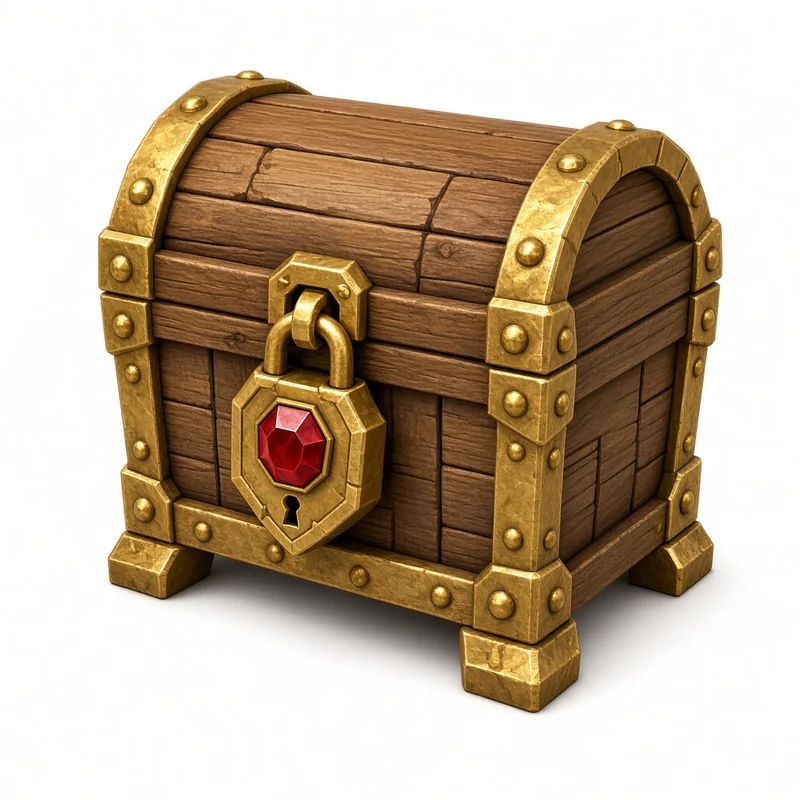 chest.png
chest.obj
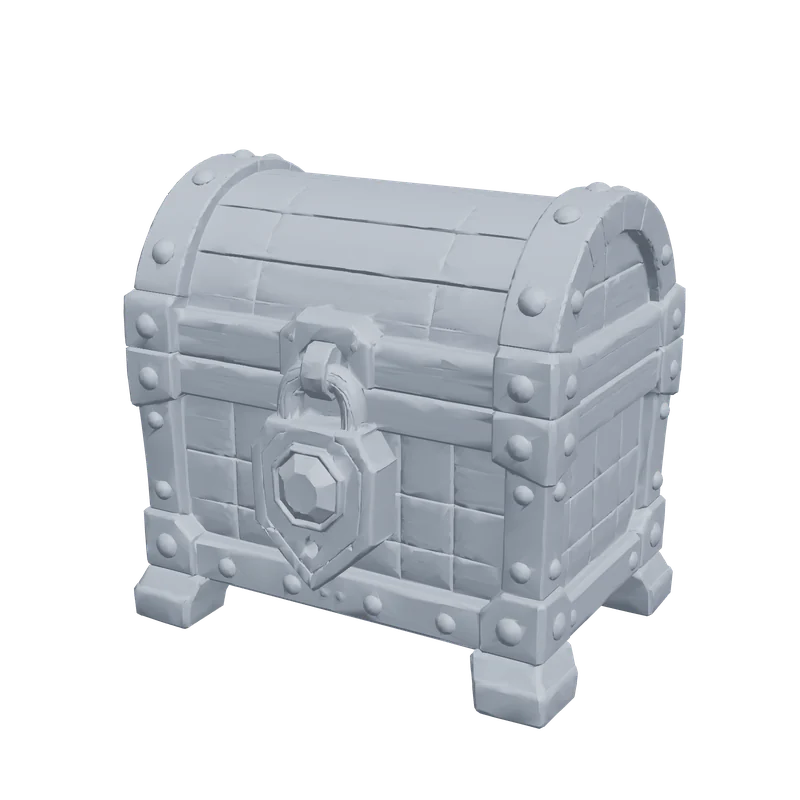 Real PrintPal output
Used by makers, engineers, and educators at


 Drag to rotate, click then scroll to zoomDrag to rotate, pinch to zoom
See a real result in 3D
This model was generated by PrintPal from the image beside it. Spin it, then switch to STL (no color) to see exactly what a single-color print gets.
Input: chest.png, 1024 pxWood planks, gold bands, rivets and a gem lock: fine surface relief for a tabletop prop or dice box.
- Generated mesh
- 999,026 triangles
- Watertight
- Yes, 1 body
- Detail setting
- High, full color
- This preview
- 59,936 tris, 446 KB
Each example is one AI-generated 1024 px PNG run through PrintPal's full-color image-to-3D at high detail, with no editing afterwards. Mesh checks were run on the raw download with trimesh. The preview is simplified to about 60,000 triangles so it loads fast; your download keeps full detail.
Image to OBJ: what actually happens
OBJ is the plain-text workhorse of 3D: almost every modeling app, engine importer and slicer reads it. Unlike STL it can store UV coordinates and normals and point to a material file (.mtl) with textures, which makes it the usual hand-off format when a model goes into Blender, ZBrush or Maya for cleanup before printing or rendering.
That flexibility costs file size. An OBJ with color is really several files that must travel together, and it was the largest format we measured: our 1M-triangle test model came to 74.2 MB of OBJ text plus 10.7 MB of material and texture, against 49.9 MB as a binary STL.
Updated by the PrintPal teamOutput: OBJ
Wavefront OBJ
- Stores
- Vertices, faces, UVs and normals as text
- Color
- Via a .mtl file and texture images, or vertex colors
- Units
- None
- Size (our 1M-triangle test)
- 74.2 MB, plus 10.7 MB of material and texture
- Opens in
- Blender, Maya, 3ds Max, ZBrush, Cinema 4D, most slicers
- PrintPal plan
- Free and up
How to convert an image to OBJ
-
1
Upload an image
Photo, render or drawing; one subject, plain background.
-
2
Sign in
Free account, no credit card.
-
3
Generate
Check the model from all sides in the preview.
-
4
Download OBJ
Import into Blender, Maya, ZBrush, Cinema 4D or your slicer.
Tips for a better OBJ
Keep the files together
If an OBJ references a .mtl and textures, keep all of them in one folder or zip. Missing files mean a gray model.
OBJ has no units
Blender treats 1 unit as 1 metre. Scale after import and apply the scale before modifiers.
Decimate before sculpting
Generated meshes are dense. A Decimate modifier at 0.2 keeps the silhouette at a fifth of the weight.
Color for slicers
The multi-color export also writes a vertex-color OBJ, which Bambu Studio can map to filaments.
From a phone photo to a printed object
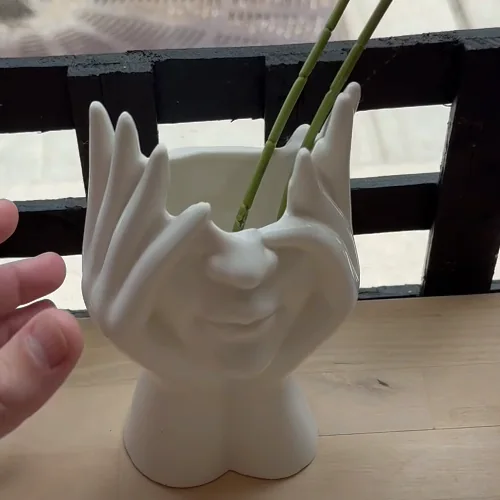
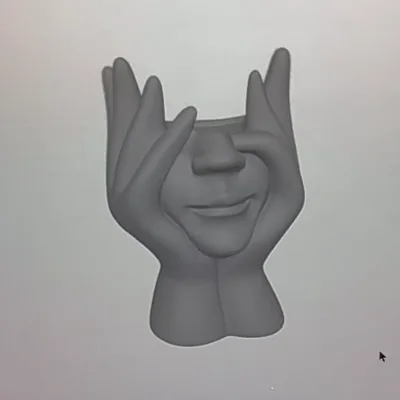
Casual photos, not studio shots. Each one was generated on PrintPal and printed on a desktop printer.
 Photo
 AI model
 Print
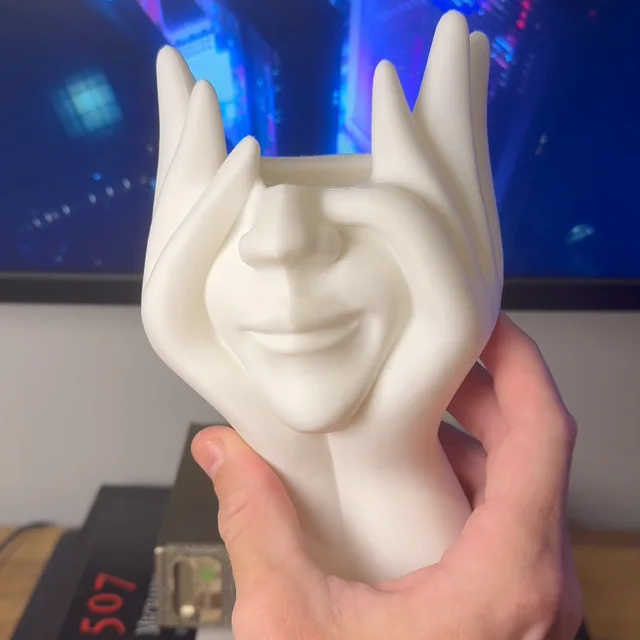
Store-bought vase to printed planter
A casual photo of a ceramic face vase, the generated model, and the white PLA print holding up just as well.
 In the slicer
 Print
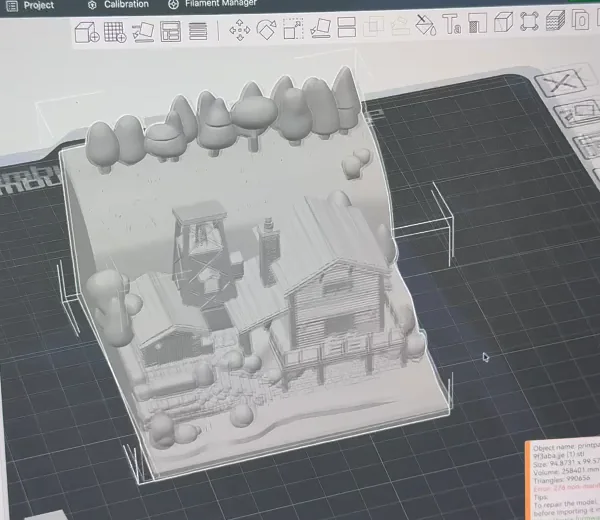
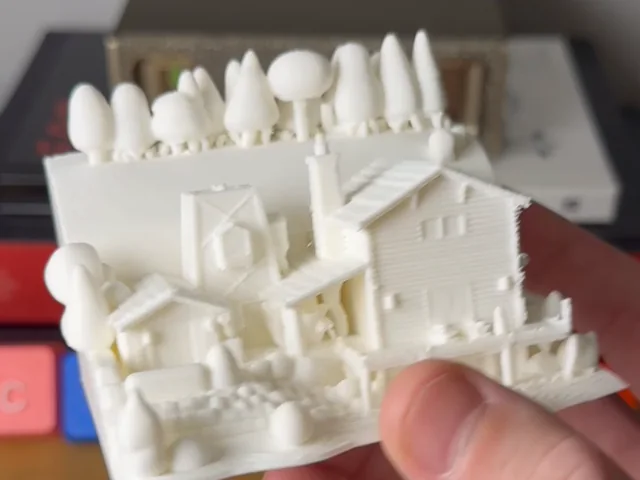
Diorama straight to the slicer
A detailed cabin diorama loaded into Bambu Studio without repairs, then printed at a few centimetres across.
Which kind of OBJ do you need?
Five different things are sold as “image to 3D”. Pick the one that matches what you want to hold in your hand.
| AI reconstruction | Heightmap relief | Extrusion | Photogrammetry | |
|---|---|---|---|---|
| Full 3D object from one image | Yes | No, flat panel | No, flat profile | No, needs 30+ photos |
| Keeps exact dimensions | Proportions only | Yes | Yes, from vectors | Yes |
| Skill needed | None | None | A clean vector file | Careful shooting |
| Time | About a minute | Seconds | Seconds | Hours |
| Color output | Yes (Pro) | Light and shadow | One color per shape | Yes |
| On PrintPal | AI generator | Lithophane, filament painter | SVG extruder | Scanning tips |
One model, every format
We exported the same 998,810-triangle generation to each format and measured the files.
| Format | File size | Color | Units | Typical use |
|---|---|---|---|---|
| STL (binary) | 49.9 MB | No | None (slicers assume mm) | Any slicer |
| STL (ASCII) | 303 MB | No | None | Legacy CAD; avoid |
| OBJ + MTL + texture | 84.9 MB | Texture or vertex colors | None | Blender, sculpting |
| GLB (with textures) | 40.5 MB | Yes, PBR textures | Metres | Web, AR, games |
| 3MF (zipped) | 21.0 MB | Yes, per triangle | Millimetres | Bambu Studio, OrcaSlicer, PrusaSlicer |
| PLY (binary) | 27.3 MB | Vertex colors | None | Scans, point clouds |
Same 998,810-triangle knight exported with trimesh; the GLB is the download as it came from PrintPal. The 3MF holds geometry only; a painted multi-color 3MF adds a little for the color data.
After you download the OBJ
The checklist we use before printing a generated OBJ.
- Keep the .obj with any .mtl and texture files in one folder, or zip them together before sharing.
- In Blender use File, Import, Wavefront (.obj). OBJ has no units and Blender treats 1 unit as 1 metre, so scale to suit your scene.
- Decimate before sculpting or rigging: a Decimate modifier at 0.2 keeps the silhouette of a 1M-triangle mesh at a fraction of the weight.
- Slicers read OBJ like STL. Bambu Studio can also read vertex-color OBJs and map their colors to filaments.
- Need STL or 3MF later? Convert it free with the 3D model converter.
Start free. Upgrade for color, GLB and selling.
Simple plans, no contracts. Cancel anytime from your account settings.
Free
For trying image to 3D
Free forever · no credit card
- 10 AI generations / month
- Image to 3D
- Draft quality
- STL & OBJ download
- Free browser tools: SVG extruder, lithophanes, converter
- Full color, GLB & multi-color 3MF
- Refined & Production quality
- Commercial rights
Pro
For makers & sellers
Billed monthly · cancel anytime
Secure checkout with Stripe
- 200 AI generations / month
- Full-color models
- GLB & PLY export
- Multi-color 3MF for AMS (2 to 8 colors)
- Refined & Production quality
- 20 Production models / month (40 in month one)
- Text to 3D and AI model edits
- Priority queue
- Commercial rights
Studio
For print farms & power users
Billed monthly · cancel anytime
Secure checkout with Stripe
- Everything in Pro, plus
- 500 AI generations / month
- 60 Production models / month (80 in month one)
- Built for steady custom-order volume
Image to OBJ FAQ
Is OBJ or STL better for 3D printing?
Can I import the OBJ into Blender?
Why is my OBJ file so large?
Is image to OBJ free?
Can I get a textured OBJ?
How long does a conversion take?
Can I sell prints of the models I make?
Still have questions? Contact our team
Ready to convert your image to OBJ?
Drop in an image and download a print-ready model in about a minute. Start free, or go Pro for full color, GLB, multi-color 3MF and commercial rights.