Flash writes a precompiled image over USB-C in Chrome or Edge. The .ino below is the source — you do not need Arduino IDE unless you want to change the sketch.
A desk busy lamp: giant FREE / FOCUS / MEETING / AWAY, with the onboard RGB LED matching the color. Short BOOT cycles. Hold BOOT rotates. The last state is remembered after unplug.
It works fully offline. If you later add Wi-Fi, a phone can POST /state?set=meeting — remote control over HTTP.
What you will learn
What a state is, and why four named states beat a pile of ifs.
How RGB mixing makes green, amber, red, and dim blue.
How a lookup table keeps word, subtitle, and LED color together.
How an optional HTTP endpoint is just another way to set the same state.
Meet the silhouette slab
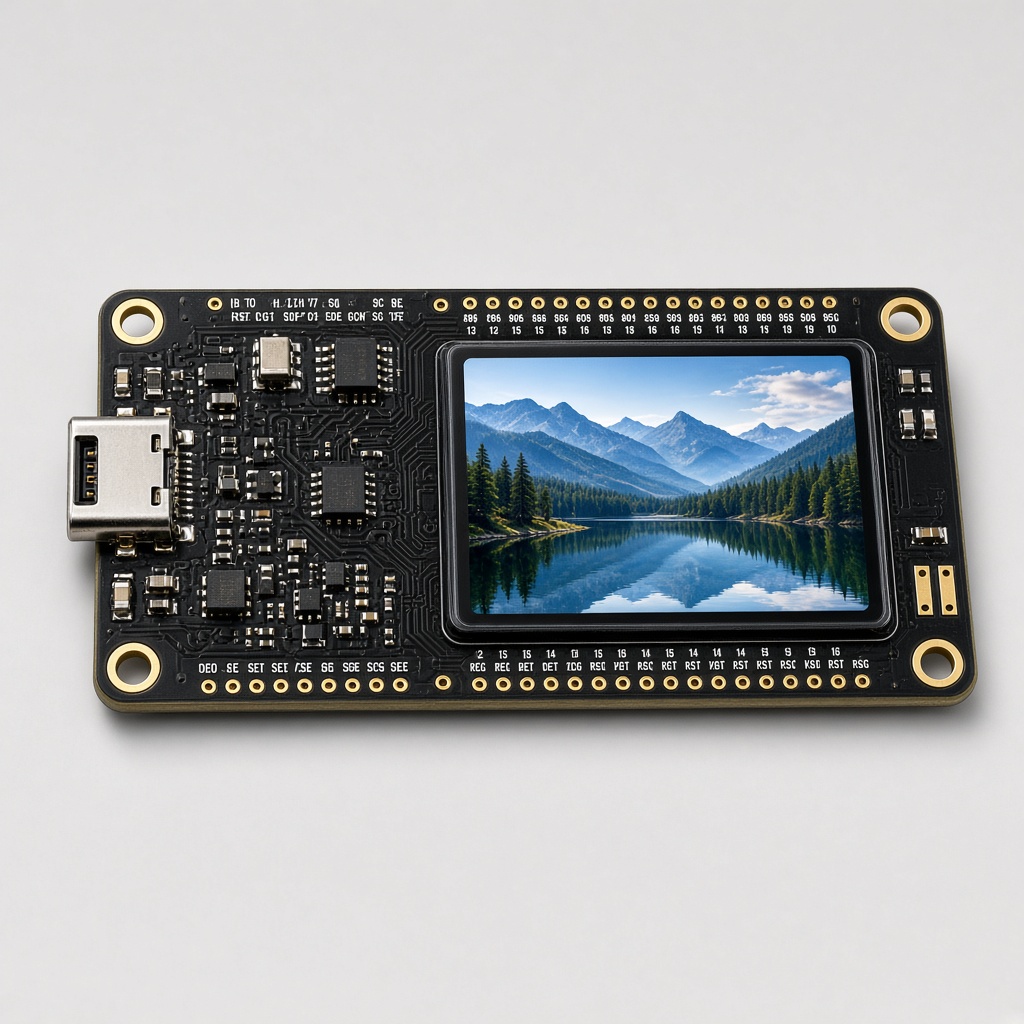
This project uses the Waveshare ESP32-C6-LCD-1.47 — a slim rectangle with a 1.47 inch screen.
A 172×320 color screen. You can turn it portrait or landscape in software.
No touch. No motion sensor. Interaction is the BOOT button (a short press vs a ~0.7 second hold).
A single RGB LED on the board (GPIO8) that can glow any color.
Wi-Fi that is 2.4 GHz only.
Keep the backlight at 50%. Full brightness can leave a heat spot on the panel.
The program is a .ino file (Arduino-style C++). You will not memorize it. You will learn the ideas, then see the small piece of code that does each job.
Note
Word to know — GPIO. It means “general purpose input/output” — a pin the chip can turn on or read. BOOT is GPIO9. The RGB LED is GPIO8. You do not rewire anything; the board already connected those pins.
The finished gadget
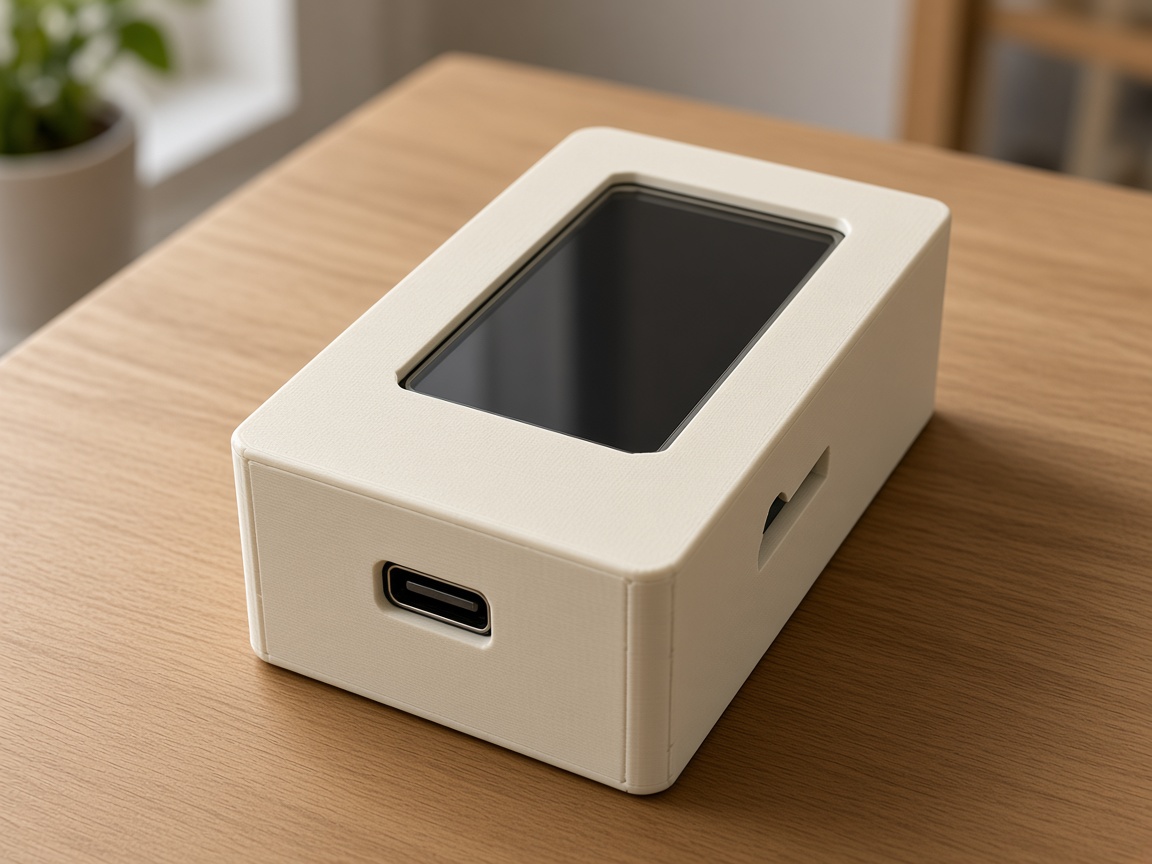
RGB busy lamp slab on Silhouette slab (ESP32-C6).
Build it
1
Print the lamp shell
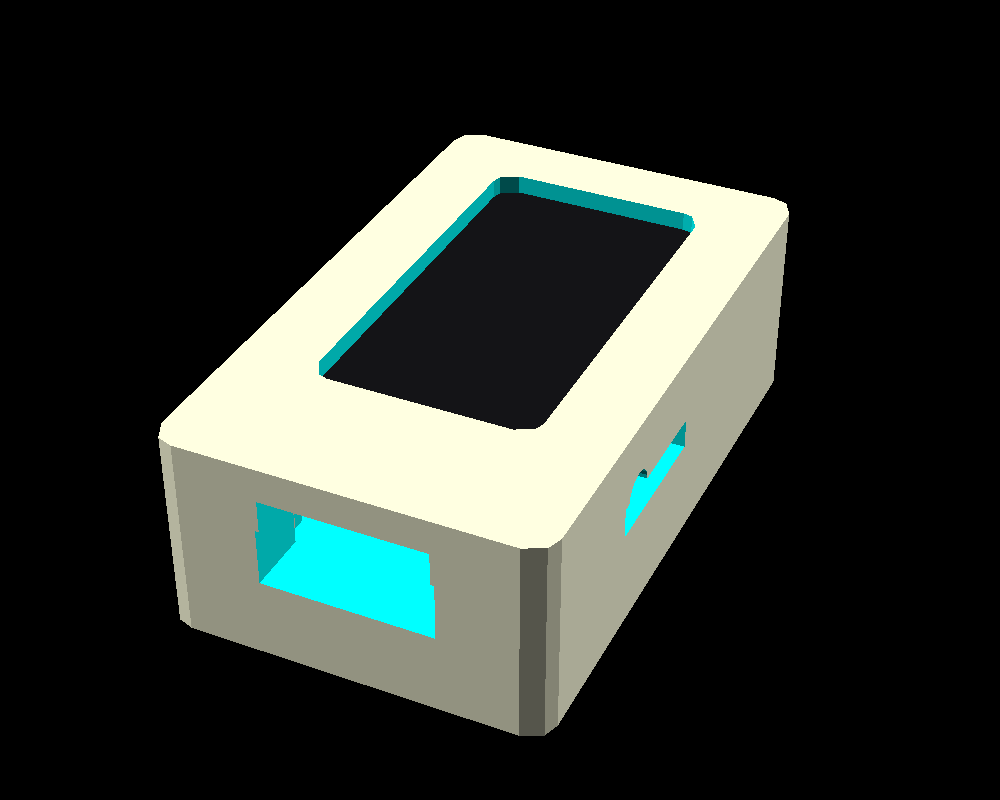
0.2 mm. Keep the LED window thin so GPIO8 glows through the PLA. A standing shell reads better than a flat bezel.
2
Flash the slab
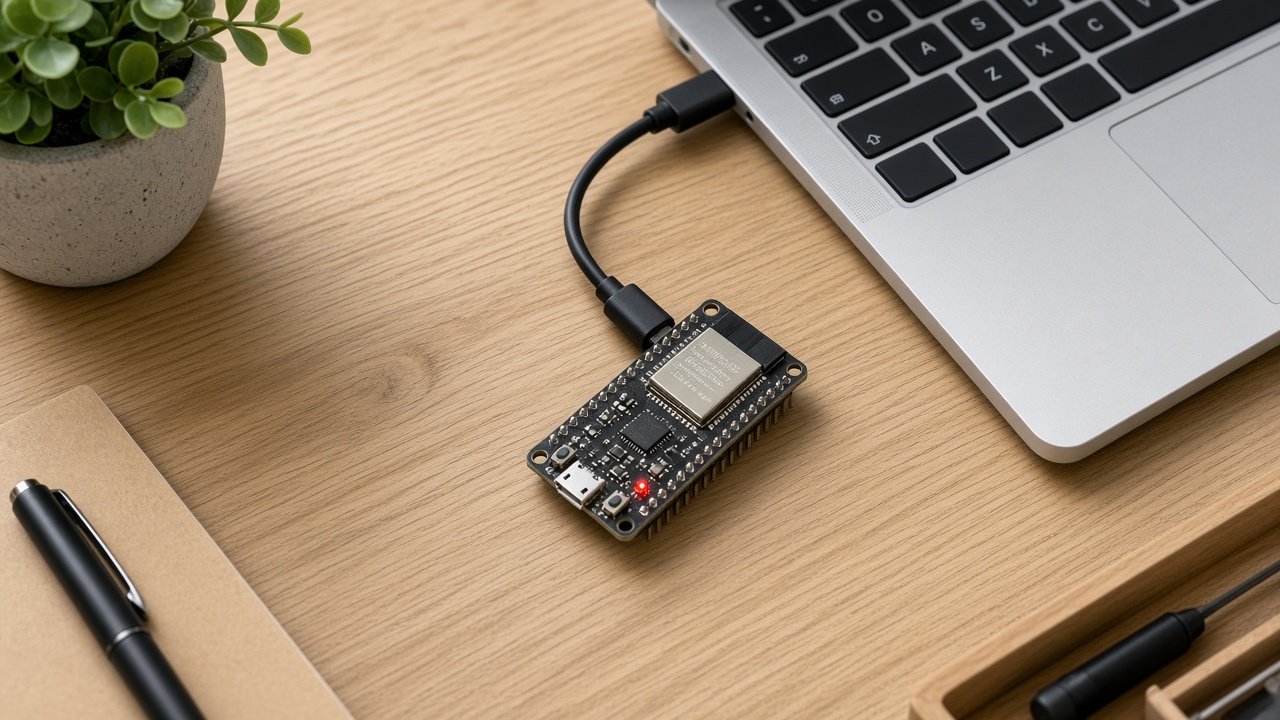
Flash means copy the program onto the chip. Easiest path: use the attached rgb-busy-lamp.bin with the on-page Flash to board button (Chrome or Edge, USB-C). To change the code later: Arduino IDE → ESP32C6 Dev Module, USB CDC On Boot, 115200 — or unzip platformio.zip next to the .ino and run python3 -m platformio run -t upload. Keep the backlight at 50%. This slab has no touch screen and no motion sensor — you press BOOT (the button on GPIO9) to interact.
3
Set your state
Short BOOT to cycle. Or serial: focus, meeting, away, free. Hold BOOT to rotate.
Warning
Wi-Fi strings are empty on purpose. The lamp has no open port until you fill them in.
Lesson 1 — Name the moods
You could store “is the LED red?” as a boolean. Then you add amber. Then blue. The program turns into spaghetti.
Better: an enum FREE / FOCUS / MEETING / AWAY. One variable, four values. Every draw, every LED update, every serial command sets or reads that one variable. That is a state machine again — same idea as the 8-ball, different toy.
One row per mood
rgb-busy-lamp.ino
{"free",    "FREE",    "I'm around",     /* green  */},
{"focus",   "FOCUS",   "Heads down",     /* amber  */},
{"meeting", "MEETING", "Do not disturb", /* red    */},
{"away",    "AWAY",    "Stepped out",    /* dim blue */},
Lesson 2 — One LED, any color
The WS2812 is a smart LED. You send it (red, green, blue) and it glows that mix. (0, 220, 70) looks free/green. (220, 20, 28) looks meeting/red. The giant word on the LCD uses the same idea in pixels.
Why both? The LCD is for you at the desk. The LED is for someone in the doorway who should not have to read.
Lesson 3 — HTTP as a remote control (optional)
If you fill in Wi-Fi, the board listens for:
POST /state?set=meeting
That is the same verb as typing meeting on serial — two doors into one function setState(). Good programs have one place that changes the mood, and many ways to call it (button, serial, web).
Try this
Cycle with BOOT, then unplug. Plug back in: it should still be MEETING.
Type status and read the RGB triple. Change one number in the table and reflash — you just designed a color.
With a teacher’s help, add Wi-Fi and hit the POST from a laptop.
Talking to the board (serial)
Your computer can talk to the board over the same USB-C cable. That text chat is called serial. In Arduino IDE or PlatformIO, open the Serial Monitor at 115200 baud (that number is the speed — both sides must match).
Type a word, press Enter, and the board answers. Try help first. Then try status.
Commands for this project:free · focus · meeting · away · status · help · rotate
Tip
If you see nothing, pick the right USB port, set 115200, and press the board’s RESET once. On a Mac the port often looks like /dev/cu.usbmodem….
The complete program (reference)
Everything above taught the ideas. Below is the full sketch so you can search, copy, and tinker. It is long on purpose — that is a real program, not a toy snippet. Scroll inside the box. The downloadable .ino is the same file.
Wi-Fi and API fields are placeholders (YOUR_WIFI_SSID_HERE, YOUR_WIFI_PASSWORD_HERE). Never paste a real password into a public copy.
rgb-busy-lamp.ino (complete)
rgb-busy-lamp.ino
// Desk busy lamp for Waveshare ESP32-C6-LCD-1.47 (Amazon B0DK5J6LX3).
// LCD-only slab — no touch, no IMU. 172×320 ST7789 + GPIO8 RGB + BOOT GPIO9.
//
// States: FREE (green) · FOCUS (amber) · MEETING (red) · AWAY (dim blue)
// Huge stacked word + short subtitle. Onboard WS2812 matches the color.
// Last state is stored in Preferences ("busylamp" / "state").
// Orientation is stored as "land" (0 portrait 172×320, 1 landscape 320×172).
//
// Serial 115200: free | focus | meeting | away | status | help | rotate
// Short BOOT (GPIO9): cycle states. Hold BOOT ~0.7s: portrait / landscape.
//
// Optional Wi-Fi — leave SSID empty to stay offline.
// To enable HTTP, replace the empty strings with:
//   #define WIFI_SSID "YOUR_WIFI_SSID_HERE"
//   #define WIFI_PASSWORD "YOUR_WIFI_PASSWORD_HERE"
// Then POST /state?set=focus   (free|focus|meeting|away)
//
// Arduino IDE: ESP32C6 Dev Module, USB CDC On Boot.
// Backlight stays at 50% (Waveshare heat-spot warning).
// The browser sim is board-sketches/rgb-busy-lamp/sim/index.html
//   python .cursor/skills/board-firmware-sim/scripts/serve_sim.py board-sketches/rgb-busy-lamp

#include <Arduino.h>
#include <Arduino_GFX_Library.h>
#include <Adafruit_NeoPixel.h>
#include <Preferences.h>
#include <WiFi.h>
#include <WebServer.h>

#include "../../../shared/c6_slab_pins.h"

#ifndef WIFI_SSID
#define WIFI_SSID ""   // YOUR_WIFI_SSID_HERE
#endif
#ifndef WIFI_PASSWORD
#define WIFI_PASSWORD ""  // YOUR_WIFI_PASSWORD_HERE
#endif

#define BOOT_LONG_MS 700UL

enum LampState : uint8_t { ST_FREE = 0, ST_FOCUS, ST_MEETING, ST_AWAY, ST_COUNT };

struct LampLook {
  const char *id;
  const char *word;
  const char *sub;
  uint8_t led_r, led_g, led_b;
  uint8_t bg_r, bg_g, bg_b;
  uint8_t fg_r, fg_g, fg_b;
};

// Keep these RGB triples in sync with sim/index.html
static const LampLook LOOKS[ST_COUNT] = {
  {"free",    "FREE",    "I'm around",     0, 220,  70,   8, 32, 16,   72, 255, 128},
  {"focus",   "FOCUS",   "Heads down",   255, 160,   0,  40, 22,  4,  255, 196,  64},
  {"meeting", "MEETING", "Do not disturb", 220, 20, 28,  40,  6, 10,  255,  88,  88},
  {"away",    "AWAY",    "Stepped out",   12,  28,  88,   6, 12, 32,   96, 140, 220},
};

static Arduino_DataBus *bus = new Arduino_ESP32SPI(
    C6_LCD_DC_PIN, C6_LCD_CS_PIN, C6_LCD_SCLK_PIN, C6_LCD_MOSI_PIN, GFX_NOT_DEFINED);
static Arduino_GFX *gfx = new Arduino_ST7789(
    bus, C6_LCD_RST_PIN, 0 /* rotation */, true /* IPS */,
    C6_LCD_W, C6_LCD_H, 34, 0, 34, 0);

static Adafruit_NeoPixel rgb(1, C6_RGB_PIN, NEO_GRB + NEO_KHZ800);
static Preferences prefs;
static WebServer server(80);

static LampState g_state = ST_FREE;
static bool g_landscape = false;
static bool g_wifi_up = false;
static bool g_bootDown = false;
static bool g_bootLong = false;
static uint32_t g_bootDownAt = 0;
static String g_line;

static int sw() { return gfx->width(); }
static int sh() { return gfx->height(); }

static void applyOrient() { gfx->setRotation(g_landscape ? 1 : 0); }

static void persistOrient() { prefs.putUChar("land", g_landscape ? 1 : 0); }

static uint16_t rgb565(uint8_t r, uint8_t g, uint8_t b) {
  return (uint16_t)(((r & 0xF8) << 8) | ((g & 0xFC) << 3) | (b >> 3));
}

static int wordTextSize(const char *word) {
  const int n = (int)strlen(word);
  if (g_landscape) {
    if (n >= 7) return 7;
    if (n >= 5) return 9;
    return 11;
  }
  if (n >= 7) return 4;
  if (n >= 5) return 6;
  return 8;
}

static void drawStackedWord(const char *word, uint16_t color, int size, int y0) {
  const int cw = 6 * size;
  const int ch = 8 * size;
  const int gap = 2;
  gfx->setTextSize(size);
  gfx->setTextColor(color);
  for (int i = 0; word[i]; i++) {
    const int x = (sw() - cw) / 2;
    const int y = y0 + i * (ch + gap);
    gfx->setCursor(x, y);
    char glyph[2] = {word[i], 0};
    gfx->print(glyph);
  }
}

static void drawHWord(const char *word, uint16_t color, int size, int y) {
  const int tw = (int)strlen(word) * 6 * size;
  gfx->setTextSize(size);
  gfx->setTextColor(color);
  gfx->setCursor((sw() - tw) / 2, y);
  gfx->print(word);
}

static void drawScreen() {
  const LampLook &L = LOOKS[g_state];
  const uint16_t bg = rgb565(L.bg_r, L.bg_g, L.bg_b);
  const uint16_t fg = rgb565(L.fg_r, L.fg_g, L.fg_b);
  const uint16_t dim = rgb565((L.fg_r * 2) / 5, (L.fg_g * 2) / 5, (L.fg_b * 2) / 5);

  gfx->fillScreen(bg);
  gfx->fillRect(0, 0, sw(), 8, fg);
  gfx->fillRect(0, sh() - 8, sw(), 8, fg);
  gfx->fillRect(0, 8, 3, sh() - 16, dim);
  gfx->fillRect(sw() - 3, 8, 3, sh() - 16, dim);

  const int size = wordTextSize(L.word);
  const int n = (int)strlen(L.word);
  const int ch = 8 * size;
  const int gap = 2;
  const int subSize = g_landscape ? 3 : 2;
  const int subW = (int)strlen(L.sub) * 6 * subSize;

  if (g_landscape) {
    const int wordH = ch;
    const int total = wordH + 12 + 8 * subSize;
    int y0 = (sh() - total) / 2;
    if (y0 < 16) y0 = 16;
    drawHWord(L.word, fg, size, y0);
    gfx->setTextSize(subSize);
    gfx->setTextColor(fg);
    gfx->setCursor((sw() - subW) / 2, y0 + wordH + 12);
    gfx->print(L.sub);
  } else {
    const int stackH = n * ch + (n - 1) * gap;
    const int total = stackH + 18 + 8 * subSize;
    int y0 = (sh() - total) / 2;
    if (y0 < 16) y0 = 16;
    drawStackedWord(L.word, fg, size, y0);
    gfx->setTextSize(subSize);
    gfx->setTextColor(fg);
    gfx->setCursor((sw() - subW) / 2, y0 + stackH + 12);
    gfx->print(L.sub);
  }
}

static void setLampLed() {
  const LampLook &L = LOOKS[g_state];
  rgb.setPixelColor(0, rgb.Color(L.led_r, L.led_g, L.led_b));
  rgb.show();
}

static void persistState() {
  prefs.putUChar("state", (uint8_t)g_state);
}

static void applyState(LampState next, bool save) {
  if (next >= ST_COUNT) next = ST_FREE;
  g_state = next;
  drawScreen();
  setLampLed();
  if (save) persistState();
  Serial.printf("state %s\n", LOOKS[g_state].id);
}

static bool applyStateName(const String &name) {
  for (uint8_t i = 0; i < ST_COUNT; i++) {
    if (name.equalsIgnoreCase(LOOKS[i].id)) {
      applyState((LampState)i, true);
      return true;
    }
  }
  return false;
}

static void cycleState() {
  applyState((LampState)((g_state + 1) % ST_COUNT), true);
}

static void toggleOrient() {
  g_landscape = !g_landscape;
  applyOrient();
  persistOrient();
  drawScreen();
  Serial.printf("orient %s\n", g_landscape ? "landscape" : "portrait");
}

static void printHelp() {
  Serial.println(F("rgb-busy-lamp — desk lamp on ESP32-C6-LCD-1.47"));
  Serial.println(F("  free | focus | meeting | away"));
  Serial.println(F("  status"));
  Serial.println(F("  rotate  portrait <-> landscape"));
  Serial.println(F("  help"));
  Serial.println(F("BOOT short = cycle FREE → FOCUS → MEETING → AWAY"));
  Serial.println(F("Hold BOOT = rotate. RGB GPIO8 matches the slab color"));
  if (WIFI_SSID[0]) {
    Serial.println(F("POST /state?set=focus   (also GET /)"));
  } else {
    Serial.println(F("Wi-Fi off — set WIFI_SSID to enable POST /state?set="));
  }
}

static void printStatus() {
  Serial.printf("state: %s\n", LOOKS[g_state].id);
  Serial.printf("orient: %s  %dx%d\n", g_landscape ? "landscape" : "portrait", sw(), sh());
  Serial.printf("word: %s — %s\n", LOOKS[g_state].word, LOOKS[g_state].sub);
  Serial.printf("rgb: GPIO%d  %u,%u,%u\n", C6_RGB_PIN,
                LOOKS[g_state].led_r, LOOKS[g_state].led_g, LOOKS[g_state].led_b);
  Serial.printf("boot: GPIO%d  backlight: %u/255\n", C6_BOOT_PIN, C6_BL_PWM);
  if (g_wifi_up) {
    Serial.printf("wifi: %s  http://%s/\n", WiFi.SSID().c_str(),
                  WiFi.localIP().toString().c_str());
  } else if (WIFI_SSID[0]) {
    Serial.println(F("wifi: configured, not connected"));
  } else {
    Serial.println(F("wifi: offline (empty SSID)"));
  }
}

static void handleSerialLine(String line) {
  line.trim();
  line.toLowerCase();
  if (!line.length()) return;
  if (line == "help" || line == "?") {
    printHelp();
    return;
  }
  if (line == "status") {
    printStatus();
    return;
  }
  if (line == "rotate" || line == "orient") {
    toggleOrient();
    return;
  }
  if (applyStateName(line)) return;
  Serial.print(F("unknown: "));
  Serial.println(line);
  Serial.println(F("try: help"));
}

static void pollSerial() {
  while (Serial.available()) {
    char c = (char)Serial.read();
    if (c == '\r') continue;
    if (c == '\n') {
      handleSerialLine(g_line);
      g_line = "";
    } else if (g_line.length() < 48) {
      g_line += c;
    }
  }
}

static void pollBoot() {
  const bool down = digitalRead(C6_BOOT_PIN) == LOW;
  const uint32_t now = millis();
  if (down && !g_bootDown) {
    g_bootDown = true;
    g_bootLong = false;
    g_bootDownAt = now;
  }
  if (down && g_bootDown && !g_bootLong && (now - g_bootDownAt) >= BOOT_LONG_MS) {
    g_bootLong = true;
    toggleOrient();
  }
  if (!down && g_bootDown) {
    if (!g_bootLong && (now - g_bootDownAt) > 40) {
      cycleState();
    }
    g_bootDown = false;
  }
}

static void handleStateHttp() {
  if (!server.hasArg("set")) {
    server.send(400, "text/plain", "missing set");
    return;
  }
  if (applyStateName(server.arg("set"))) {
    server.send(200, "text/plain", LOOKS[g_state].id);
  } else {
    server.send(400, "text/plain", "unknown state");
  }
}

static void handleRootHttp() {
  String html;
  html.reserve(720);
  html += F("<!doctype html><meta name=viewport content='width=device-width,initial-scale=1'>");
  html += F("<title>busy lamp</title><style>");
  html += F("body{font-family:system-ui;background:#111;color:#eee;padding:24px}");
  html += F("button{display:block;width:100%;margin:8px 0;padding:14px;font-size:18px;border:0;border-radius:10px}");
  html += F("</style><h1>");
  html += LOOKS[g_state].word;
  html += F("</h1><p>");
  html += LOOKS[g_state].sub;
  html += F("</p>");
  for (uint8_t i = 0; i < ST_COUNT; i++) {
    html += F("<button style='background:rgb(");
    html += String(LOOKS[i].led_r);
    html += ',';
    html += String(LOOKS[i].led_g);
    html += ',';
    html += String(LOOKS[i].led_b);
    html += F(");color:#111' onclick=\"fetch('/state?set=");
    html += LOOKS[i].id;
    html += F("',{method:'POST'}).then(()=>location.reload())\">");
    html += LOOKS[i].word;
    html += F("</button>");
  }
  server.send(200, "text/html", html);
}

static void startWifi() {
  if (!WIFI_SSID[0]) {
    Serial.println(F("wifi: skipped (empty SSID)"));
    return;
  }
  WiFi.mode(WIFI_STA);
  WiFi.begin(WIFI_SSID, WIFI_PASSWORD);
  Serial.printf("wifi: connecting to %s\n", WIFI_SSID);
  const uint32_t start = millis();
  while (WiFi.status() != WL_CONNECTED && millis() - start < 8000) {
    delay(200);
    Serial.print('.');
  }
  Serial.println();
  if (WiFi.status() != WL_CONNECTED) {
    Serial.println(F("wifi: give up, running offline"));
    WiFi.disconnect(true);
    return;
  }
  g_wifi_up = true;
  server.on("/", HTTP_GET, handleRootHttp);
  server.on("/state", HTTP_POST, handleStateHttp);
  server.on("/state", HTTP_GET, handleStateHttp);
  server.begin();
  Serial.printf("wifi: http://%s/  POST /state?set=focus\n",
                WiFi.localIP().toString().c_str());
}

void setup() {
  Serial.begin(115200);
  delay(200);
  Serial.println();
  Serial.println(F("rgb-busy-lamp"));

  pinMode(C6_BOOT_PIN, INPUT_PULLUP);
  pinMode(C6_LCD_BL_PIN, OUTPUT);
  analogWrite(C6_LCD_BL_PIN, C6_BL_PWM);

  if (!gfx->begin()) {
    Serial.println(F("LCD init failed"));
  }

  rgb.begin();
  rgb.clear();
  rgb.show();

  prefs.begin("busylamp", false);
  g_landscape = prefs.getUChar("land", 0) != 0;
  applyOrient();
  uint8_t stored = prefs.getUChar("state", ST_FREE);
  if (stored >= ST_COUNT) stored = ST_FREE;
  applyState((LampState)stored, false);

  startWifi();
  printHelp();
}

void loop() {
  pollBoot();
  pollSerial();
  if (g_wifi_up) server.handleClient();
  delay(10);
}
Board and housing
Silhouette slab (ESP32-C6)Busy-lamp housingCAD of the snap-fit shell.