 Add-on for Blender 4.2+ · Free
PrintPal for Blender: the free 3D printing add-on for Blender
Find a printable model, bring it in at the right size, check that it will print, and hand it to your slicer without leaving the 3D Viewport. Multi-colour 3MF in and out, for Bambu Studio, OrcaSlicer and PrusaSlicer.
- Free (GPL-3.0)
- No account needed
- Works offline
- Auto-updates in Blender
What is PrintPal for Blender?
PrintPal for Blender is a free Blender extension (add-on) from PrintPal that turns Blender into a 3D printing workbench. It adds a searchable library of free, openly licensed printable models, 3MF import and export that keeps painted colours and negative parts for Bambu Studio, OrcaSlicer and PrusaSlicer, a printability check with printer presets, one-click send to nine slicers, and offline print-cost, filament, layer-height and flow calculators.
Everything lives in 3D Viewport → Sidebar (N) → PrintPal. It needs Blender 4.2 or newer, no account, and works offline for import, export, print prep and the calculators. The full edition adds AI text-to-3D and image-to-3D generation and an AI CAD hand-off.
Updated October 27, 2026 · Made by PrintPal
At a glance
- Blender version
- 4.2 LTS or newer (tested on 4.2 and 5.2 LTS)
- Version
- 1.0.0
- Price
- Free. AI generation (full edition) uses PrintPal credits.
- License
- GPL-3.0-or-later
- Account needed
- No
- Where it lives
- 3D Viewport → Sidebar (N) → PrintPal
- Works offline
- Import, export, print prep and calculators
- Slicers
- OrcaSlicer, Bambu Studio, PrusaSlicer, UltiMaker Cura, ElegooSlicer, Creality Print, Anycubic Slicer Next, Snapmaker Orca, Flashforge Flash Studio
What PrintPal for Blender can do
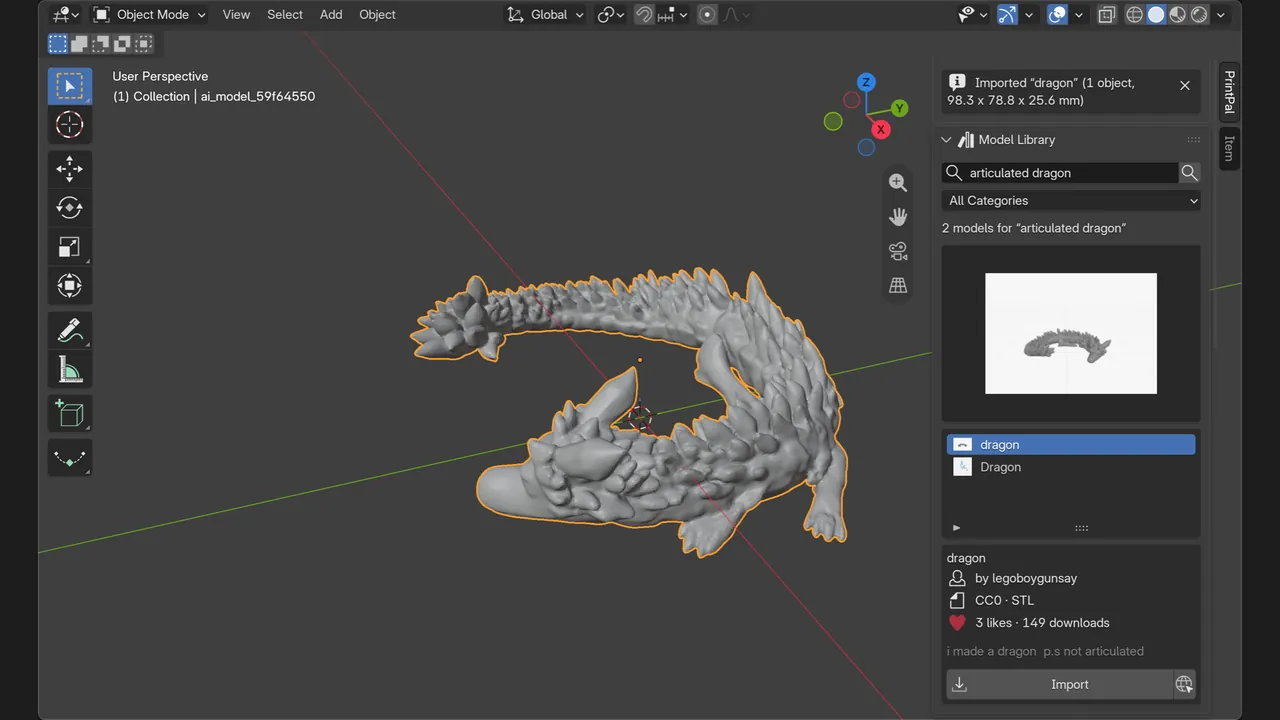
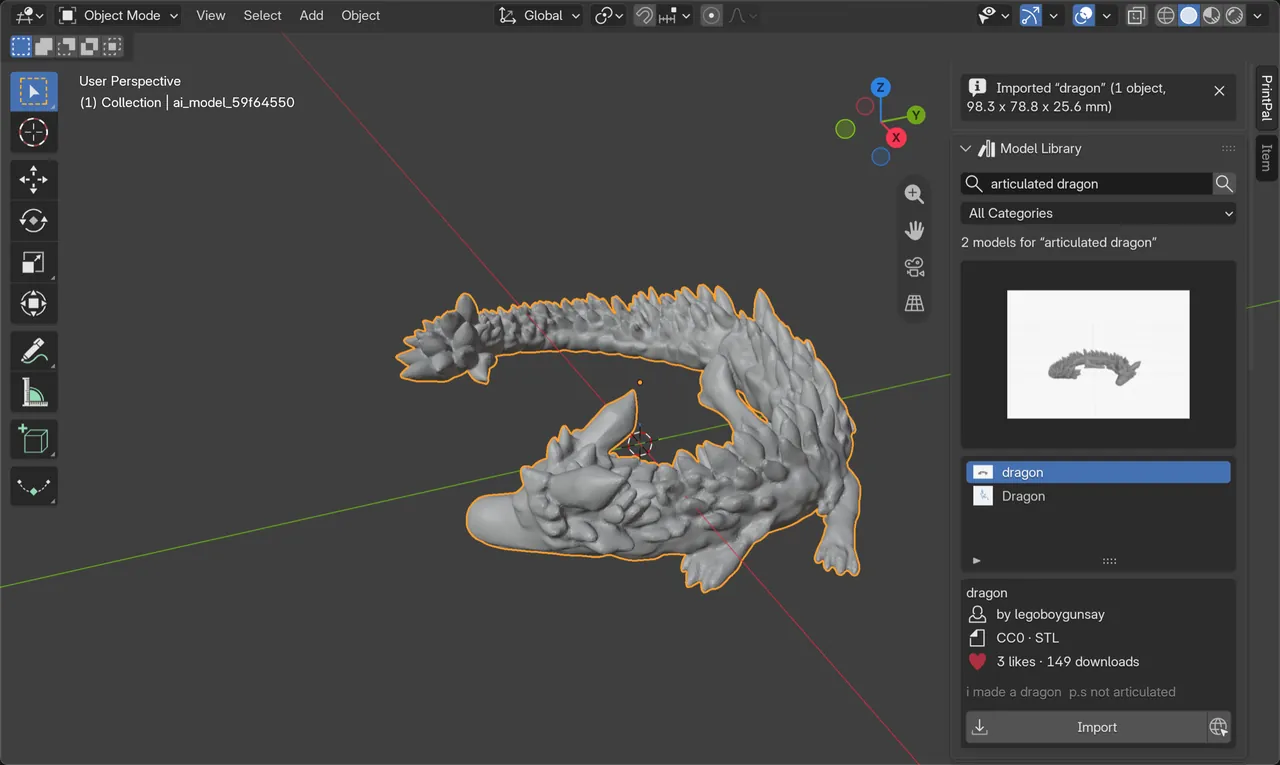
Free printable model library
Search PrintPal's free, openly licensed models with thumbnails, author, license and stats. Import lands each model in its own collection, in millimetres, on the grid.
Multi-colour 3MF in and out
Import Bambu Studio, OrcaSlicer and PrusaSlicer projects with painted colours as materials and negative parts as Boolean cutters. Export one colour per material, already painted.
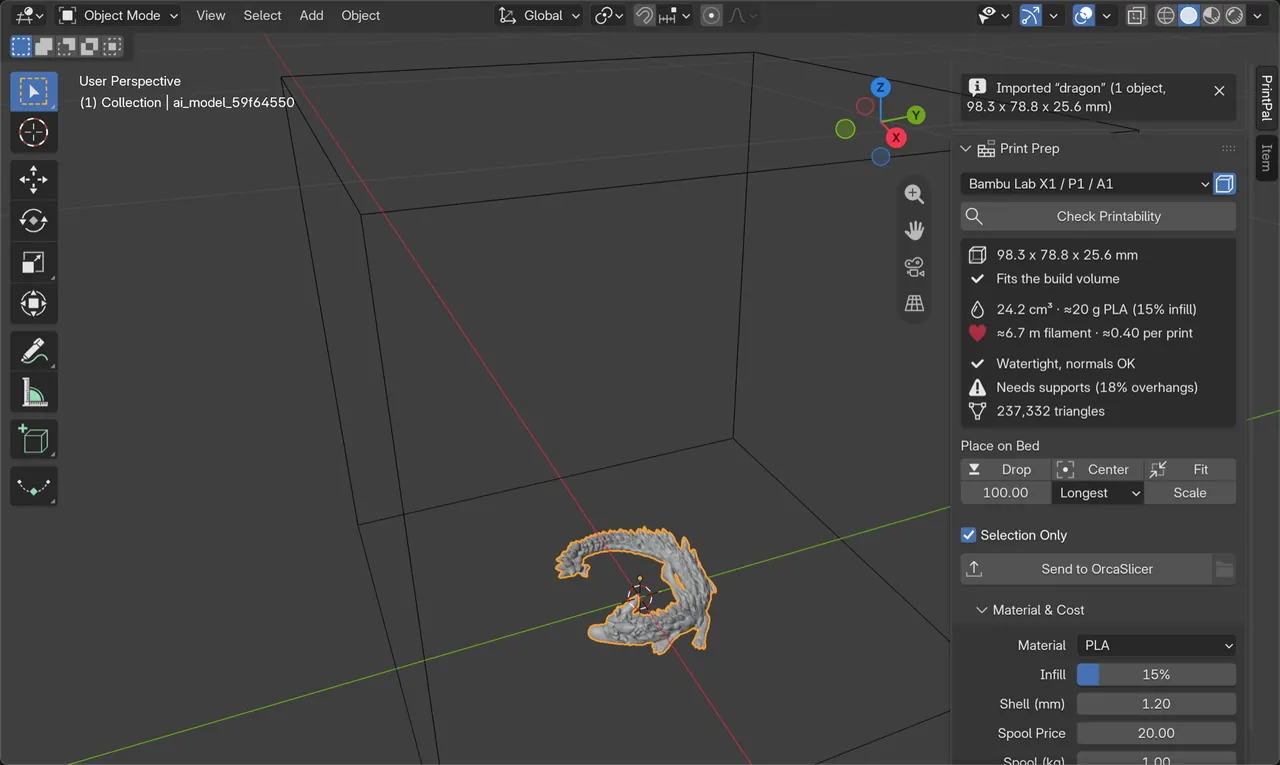
Check Printability
Size, bed fit, volume, weight, filament length, rough cost, watertight and normals check, overhang share and triangle count for your printer preset.
Units fixed in one click
Spots models made in cm, inches or metres and offers x10, x25.4 or x1000 fixes. Drop, Center, Fit to bed or Scale to an exact size.
Send to Slicer
Exports the selection with modifiers applied and opens it in your slicer. Also in the Object right-click menu.
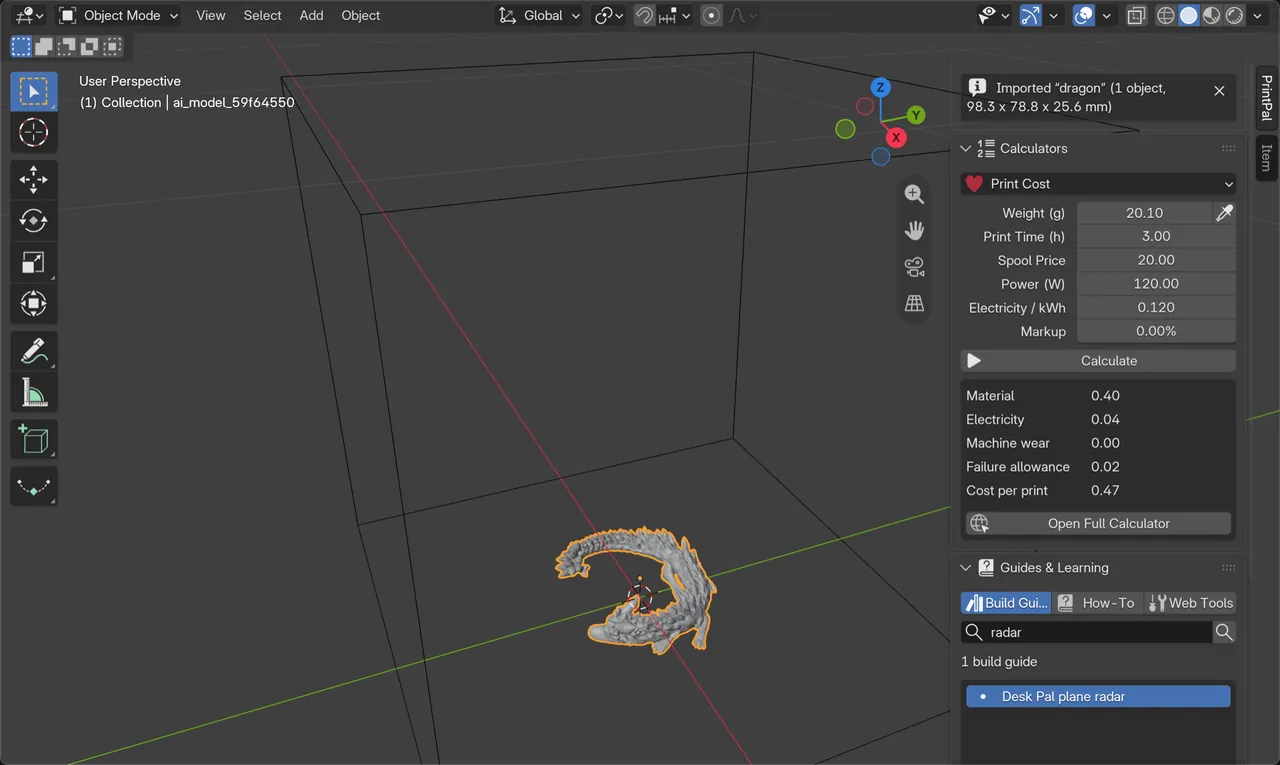
Offline calculators
Print cost, filament grams to metres, magic layer heights and a volumetric-flow check, with the weight taken straight from Check Printability.
Guides and how-tos
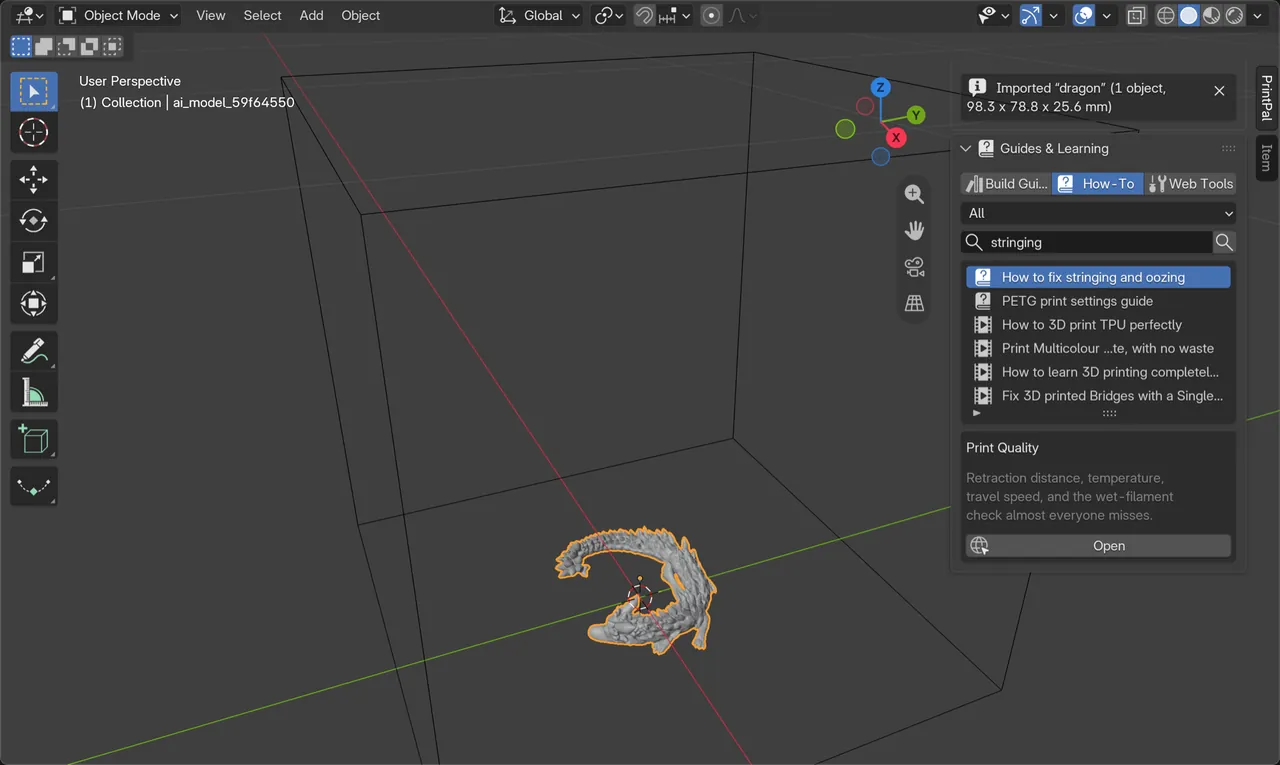
Search PrintPal build guides, troubleshooting articles, videos and free browser tools from the sidebar.
AI Generate (full edition)
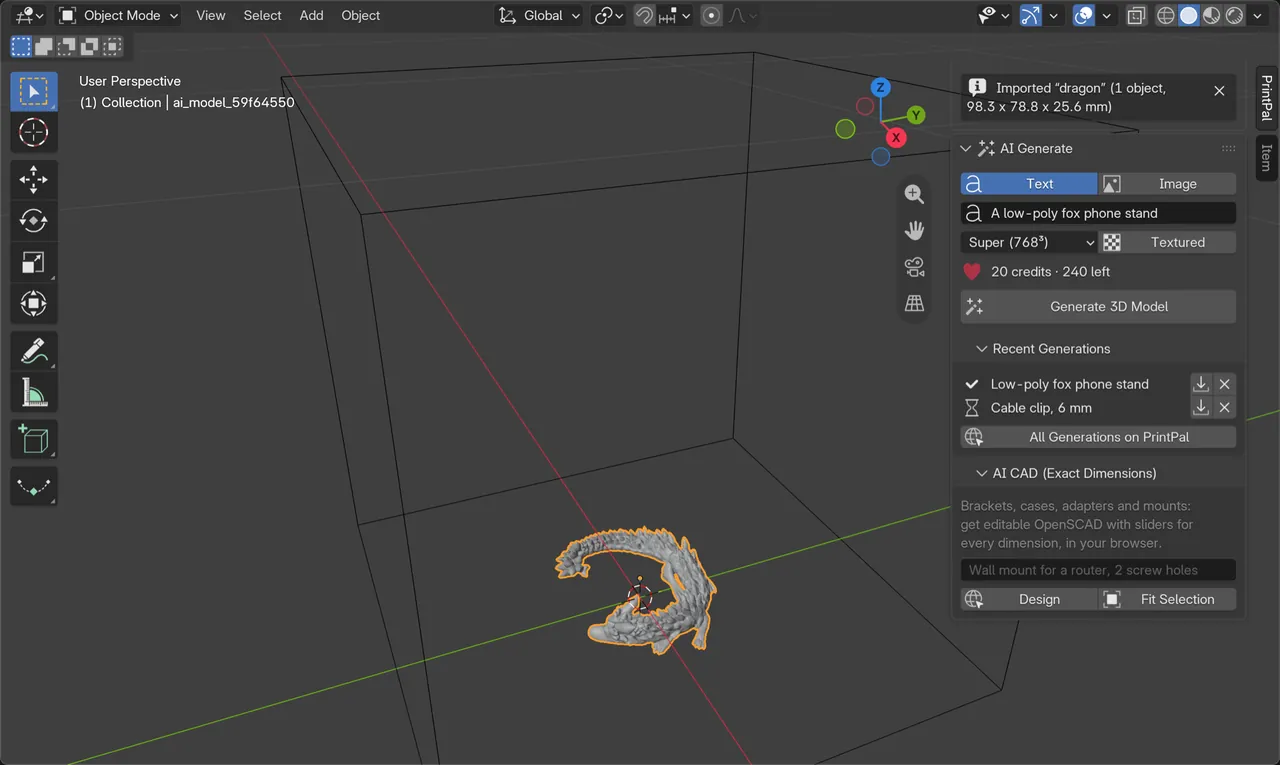
Text or reference image to a printable mesh at up to 1536³, scaled to 100 mm and placed on the bed. Jobs keep running if you close the panel.
PrintPal for Blender in action
How to install PrintPal in Blender
- Open printpal.io/mcp/blender and drag the PrintPal link into a Blender 4.2+ window. Blender adds the PrintPal repository and installs the add-on in one step.
- Or add the repository yourself: Edit → Preferences → Get Extensions → Repositories → + → Add Remote Repository, paste
https://printpal.io/mcp/blender/index.json, keep Check for Updates on Startup on and press Create. Then search PrintPal in Get Extensions and click Install. - Press N in the 3D Viewport and open the PrintPal tab.
- Optional: for AI generation, paste a PrintPal API key in the extension's preferences (Get API Key opens printpal.io/api-keys).
Installing from the repository means Blender offers PrintPal updates automatically. The account-free community edition is in review for extensions.blender.org.
Paste into Add Remote Repository for automatic updates.
https://printpal.io/mcp/blender/index.jsonDownload printpal-1.0.0.zip, then in Get Extensions open the menu at the top right and choose Install from Disk.
https://printpal.io/static/mcp/blender/dist/printpal-1.0.0.zipThings to try first
Community edition vs full edition
One codebase, two packages. Both are free to install.
| Feature | Community | Full |
|---|---|---|
| Free model library, import at real size | Yes | Yes |
| 3MF import and export with colours and negative parts | Yes | Yes |
| Printer presets, Check Printability, unit fixes | Yes | Yes |
| Send to Slicer (9 slicers) | Yes | Yes |
| Calculators, build guides, how-to search | Yes | Yes |
| AI Generate (text or image to 3D) | No | Yes (credits) |
| AI CAD with exact dimensions | No | Yes |
| Paid community models | Hidden | Shown with a link |
| Where to get it | extensions.blender.org (soon) | printpal.io repository |
Who uses PrintPal for Blender
Multi-colour printers
Paint in Blender, export a 3MF that opens in Bambu Studio or OrcaSlicer already coloured for your AMS.
Figurine and prop makers
Kitbash library models, check overhangs and wall issues, then send to the slicer.
Blender artists new to printing
Fix unit mix-ups, see whether it fits the bed and get a cost estimate before you print.
Classrooms
No account and no API key needed, so students can install and print the same day.
Privacy and how it works
What PrintPal for Blender sends, stores and never touches.
- The add-on only goes online when Blender's Allow Online Access is on, and only when you press a button or type a search.
- It sends your search text and the ID of the model you import to printpal.io over HTTPS. No telemetry.
- Calculators, print prep and 3MF work run entirely on your computer.
- Downloads, thumbnails and a small settings file live in the extension's user folder. Preferences shows the cache size with a Clear button.
Frequently asked questions about PrintPal for Blender
What is PrintPal for Blender?
PrintPal for Blender is a free Blender 4.2+ extension that adds a printable model library, 3MF import and export with colours and negative parts, a printability check with printer presets, unit fixes, send-to-slicer for nine slicers and offline 3D printing calculators to the 3D Viewport sidebar.
Is the PrintPal Blender add-on free?
Yes. It is free and GPL-3.0 licensed, and needs no account. Only AI generation in the full edition uses PrintPal credits.
Which Blender versions are supported?
Blender 4.2 LTS and newer, using Blender's extension system. It has been tested on Blender 4.2 LTS and 5.2 LTS on macOS, and it is pure Python, so it runs on Windows, macOS and Linux.
Can Blender export a multi-colour 3MF for Bambu Studio or OrcaSlicer?
Yes, with PrintPal. File, Export, 3MF (PrintPal) writes one colour per material, so multi-colour objects open in OrcaSlicer and Bambu Studio already painted, and the add-on tells you the filament order.
How do I send a model from Blender to my slicer?
Select the object and click Send to Slicer in the PrintPal Print Prep panel, or use the Object right-click menu. It exports the selection with modifiers applied and opens it in OrcaSlicer, Bambu Studio, PrusaSlicer, UltiMaker Cura, ElegooSlicer, Creality Print, Anycubic Slicer Next, Snapmaker Orca or Flashforge Flash Studio.
Does it replace Blender's 3D-Print Toolbox?
No, it complements it. The 3D-Print Toolbox focuses on mesh checks such as wall thickness and intersections. PrintPal adds a model library, colour 3MF, printer-bed fit, unit fixes, send-to-slicer and cost and filament calculators. You can use both.
Does it work offline?
Yes for import, export, print prep and the calculators. The model library, guides and AI generation need Blender's Allow Online Access setting turned on.
What is the difference between the community and full editions?
The community edition has every free feature and no account, key or purchase links. The full edition, installed from the printpal.io repository, adds AI text-to-3D and image-to-3D generation, an AI CAD hand-off and paid model links. Only one edition can be enabled at a time.
Get PrintPal for Blender
A free Blender add-on with a printable model library, 3MF import and export with colours, print prep and send-to-slicer. Free to install. See all integrations.