 Custom nodes for ComfyUI · No GPU needed
PrintPal 3D for ComfyUI: image to 3D and text to 3D nodes
Turn any image or prompt into a high-resolution, print-ready 3D model (up to 1536³) in your ComfyUI workflows, and load free printable models from PrintPal's community library. Generation runs on PrintPal, so no local VRAM is needed.
- Free nodes (MIT)
- No local GPU
- GLB, STL, OBJ, FBX, PLY
- Example workflows
What is PrintPal 3D for ComfyUI?
PrintPal 3D is a free ComfyUI custom node pack (printpal-3d) from PrintPal that adds image-to-3D and text-to-3D generation through the PrintPal API, at resolutions from 256³ up to 1536³ with optional textures, and outputs GLB, STL, OBJ, FBX or PLY as a ComfyUI FILE_3D for Preview 3D and Save 3D Model. A Model Library node loads free printable models from PrintPal's community library with no API key.
Generation runs on PrintPal's servers and is paid per use with credits, so it works on any machine, including CPU-only ComfyUI installs. STL, OBJ and PLY are saved Z-up in print orientation, ready for a slicer.
Updated October 27, 2026 · Made by PrintPal
At a glance
- Pack ID
printpal-3d(display name PrintPal 3D)- ComfyUI version
- 0.12.1 or newer (V3 node API); tested on 0.42.0
- Version
- 1.0.0
- License
- MIT
- Extra dependencies
- None (uses numpy, torch and Pillow from ComfyUI)
- Outputs
- GLB, STL, OBJ, FBX, PLY in
ComfyUI/output/printpal/ - Price
- Nodes free; generation 4 to 80 credits (1 credit = $0.01); library free
What PrintPal 3D for ComfyUI can do
Image to 3D
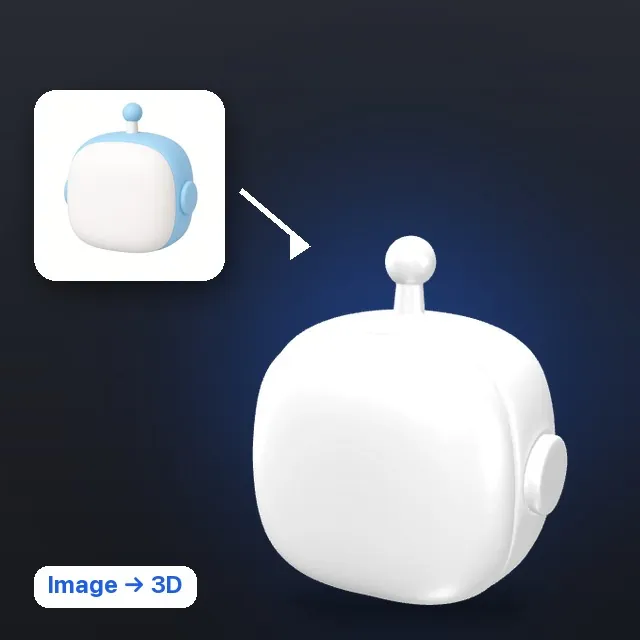
IMAGE in, FILE_3D out. Choose the quality tier, texture, format, seed and a target size in mm. Identical inputs reuse the last result instead of spending credits.
Text to 3D
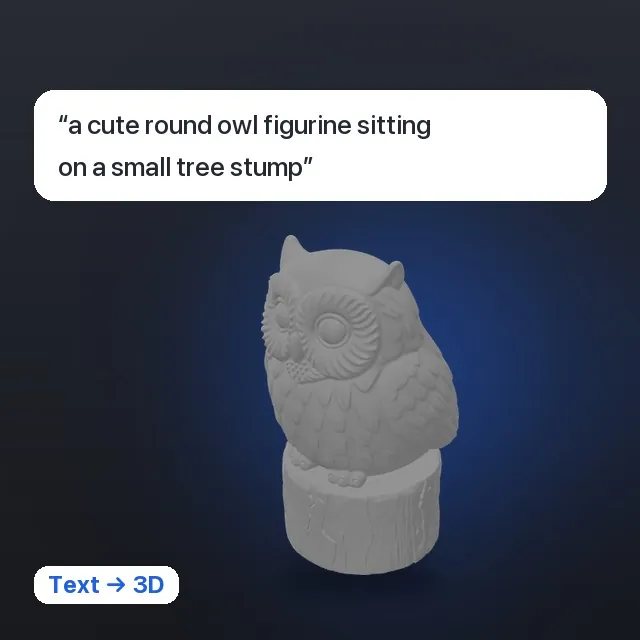
A prompt in, a 3D model out. Super tiers render a reference image first for better shape fidelity.
No GPU or VRAM needed
Generation runs on PrintPal, so it works on laptops and --cpu installs. Cancel stops waiting in about a second; reload the result later for free.
Free model library node
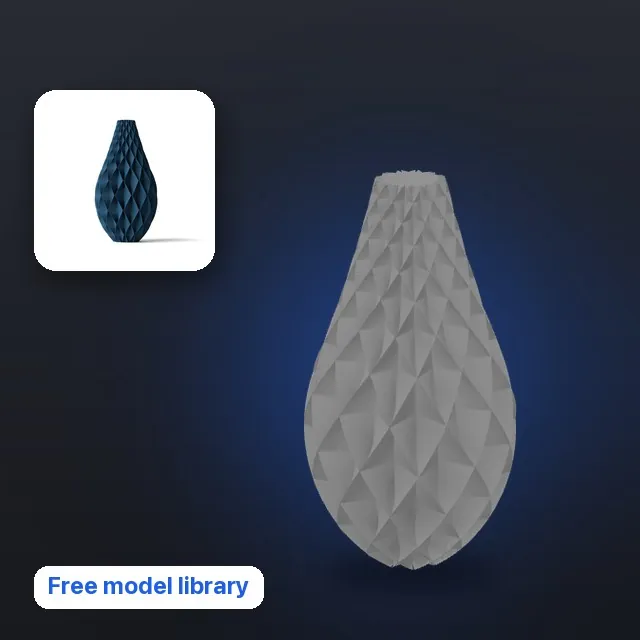
Search or paste a printpal.io model link and get the file (3MF converted to STL), thumbnail, title and attribution. Free models only, no key.
Print-ready orientation
GLB is saved Y-up like any glTF. STL, OBJ and PLY are saved Z-up for slicers, and size_mm scales the longest side for you.
PrintPal sidebar
Account status, add-to-workflow buttons that drop the node with a linked Preview 3D, recent generations and a library search with thumbnails.
PrintPal 3D for ComfyUI in action
How to install PrintPal 3D in ComfyUI
- Download printpal-3d-1.0.0.zip and unzip it into
ComfyUI/custom_nodes/(it contains theprintpal-3d/folder). - Restart ComfyUI.
- Open the PrintPal tab in the left sidebar, or Settings → PrintPal → Account, and paste an API key from printpal.io/api-keys. The Model Library node works without one.
- Open Templates → Extensions → printpal-3d for ready-made Image to 3D, Text to 3D and Model Library workflows.
PrintPal 3D is being published to the Comfy Registry. Once it is live you can install it from ComfyUI-Manager → Custom Nodes Manager or with comfy node install printpal-3d.
PrintPal 3D for ComfyUI 1.0.0
- Windows, macOS, Linux (ComfyUI 0.12.1+)
- Comfy Registry / ComfyUI-Manager: coming soon
Nodes
All nodes live in the PrintPal category.
| Node | What it does | Credits |
|---|---|---|
| PrintPal Image to 3D | IMAGE in, FILE_3D out. Quality tier, texture, format, seed, size in mm. | Yes |
| PrintPal Text to 3D | Prompt in, FILE_3D out. Same options as Image to 3D. | Yes |
| PrintPal Load Generation | Downloads an earlier generation by id, waiting if it is still running. | No |
| PrintPal Account | Credits, username and plan for the configured key. | No |
| PrintPal Model Library | Search or paste a model link; outputs the file, thumbnail, title, attribution and link. | No (no key) |
Quality tiers and credits
The node shows the cost before it runs and your balance after. 1 credit = $0.01.
| Tier | Resolution | Credits |
|---|---|---|
| default | 256³ | 4 |
| high | 384³ | 6 |
| ultra | 512³ | 8 |
| super | 768³ | 20 |
| superplus | 1024³ | 30 |
| superplus_1280 | 1280³ | 35 |
| superplus_1536 | 1536³ | 80 |
| Texture (super tiers only) | +20 |
Who uses PrintPal 3D for ComfyUI
Concept to object
Generate a character or product shot in Flux or SDXL, then turn it into a printable mesh in the same graph.
Laptop and CPU users
Get high-resolution 3D without a 24 GB GPU or local 3D model weights.
Makers
Save STL scaled to a real size in mm, oriented for the slicer.
Game and AR artists
Export textured GLB or FBX for engines and viewers.
Privacy and how it works
What PrintPal 3D for ComfyUI sends, stores and never touches.
- Your API key is saved in
ComfyUI/user/__printpal/config.json(file mode 600), which ComfyUI never serves over HTTP. It is checked with printpal.io before it is saved and never enters workflows orcomfy.settings.json. - A key typed into a node's
api_keyinput is saved in that workflow instead, as the tooltip warns.PRINTPAL_API_KEYin the environment also works. - The last 50 generations are listed in
history.jsonnext to the config so you can reload them for free. - Images you generate from are sent to printpal.io only when you run a generation node.
Frequently asked questions about PrintPal 3D for ComfyUI
What is PrintPal 3D for ComfyUI?
PrintPal 3D is a free ComfyUI custom node pack (printpal-3d) that adds Image to 3D and Text to 3D nodes powered by the PrintPal API, from 256³ up to 1536³ with optional texture, plus a free Model Library node that loads printable models from PrintPal's community library. Outputs are GLB, STL, OBJ, FBX or PLY.
Do I need a GPU to generate 3D models in ComfyUI with PrintPal?
No. Generation runs on PrintPal's servers, so the nodes work on any machine, including ComfyUI started with --cpu. You only need an internet connection and a PrintPal API key.
How much does image to 3D cost?
Each generation costs PrintPal credits by tier: 4 credits at 256³, 6 at 384³, 8 at 512³, 20 at 768³, 30 at 1024³, 35 at 1280³ and 80 at 1536³, plus 20 for a texture on super tiers. One credit is $0.01. Reloading a past generation and the Model Library node are free.
Can I 3D print the models from ComfyUI?
Yes. Choose STL, OBJ or PLY and the file is saved Z-up in print orientation, and the size_mm input scales the longest side to a real size, so it opens in your slicer ready to print.
How do I install PrintPal 3D?
Unzip printpal-3d-1.0.0.zip into ComfyUI/custom_nodes/ and restart ComfyUI, then paste your API key in the PrintPal sidebar tab. Once it is on the Comfy Registry you can also install it from ComfyUI-Manager or with comfy node install printpal-3d.
Which ComfyUI versions are supported?
ComfyUI 0.12.1 or newer, which has the V3 node API and File3D outputs. It was tested on ComfyUI 0.42.0 with frontend 1.57.1 and passes comfy node validate.
Is my API key stored in my workflows?
Not if you set it in the sidebar or Settings: it is stored in ComfyUI/user/__printpal/config.json, which ComfyUI never serves. Only a key typed directly into a node's api_key input is saved inside that workflow.
Get PrintPal 3D for ComfyUI
Custom nodes for image-to-3D and text-to-3D up to 1536³, plus a free printable model library, in any ComfyUI workflow. Free to install. See all integrations.