 Plugin for UltiMaker Cura 5 · Free
PrintPal for Cura: a model library, AI 3D and calculators inside UltiMaker Cura
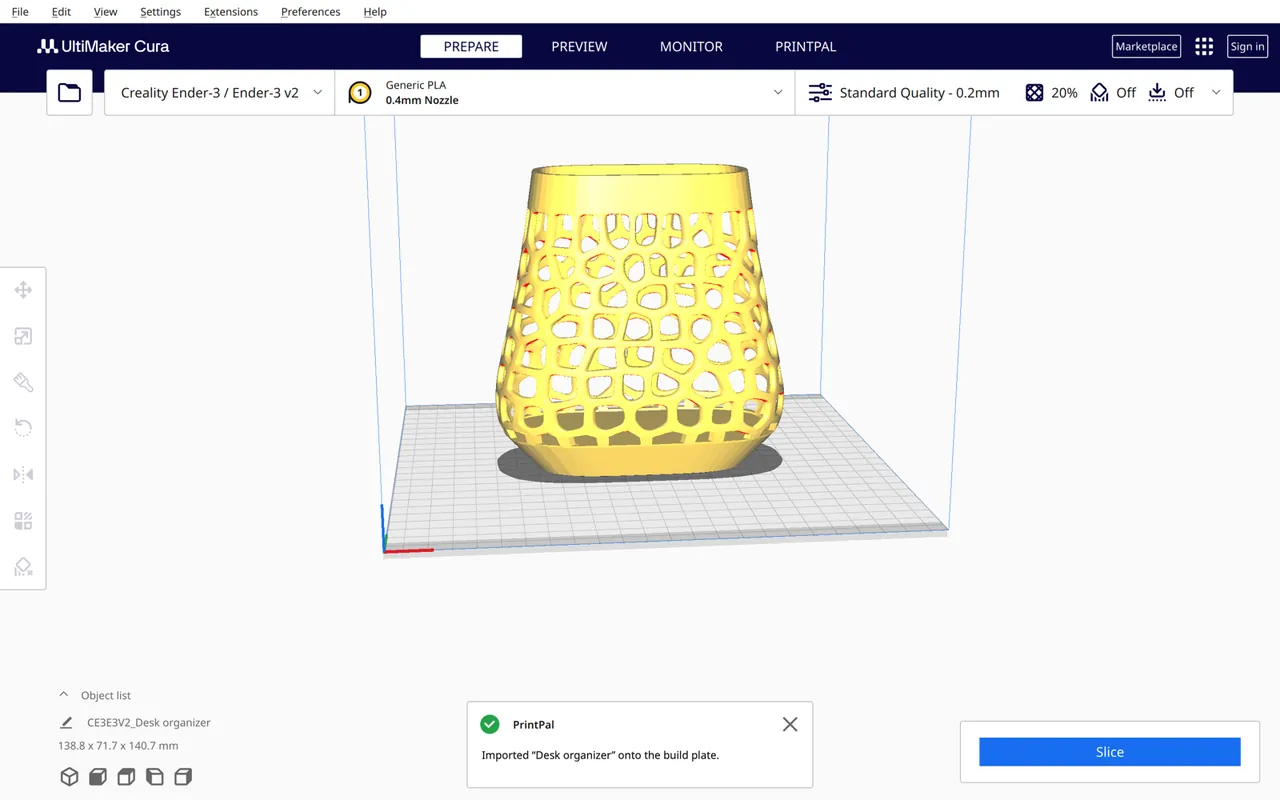
A new PRINTPAL stage next to Prepare, Preview and Monitor. Search 200k+ printable models and drop them on the build plate, generate a model from text or a photo, and price your print from the active Cura profile.
- Free (MIT)
- No account needed
- Cura 5.0+
- Never changes your Cura settings
What is PrintPal for Cura?
PrintPal for Cura is a free UltiMaker Cura plugin from PrintPal that adds a PRINTPAL stage next to Prepare, Preview and Monitor. From it you can search PrintPal's library of 200k+ community models and import them onto the build plate, generate printable models from text or a photo with AI, save your sliced plate as a timelapse video, draft parametric CAD briefs, and run print-cost, filament, layer-height and flow calculators prefilled from your Cura printer, material and last slice.
It runs on UltiMaker Cura 5.0 and newer on Windows, macOS and Linux, needs no account, and never changes your Cura settings or profiles.
Updated October 27, 2026 · Made by PrintPal
At a glance
- Cura version
- UltiMaker Cura 5.0 and newer (SDK 8.0–8.12)
- Version
- 1.0.0
- Price
- Free. AI generation uses PrintPal credits.
- License
- MIT
- Account needed
- No
- Where it lives
- PRINTPAL stage, Extensions → PrintPal, or its own window
- Size
- About 70 KB, pure Python and QML
What PrintPal for Cura can do
Find and import models
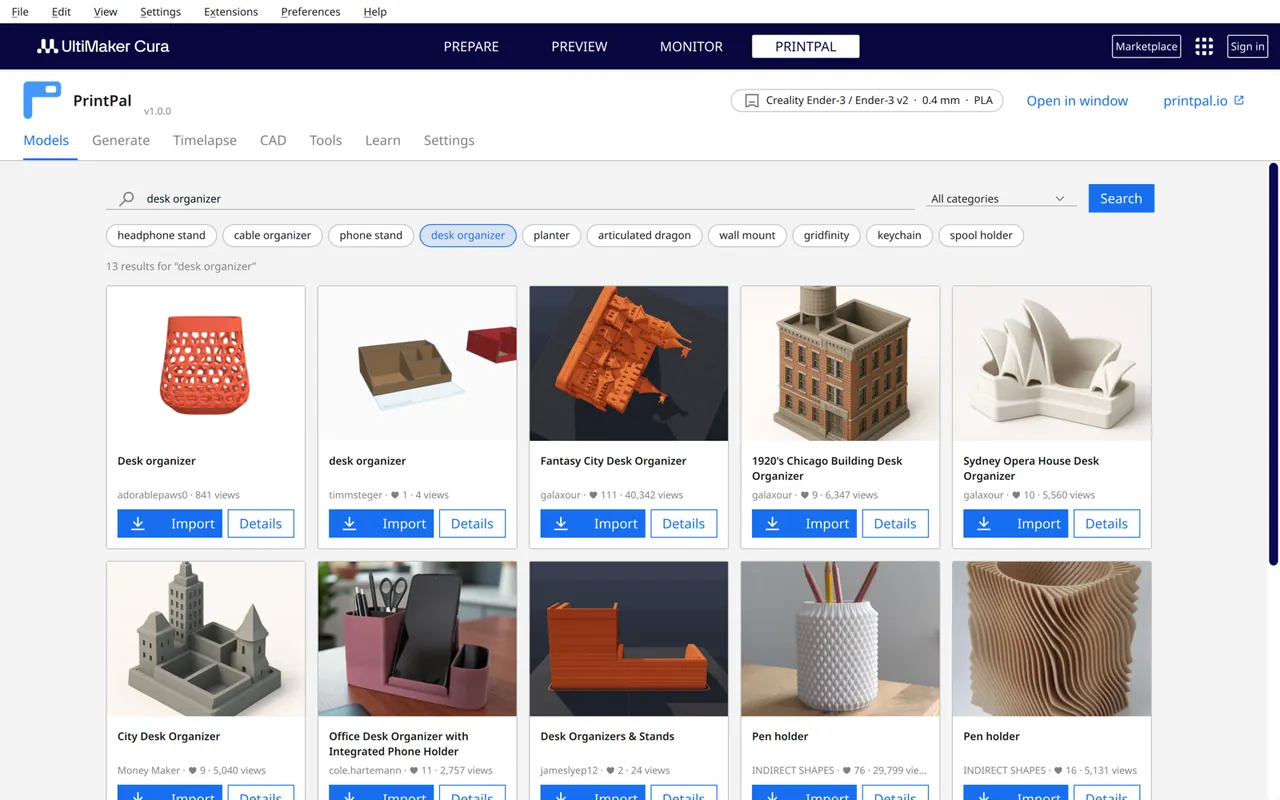
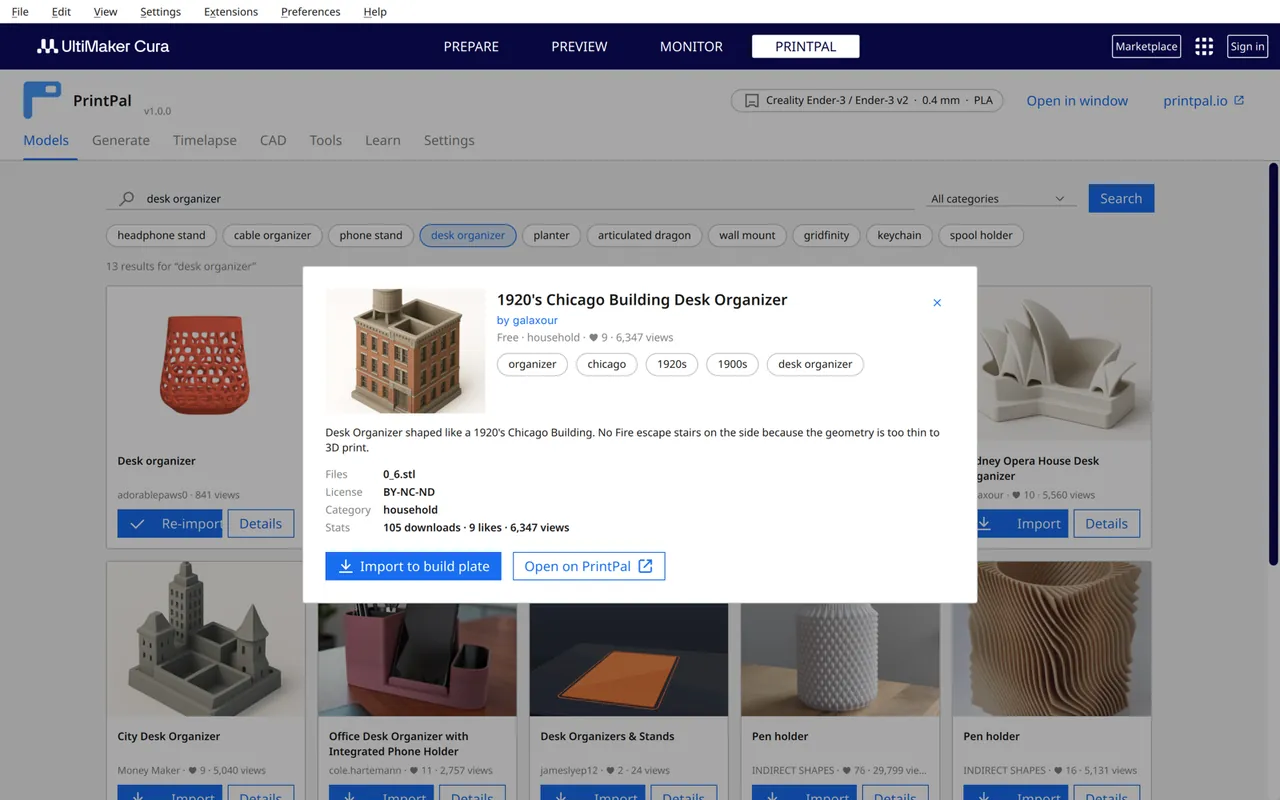
Search 200k+ community models by keyword or category, open the details (license, files, stats) and click Import. Multi-part models arrive as separate objects.
AI 3D generation
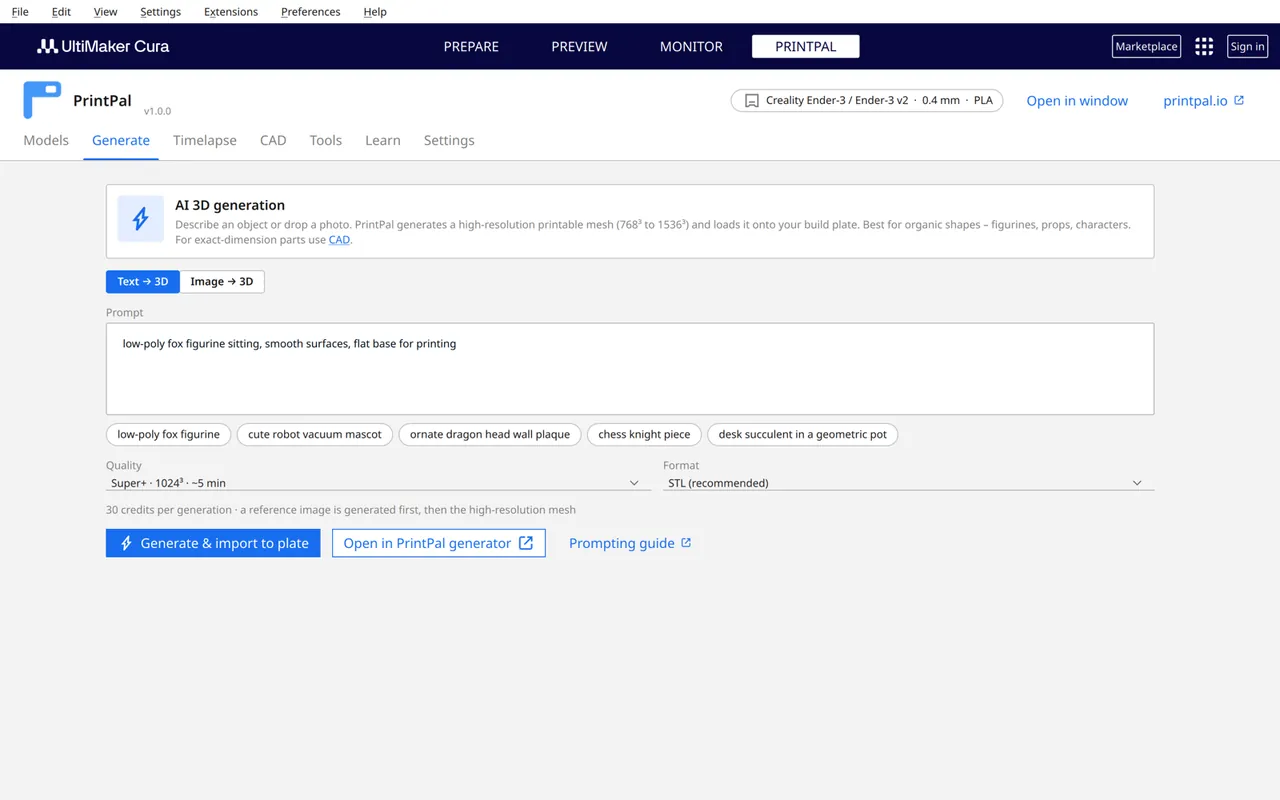
Describe an object or drop a photo and get a high-resolution printable mesh (768³ to 1536³), scaled to 100 mm and placed on the plate with an API key.
Timelapse videos
Slice, then save the G-code and open PrintPal's free 3D Print Animator to render a realistic build animation. The G-code never leaves your computer.
Calculators from your profile
Print cost, filament usage and remaining spool, magic layer heights and a flow check read your printer, nozzle, layer height, speeds, material and last slice.
Parametric CAD briefs
Describe a functional part with dimensions and material and open it in PrintPal's AI CAD agent for exact-dimension STL or STEP.
Learn without leaving Cura
Search the PrintPal wiki, docs, videos and build guides. Build-guide model files import straight onto the plate.
PrintPal for Cura in action
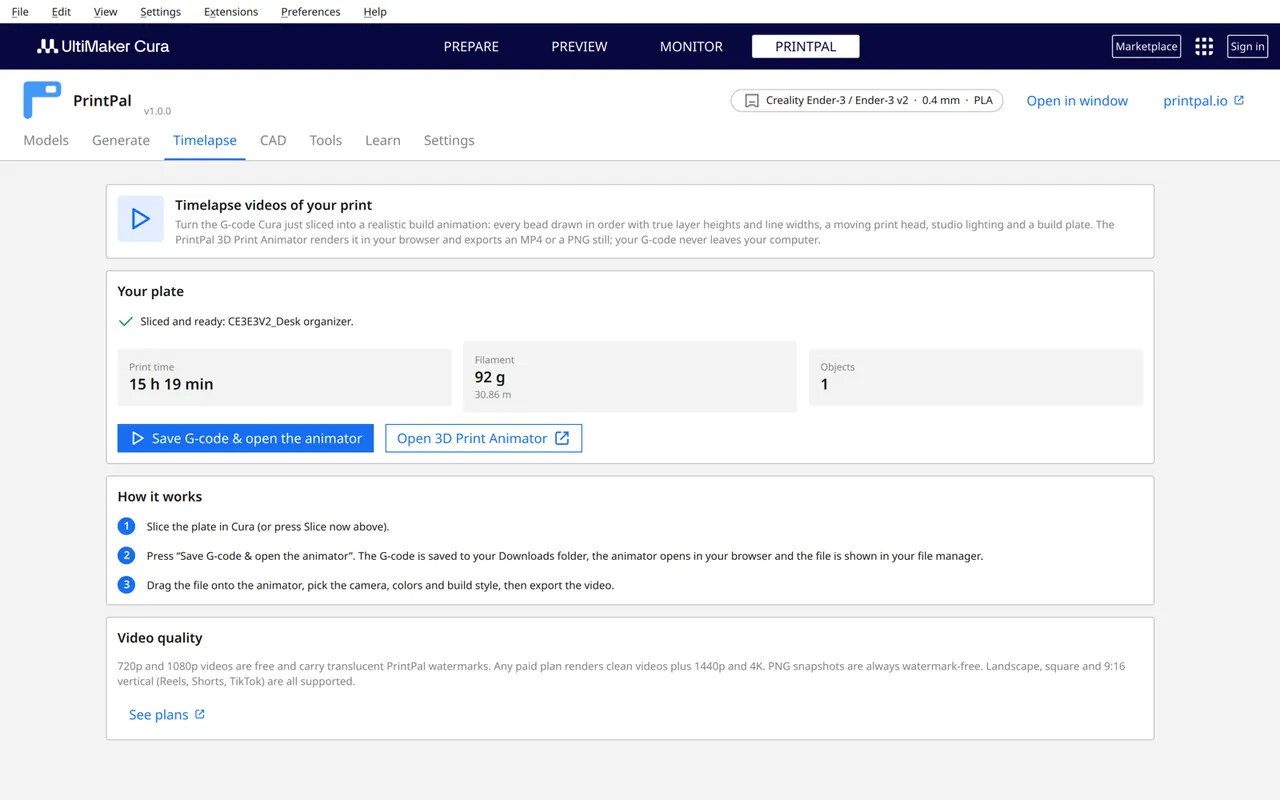
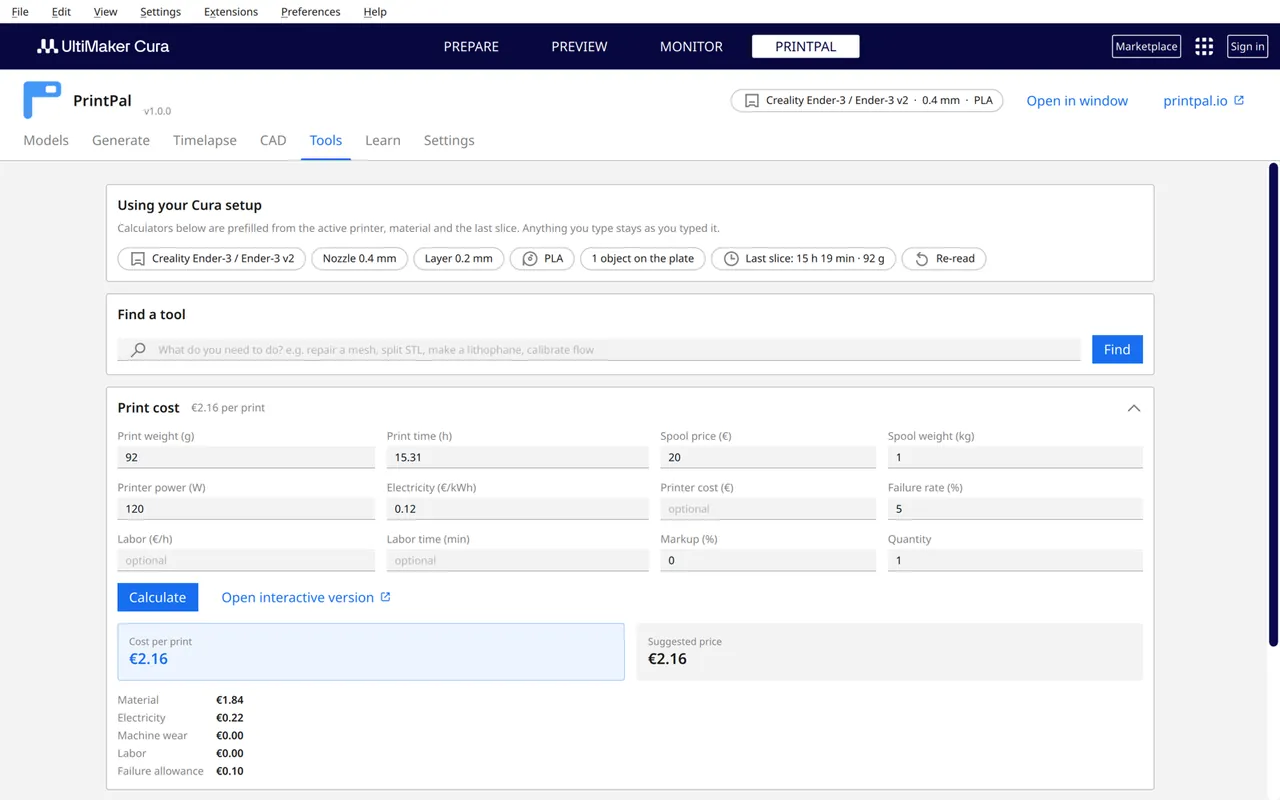
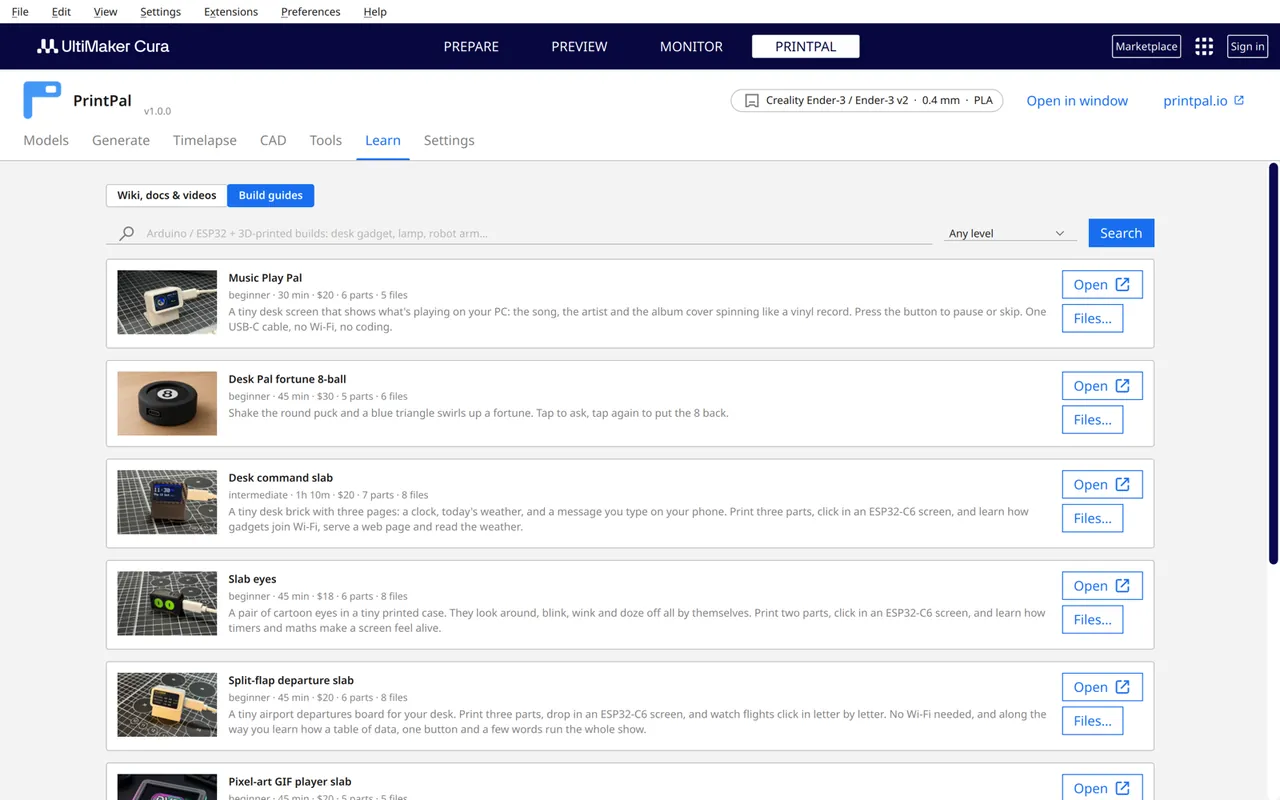
How to install PrintPal in Cura
- Download PrintPal-1.0.0.curapackage.
- Drag the file onto the UltiMaker Cura window and accept the license.
- Restart Cura when it asks.
- Click the new PRINTPAL tab next to Prepare, Preview and Monitor, or use Extensions → PrintPal. Open in window puts it next to the build plate.
- Optional: paste a PrintPal API key under Settings to generate AI models straight onto the plate.
PrintPal is in review for the UltiMaker Marketplace. Once listed you can install it from Marketplace → Plugins and get updates there.
PrintPal for Cura 1.0.0
- Windows, macOS, Linux (UltiMaker Cura 5.0+)
- UltiMaker Marketplace: coming soon
Things to try first
Who uses PrintPal for Cura
Home printers
Find, import and slice in one window instead of juggling browser downloads.
Schools on Cura
Cura is the default in many classrooms; PrintPal adds a safe model library and guides without accounts.
Sellers
Price each plate from the real slice and your spool price.
Privacy and how it works
What PrintPal for Cura sends, stores and never touches.
- Requests go only to printpal.io over HTTPS, and only when you search, import, calculate or generate. No telemetry.
- Your optional API key is stored in the system keychain on Windows and macOS (in Cura's preferences on Linux) and sent only to printpal.io.
- All preferences live under the
printpal/prefix. The plugin never changes Cura settings, profiles or other preferences. - Downloaded models are cached in Cura's cache folder so re-imports are instant; open or clear it from Settings.
Frequently asked questions about PrintPal for Cura
What is the PrintPal plugin for Cura?
PrintPal for Cura is a free UltiMaker Cura plugin that adds a PRINTPAL stage for searching and importing 200k+ printable models, AI text-to-3D and image-to-3D generation, timelapse video hand-off, parametric CAD briefs, calculators prefilled from your Cura profile, and PrintPal's wiki and build guides.
How do I install a .curapackage file in Cura?
Download the .curapackage file, drag it onto the open Cura window, accept the license and restart Cura. The PRINTPAL tab then appears next to Prepare, Preview and Monitor.
Which versions of Cura does it support?
UltiMaker Cura 5.0 and newer (plugin SDK 8.0 to 8.12) on Windows, macOS and Linux. Screenshots were taken in Cura 5.13.
Can Cura download 3D models from the internet?
Yes, with PrintPal. Search PrintPal's community library from the PRINTPAL stage and click Import; the model is downloaded to a cache folder and opened exactly like File, Open, with multi-part models as separate objects.
Can I generate a 3D model with AI inside Cura?
Yes. Describe an object or pick a reference photo in the Generate tab. With a PrintPal API key the mesh is generated, scaled to 100 mm on its longest side and placed on the build plate; without a key the plugin opens printpal.io with your prompt prefilled.
Will the plugin change my Cura settings?
No. It only stores its own preferences under the printpal/ prefix and never edits Cura settings, printer profiles or other preferences.
Is it free?
Yes. The plugin is free and MIT licensed. Browsing, importing, calculators and learning content need no account; only AI generation uses PrintPal credits.
Get PrintPal for Cura
A PRINTPAL tab in UltiMaker Cura: search 200k+ models, generate with AI, make timelapses and run calculators from your profile. Free to install. See all integrations.