 Plugin for OrcaSlicer 2.5+ · Free
PrintPal for OrcaSlicer: models, AI 3D and timelapses inside Orca
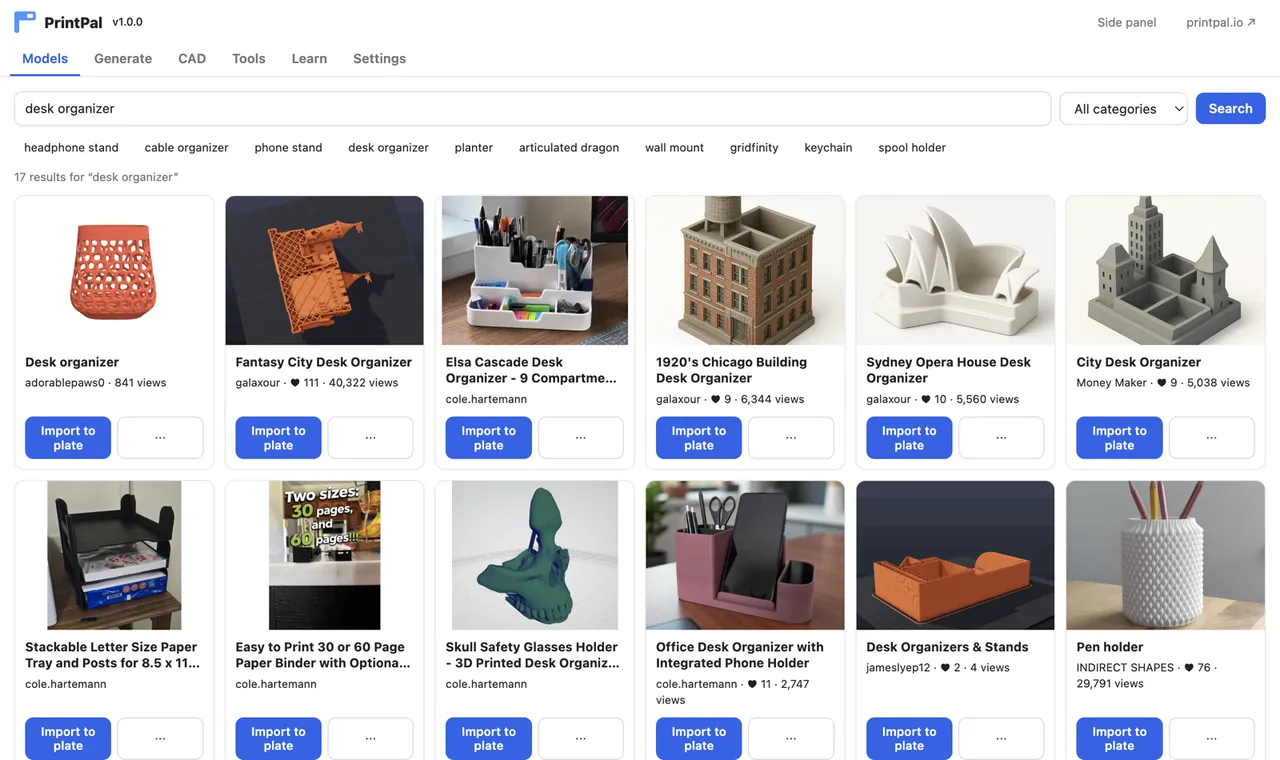
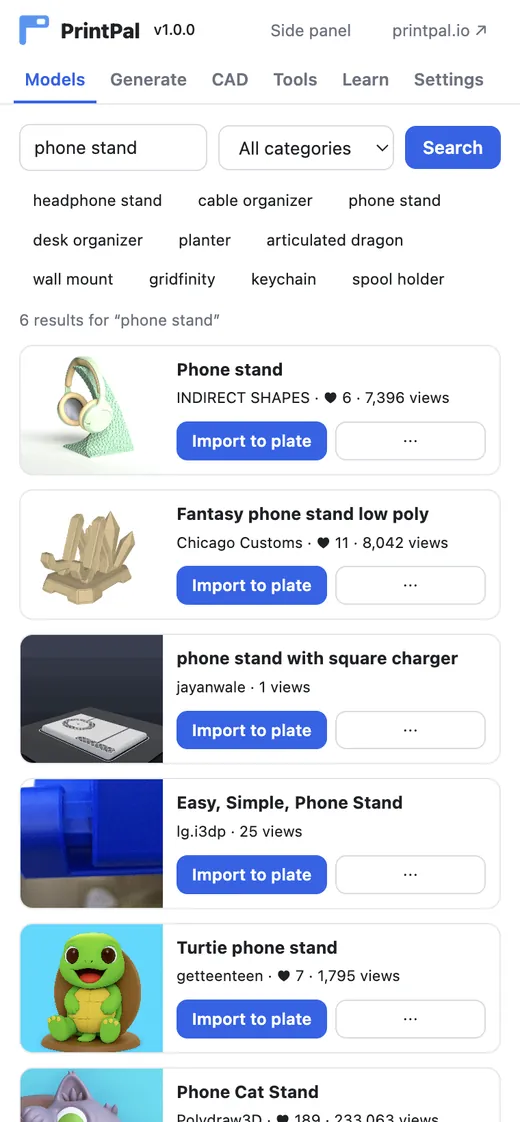
A PrintPal tab in the main window plus an optional side panel next to your plate. Import 200k+ printable models, generate from text or a photo, turn your slice into a timelapse video and price it from your presets.
- Free
- No account needed
- OrcaSlicer 2.5+
- Renders timelapses locally
What is PrintPal for OrcaSlicer?
PrintPal for OrcaSlicer is a free plugin for OrcaSlicer 2.5 and newer (builds with the Python plugin system) that adds a PrintPal tab to the main window and an optional side panel next to the plate. It lets you search PrintPal's 200k+ community models and import them to the plate, generate high-resolution printable meshes from text or a photo with AI, render your sliced plate as a realistic timelapse MP4, draft parametric CAD briefs, and run print-cost, filament, layer-height and flow calculators prefilled from your printer, process and filament presets.
Everything except AI generation is free and needs no account. Timelapse videos are rendered on your computer and the G-code is never uploaded.
Updated October 27, 2026 · Made by PrintPal
At a glance
- OrcaSlicer version
- 2.5.0 or newer (any build with the Python plugin system)
- Version
- 1.1.1
- Plugin type
- Script plugin (Python 3.12+, certifi installed automatically)
- Price
- Free. AI generation uses PrintPal credits; 1440p and 4K clean timelapses need a paid plan.
- Account needed
- No
- Where it lives
- PrintPal tab, plus an optional side panel next to the plate
What PrintPal for OrcaSlicer can do
Import models to the plate
Search 200k+ STL, 3MF, OBJ and STEP models by keyword or category and click Import to plate. Multi-part ZIPs arrive as separate objects; re-imports are instant.
AI 3D at super resolution
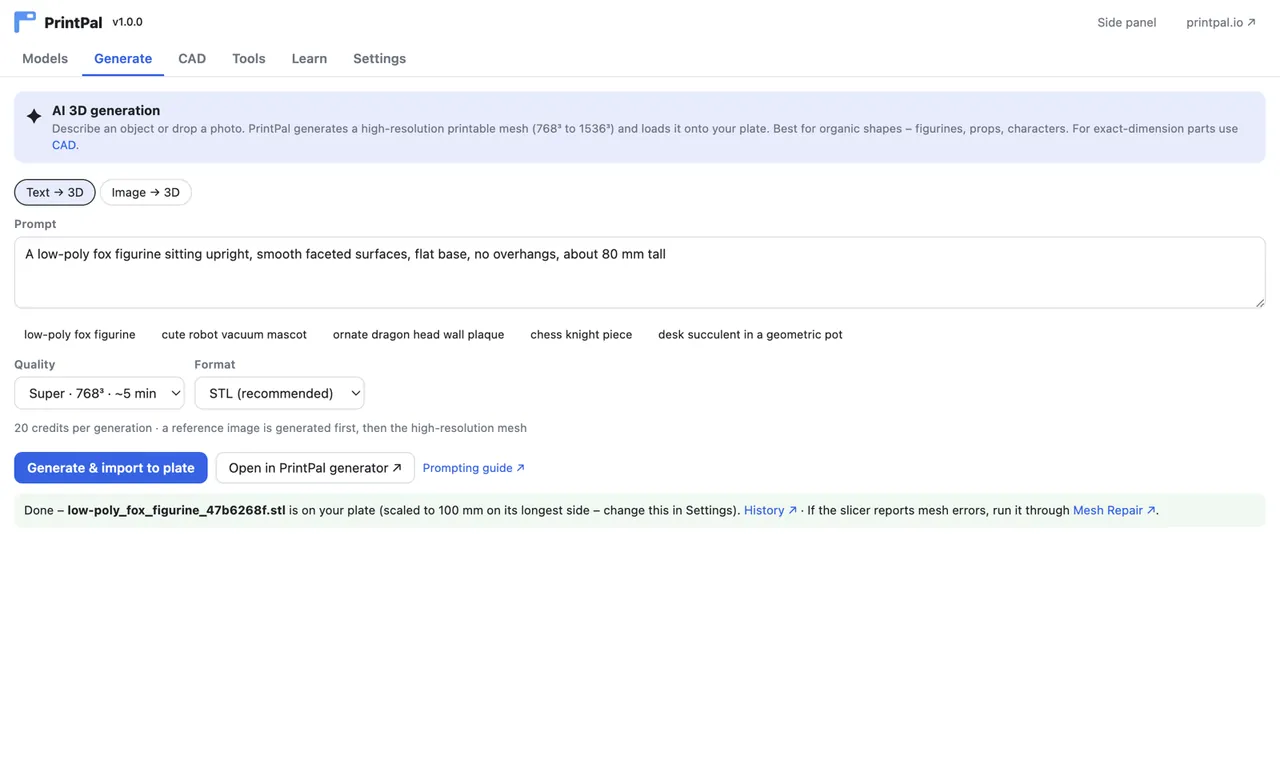
Text or image to a printable mesh at 768³, 1024³, 1280³ or 1536³. With a key it lands on the plate at 100 mm, so there is no "object too small" prompt.
Timelapse videos from your slice
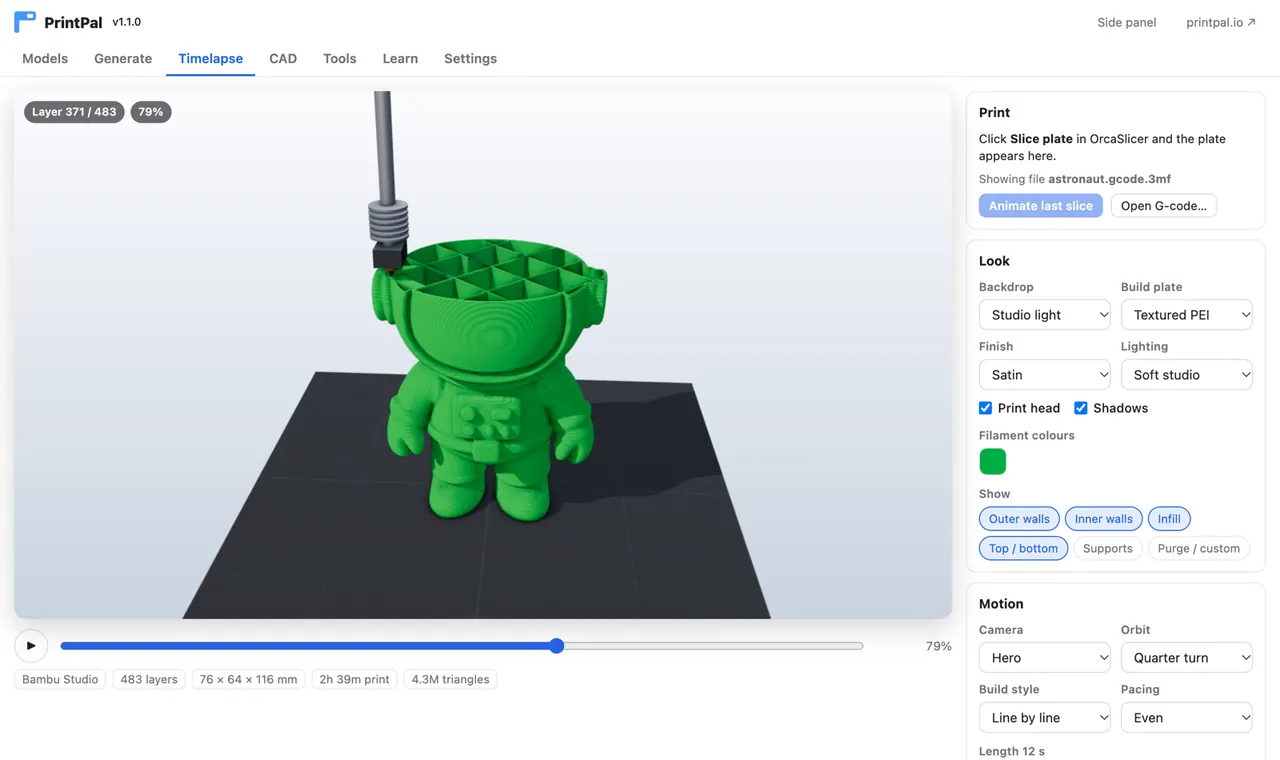
Solid extrusion beads, a moving print head, studio lighting and an orbiting camera. MP4 in 16:9, 9:16 or 1:1, saved to Downloads.
Calculators from your presets
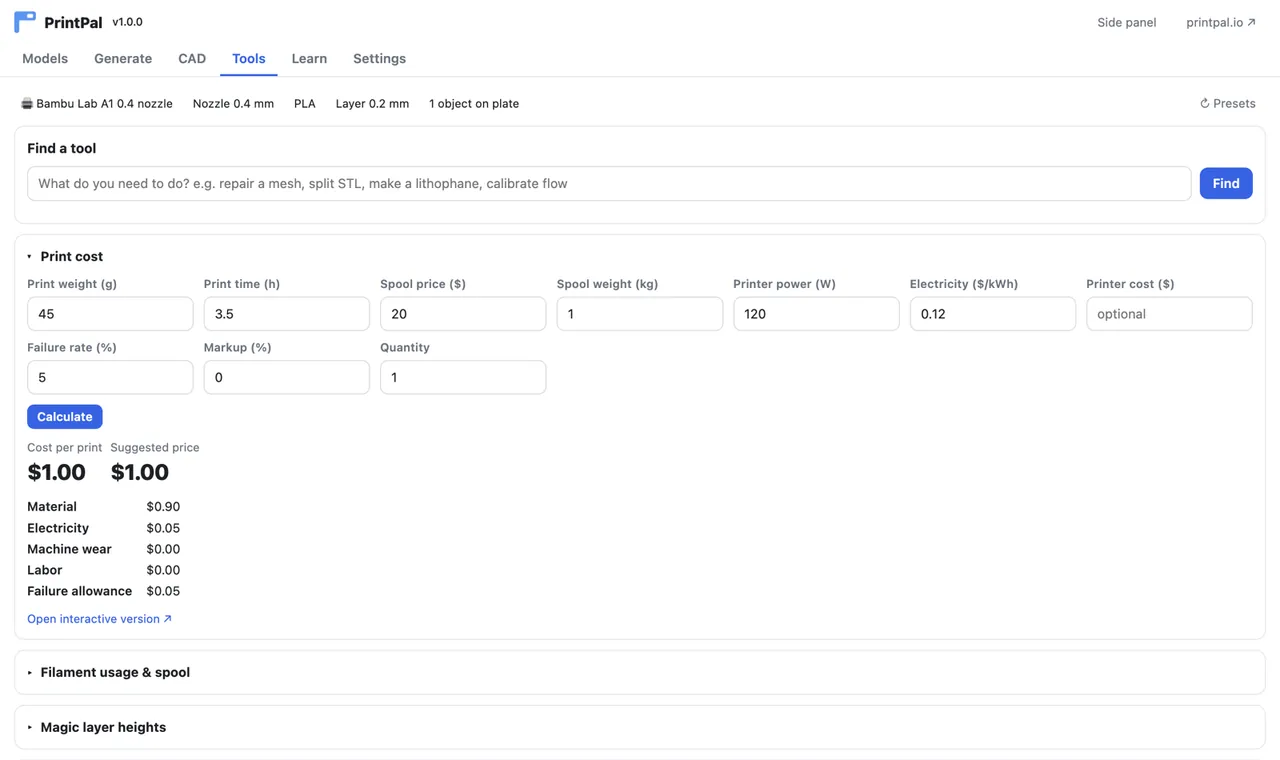
Print cost, filament usage and remaining spool, magic layer heights and a volumetric flow check, prefilled from the active printer, process and filament.
Parametric CAD briefs
Describe a functional part and open it in PrintPal's AI CAD agent for exact-dimension STL or STEP.
Side panel
A compact PrintPal panel next to the plate in Prepare and Preview, with an option to open it at startup.
PrintPal for OrcaSlicer in action
How to install PrintPal in OrcaSlicer
- Download printpal.py.
- In OrcaSlicer 2.5 or newer open File → Plugins and choose Add local plugin, then pick the file.
- Tick Activate on the PrintPal row. The status goes from Loading to Activated.
- The first time you search or import, allow the one-time create a background thread prompt.
- Open the PrintPal tab (or Speed Dial → Go to tab → PrintPal if your tab bar is full). Run Open PrintPal panel for the side panel.
On Windows and Linux, turn on Preferences → Allow only one OrcaSlicer instance so imports open in the running window. PrintPal is also being listed on the Orca Cloud plugin hub, where you will be able to subscribe and get updates.
PrintPal for OrcaSlicer 1.1.1
- Windows, macOS, Linux (OrcaSlicer 2.5+)
- Orca Cloud plugin hub: coming soon
Things to try first
Who uses PrintPal for OrcaSlicer
Bambu, Voron and Prusa owners
OrcaSlicer users get a model library and calculators that read their real presets.
Creators
Make a satisfying print timelapse for Reels or TikTok straight from the slice.
Print shops
Quote from real slice data with your spool and power prices.
Privacy and how it works
What PrintPal for OrcaSlicer sends, stores and never touches.
- All requests go to printpal.io over HTTPS. No telemetry, no account for browsing, calculators or learning content.
- Your optional API key is stored in the plugin's private data folder and sent only to printpal.io.
- Timelapse videos are rendered on your computer with a copy of three.js that ships inside the plugin. Nothing is uploaded.
- Downloaded models stay in the plugin folder; open or clear it from Settings.
Frequently asked questions about PrintPal for OrcaSlicer
Does OrcaSlicer support plugins?
Yes. OrcaSlicer 2.5.0 and newer builds include a Python plugin system with File, Plugins, where you can add a local plugin file or subscribe to plugins from the Orca Cloud plugin hub. PrintPal is a script plugin for that system.
What is the PrintPal plugin for OrcaSlicer?
PrintPal for OrcaSlicer is a free plugin that adds a PrintPal tab and side panel to OrcaSlicer for importing 200k+ printable models to the plate, AI text-to-3D and image-to-3D generation, timelapse video rendering from your slice, parametric CAD briefs, and calculators prefilled from your presets.
How do I make a timelapse in OrcaSlicer?
With PrintPal installed, slice a plate and open the Timelapse tab. It loads the slice automatically; pick a look, camera, length and 16:9, 9:16 or 1:1, then press Render video. The MP4 is saved to your Downloads folder. If you only want the timelapse, install the smaller PrintPal Timelapse plugin.
Is the OrcaSlicer plugin free?
Yes. Model search and import, calculators, CAD briefs, learning content and timelapses up to 1080p are free with no account. AI generation uses PrintPal credits, and clean 1440p or 4K timelapses without the small corner watermark need a paid PrintPal plan.
Does it work with Bambu Studio files?
The plugin runs in OrcaSlicer, and its Timelapse tab opens any sliced .gcode or Bambu Studio and OrcaSlicer .gcode.3mf file. Bambu Studio users can also use the free web 3D Print Animator at printpal.io/tools/3d-print-animator.
Why does OrcaSlicer ask to create a background thread?
It is a one-time OrcaSlicer permission so downloads, AI generation and timelapse saving run off the UI thread and never freeze the slicer.
Get PrintPal for OrcaSlicer
A PrintPal tab and side panel in OrcaSlicer: model library, AI 3D, timelapse videos, CAD briefs and calculators from your presets. Free to install. See all integrations.