About this video
What is AI-Powered 3D Printing for Formula 1 Decor?
Gone are the days when creating custom 3D prints required advanced CAD skills or expensive design software. With AI-powered tools like PrintPal's 3D model generator, anyone can transform simple images into production-ready 3D models—even if you have zero experience with 3D design.
This approach is perfect for creating unique Formula 1-themed home decor, desk accessories, party decorations, or fan merchandise. Popular items include miniature trophy replicas, racing helmet busts, car silhouettes, checkered flag holders, and pit lane dioramas.
Step-by-Step Process
1. Generate Your Image with AI
Start by using ChatGPT or any AI image generator to create a visual concept of the F1 decor item you want. Be specific in your prompt—describe the item, style, and any details you want included. For example: "A 3D render of a Formula 1 racing helmet, glossy red finish, side view."
2. Upload to PrintPal's Model Generator
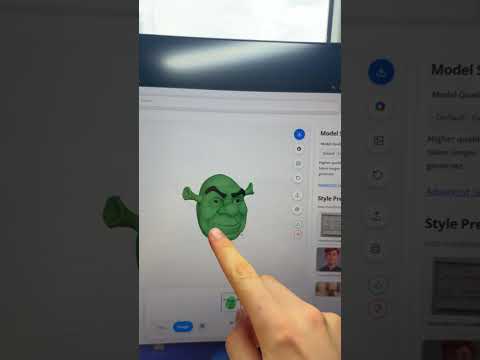
Visit PrintPal.io and access the 3D model generator. Simply drag and drop your AI-generated image into the upload area. The platform accepts common image formats.
3. Select Super Resolution
Choose the "Super Resolution" option to enhance your 2D image into a high-quality 3D model. This process typically takes about one minute, converting your flat image into a detailed, printable three-dimensional file.
4. Export and Print
Once your model is ready, send it directly to your 3D printer. Most modern FDM and resin printers can handle these files using standard slicing software.
Recommended Materials
- PLA – Best for beginners; easy to print, comes in many colors
- PLA+ – Improved durability for display pieces
- Resin – Ideal for high-detail items like miniature trophies
Tips for Best Results
- Use high-resolution source images for cleaner 3D models
- Ensure your printer bed is properly leveled before printing
- Choose materials that match your decor style—glossy filaments work well for trophy-style pieces
- Start with smaller prints to test settings before committing to larger projects
Frequently Asked Questions
Do I need 3D modeling experience?
No. The entire process—from image to print—is handled by AI tools, making it accessible for complete beginners.
What printers work with PrintPal-generated models?
Most consumer-grade FDM and SLA/SLA printers are compatible. Models export in standard formats like STL or OBJ.
Can I sell items I print?
Check PrintPal's terms of service regarding commercial use of generated models.
Ready to start your F1 decor project? The link to PrintPal's model generator is in the bio.