About this video
What Causes Layer Stairs on 3D Prints?
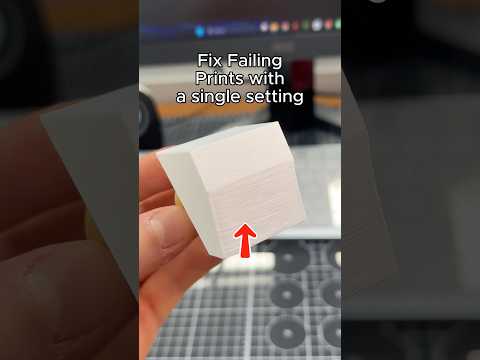
If your 3D prints look like they have tiny staircases running up the sides, you are not alone. These visible layer lines, often called layer stairs or staircase artifacts, appear because FDM 3D printers build objects one flat layer at a time. On curved or angled surfaces, each layer is slightly offset from the one below it, creating a stepped look that is especially obvious on slopes, vases, and organic shapes.
The Single Setting That Fixes It: Z Contouring
Most modern slicers ship with a hidden gem called Z contouring (sometimes labeled "Contour," "Z seam smoothing," or "outer contour optimization"). When enabled, the slicer adjusts the outer wall path so the top edge of each layer follows the contour of the model rather than a straight horizontal line. The result is a noticeably smoother surface right off the print bed.
How to Enable Z Contouring
- Open your slicer (PrusaSlicer, OrcaSlicer, SuperSlicer, and Bambu Studio all support it).
- Navigate to the Quality tab in Print Settings.
- Scroll to find Z contouring or Contour.
- Toggle it on and re-slice your model.
Why It Beats Other Smoothing Tricks
- No extra print time — unlike vase mode or spiralized contours, Z contouring only tweaks the outer wall path.
- No support changes — your existing supports and infill stay the same.
- Easy to sand — the remaining micro-grooves disappear with a few passes of fine sandpaper (220–400 grit).
- Works on any material — PLA, PETG, ABS, and TPU all benefit.
Pro Tips for Best Results
- Pair Z contouring with 0.2 mm layer height or lower for the smoothest curves.
- Combine with ironing on top surfaces for a glass-like finish.
- Use a 0.4 mm or smaller nozzle to keep the contour path tight.
- Lightly sand with progressive grits, then apply filler primer for show-quality parts.
FAQ
Does Z contouring hide layer lines completely?
No. It dramatically reduces the staircase effect, but you will still see faint layer lines. A quick sanding pass makes them vanish.
Will it increase print time?
Negligibly. Only the outer wall is recalculated, so most prints add just seconds.
Is it the same as vase mode?
No. Vase mode uses a single continuous wall, which weakens parts. Z contouring keeps your normal wall count and strength.
Try Z contouring on your next curved model and you will be amazed at how much easier post-processing becomes.