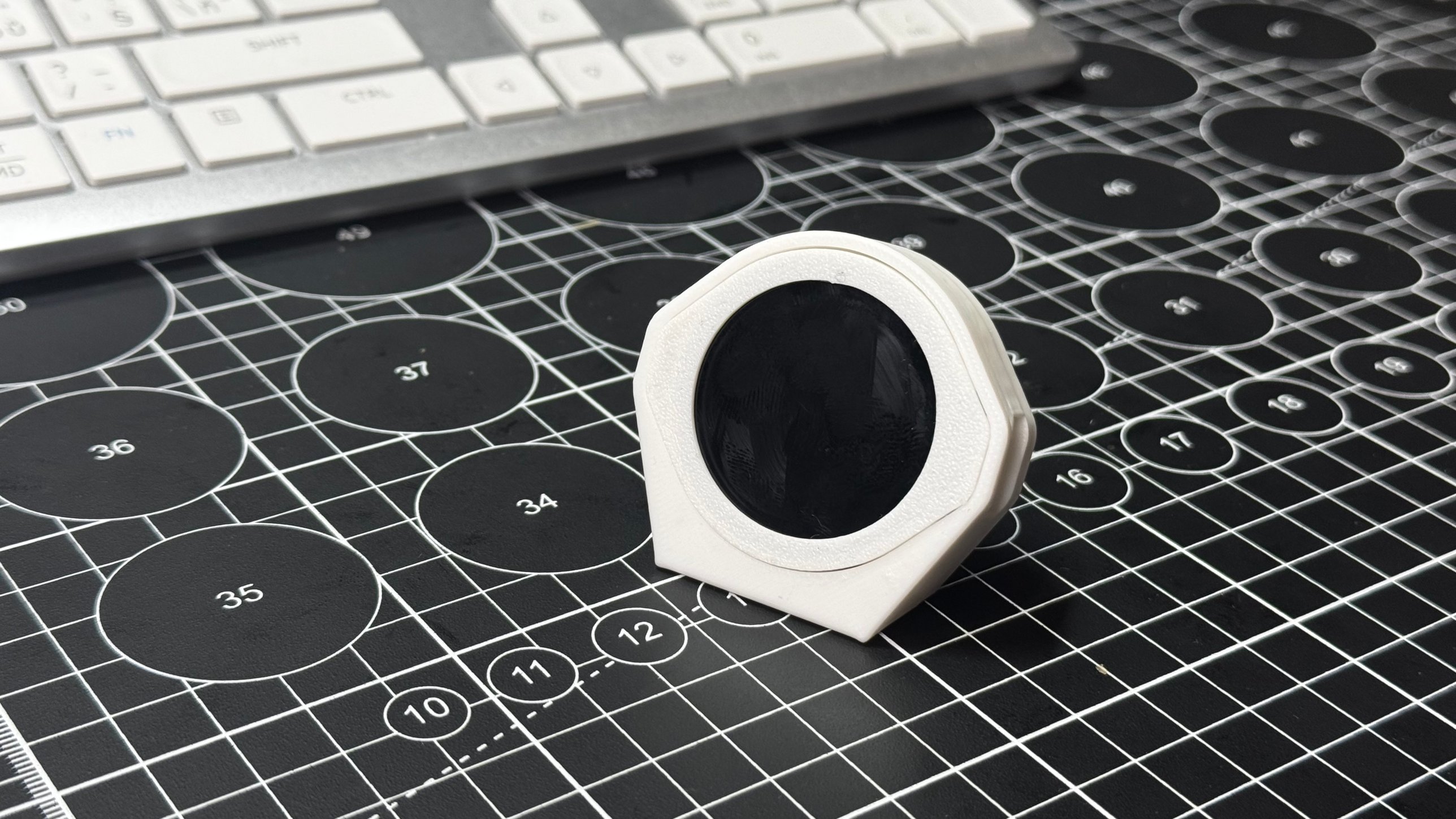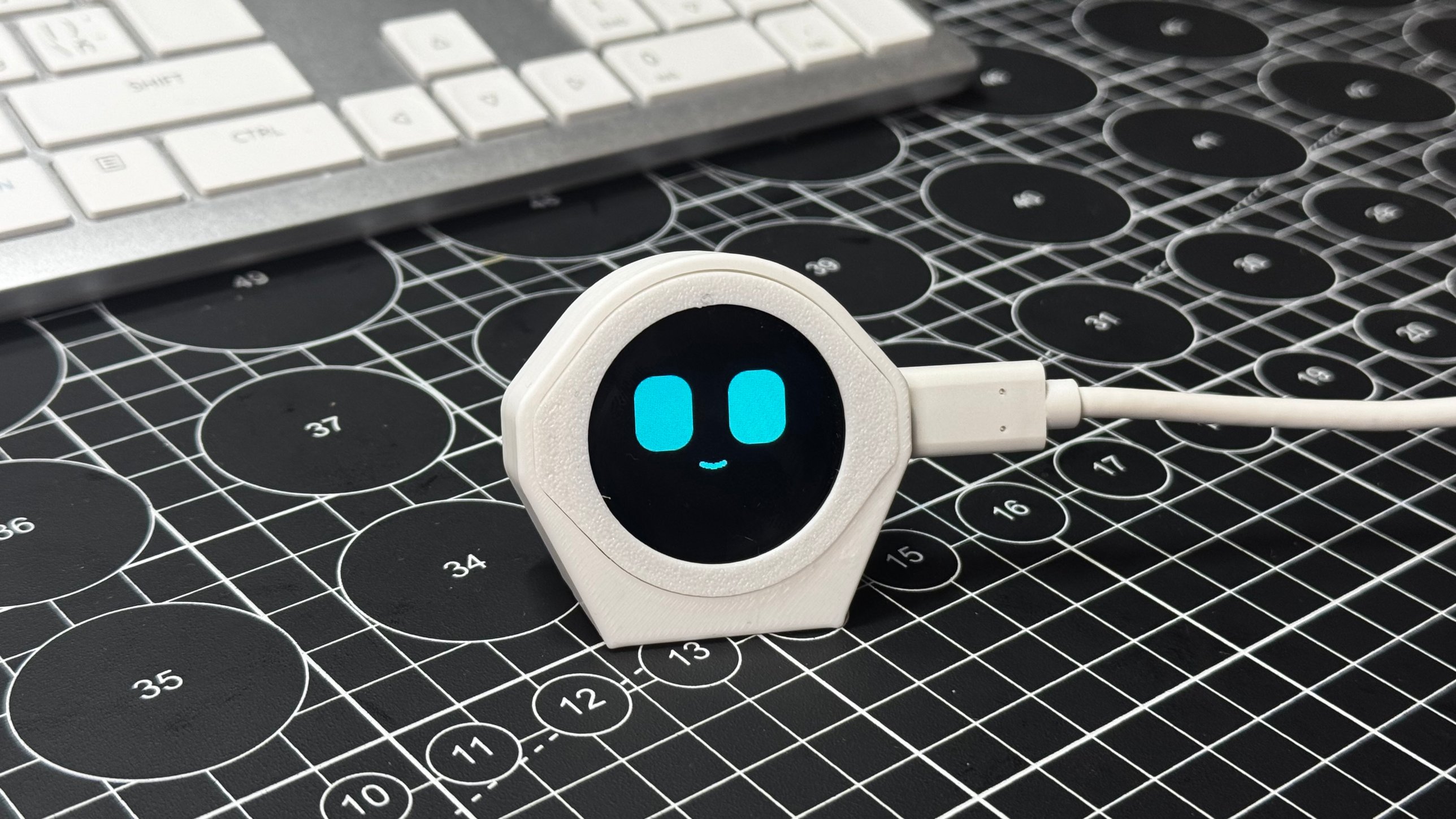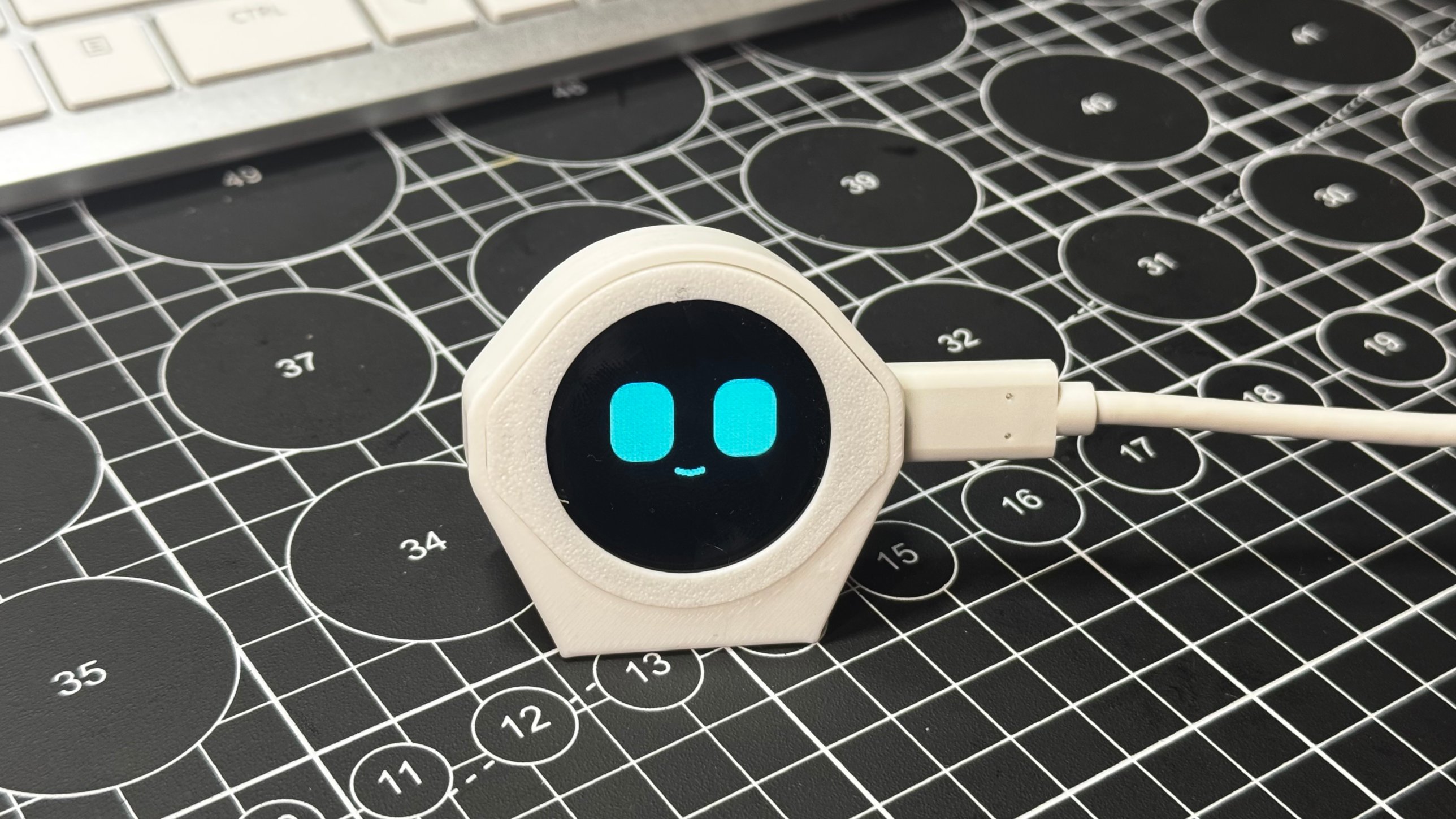
Desk Pal buddy

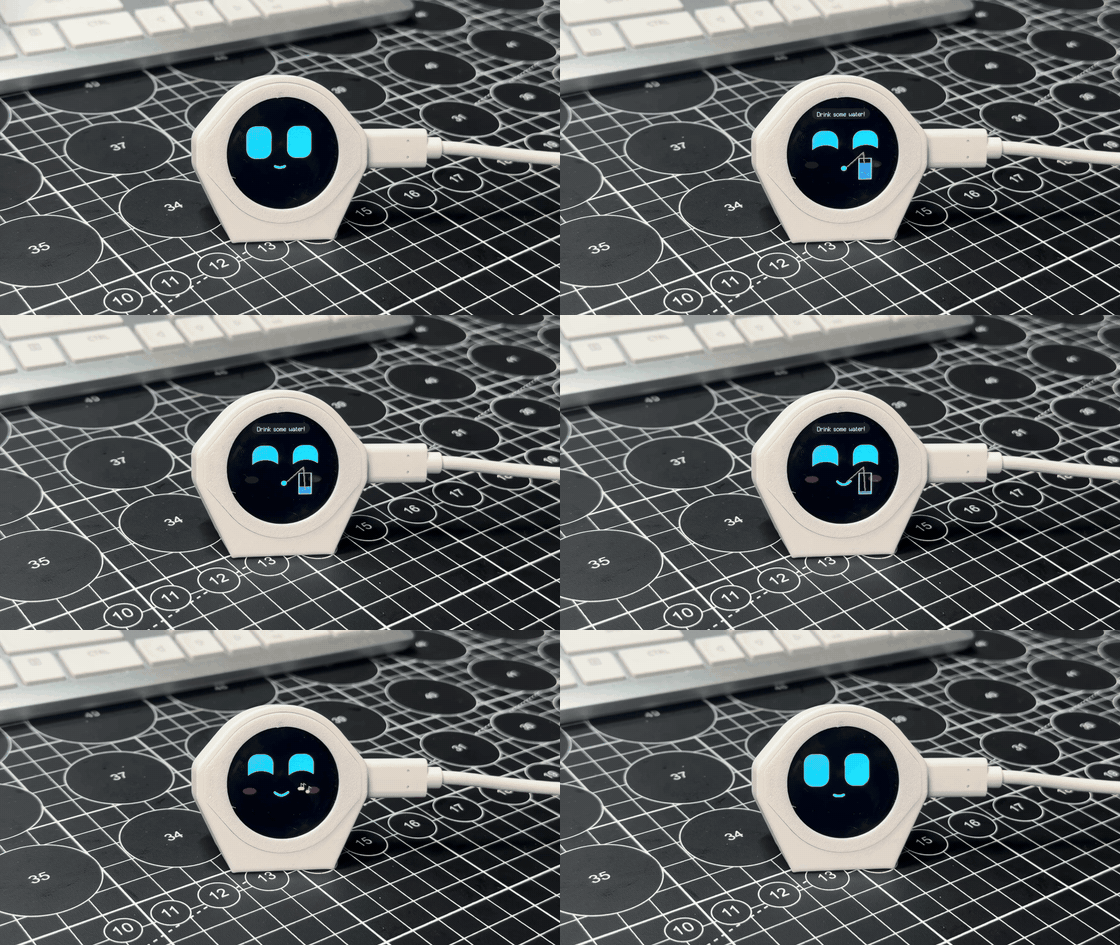
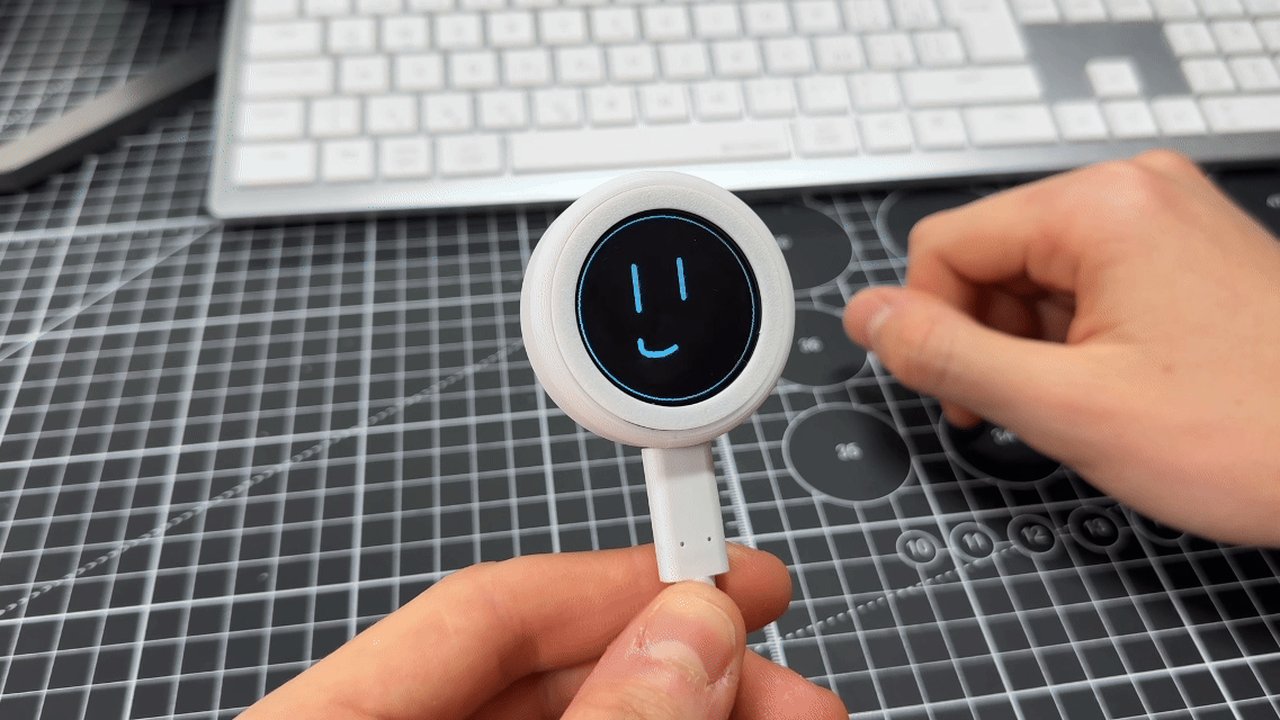
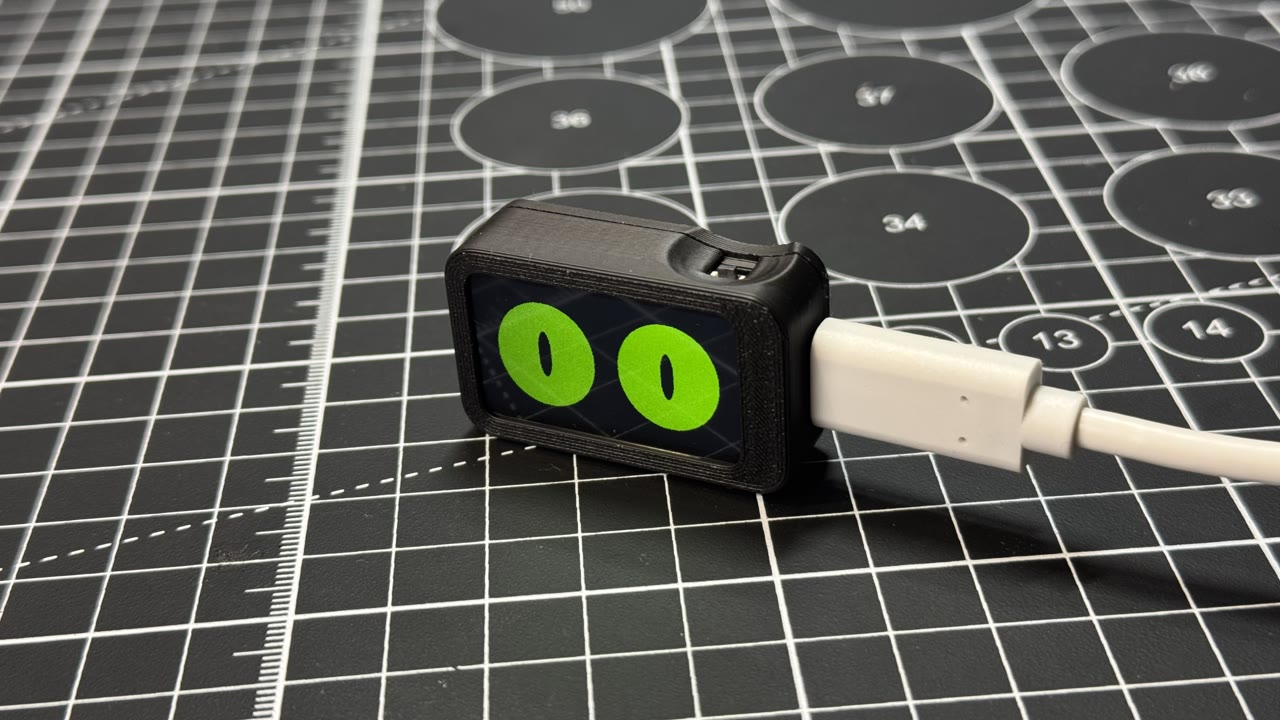
A tiny desk pet with big eyes and real moods. Tap, pet, shake or ignore him and he reacts, does little activities, and reminds you to drink water and move.

Desk Pal buddy
DifficultyBeginner
Build time45 min
Est. cost$32
Parts4
Files9
Steps19

Things you'll need

QtyPartType
1
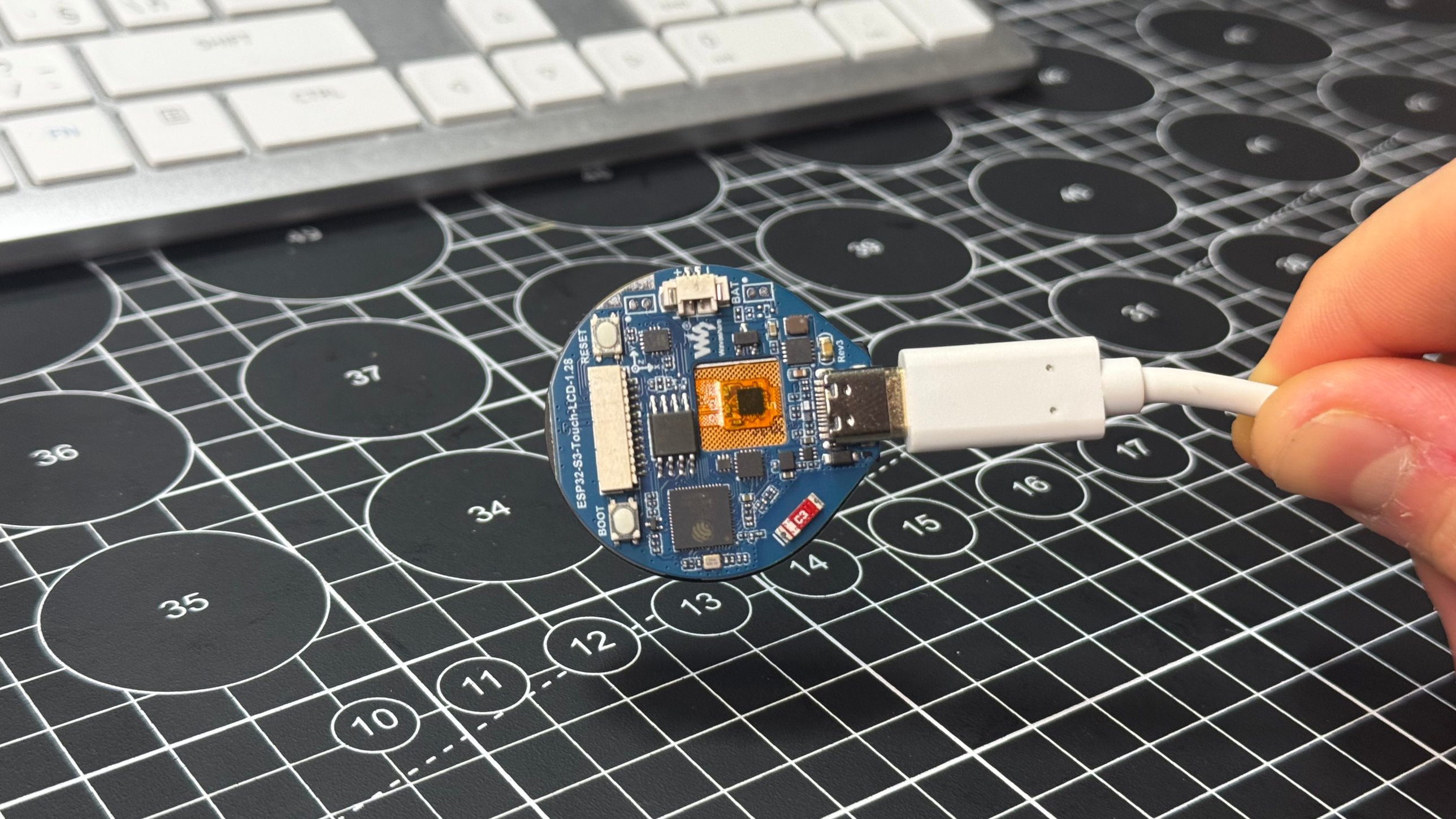
Waveshare ESP32-S3-Touch-LCD-1.28 board
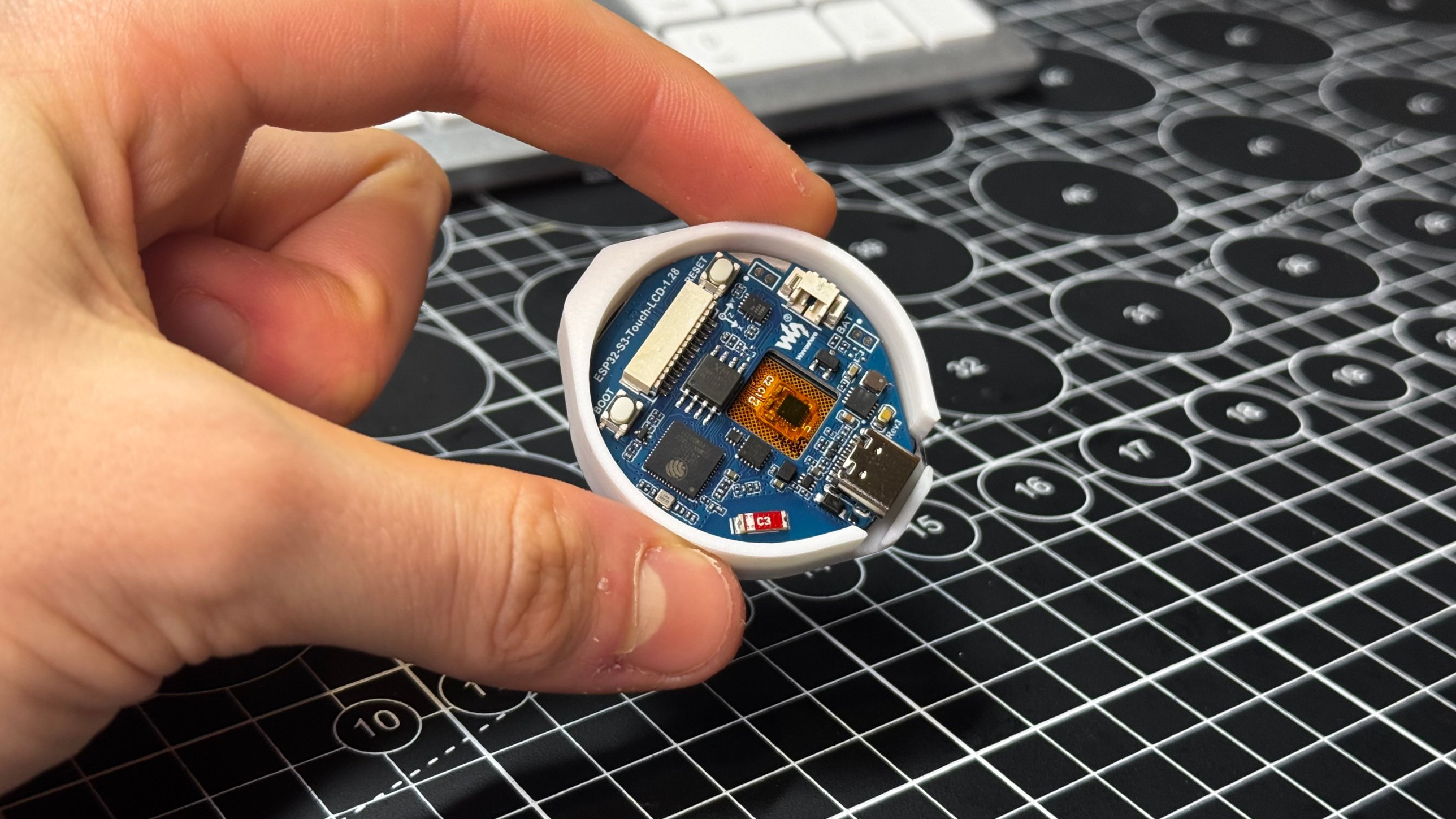
Waveshare ESP32-S3-Touch-LCD-1.28 board The brain and the face: round 1.28-inch touch screen, motion sensor and USB-C on one board. No soldering. Same board as the other Desk Pal builds.
electronics
3
Printed parts
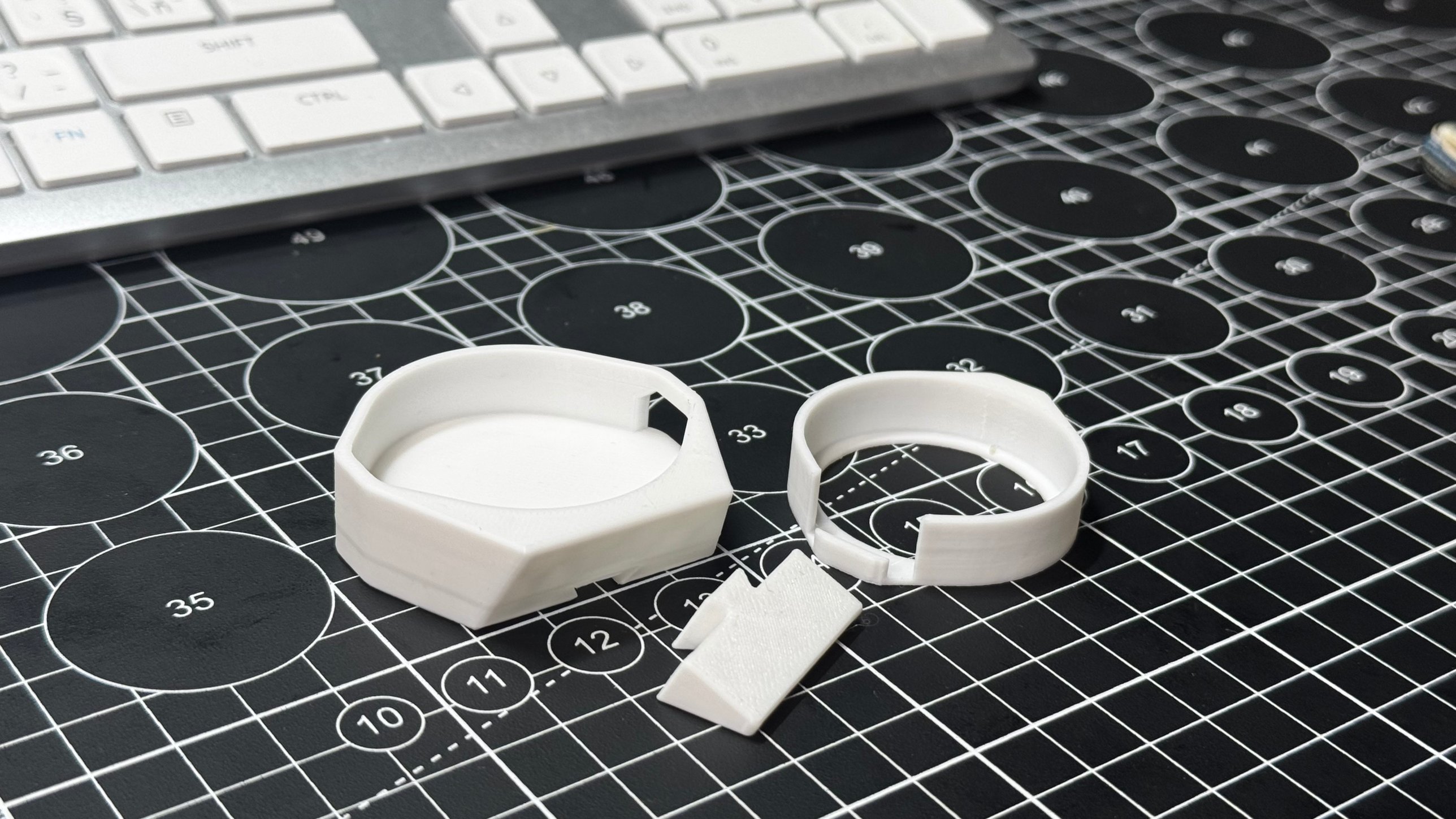
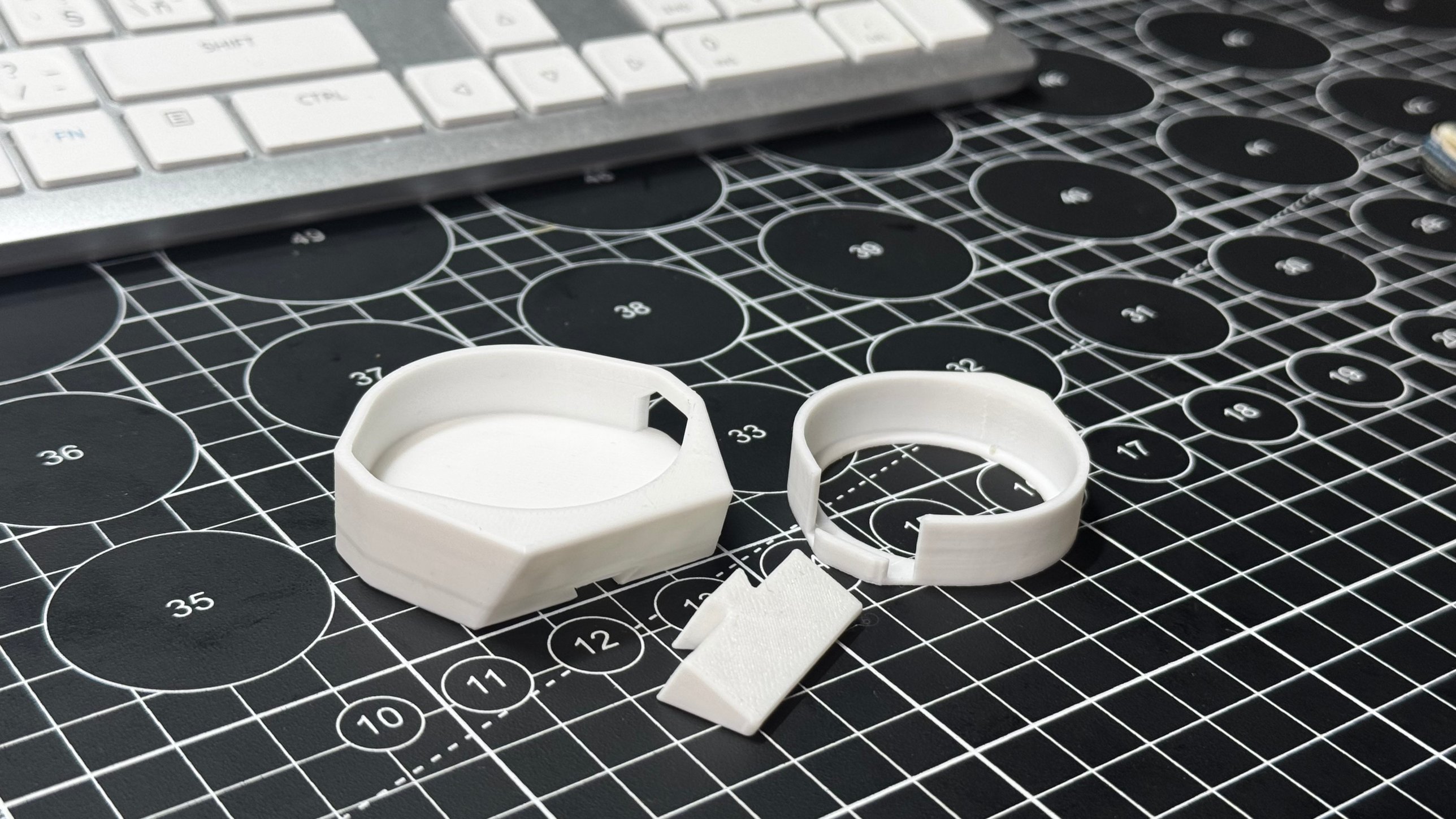
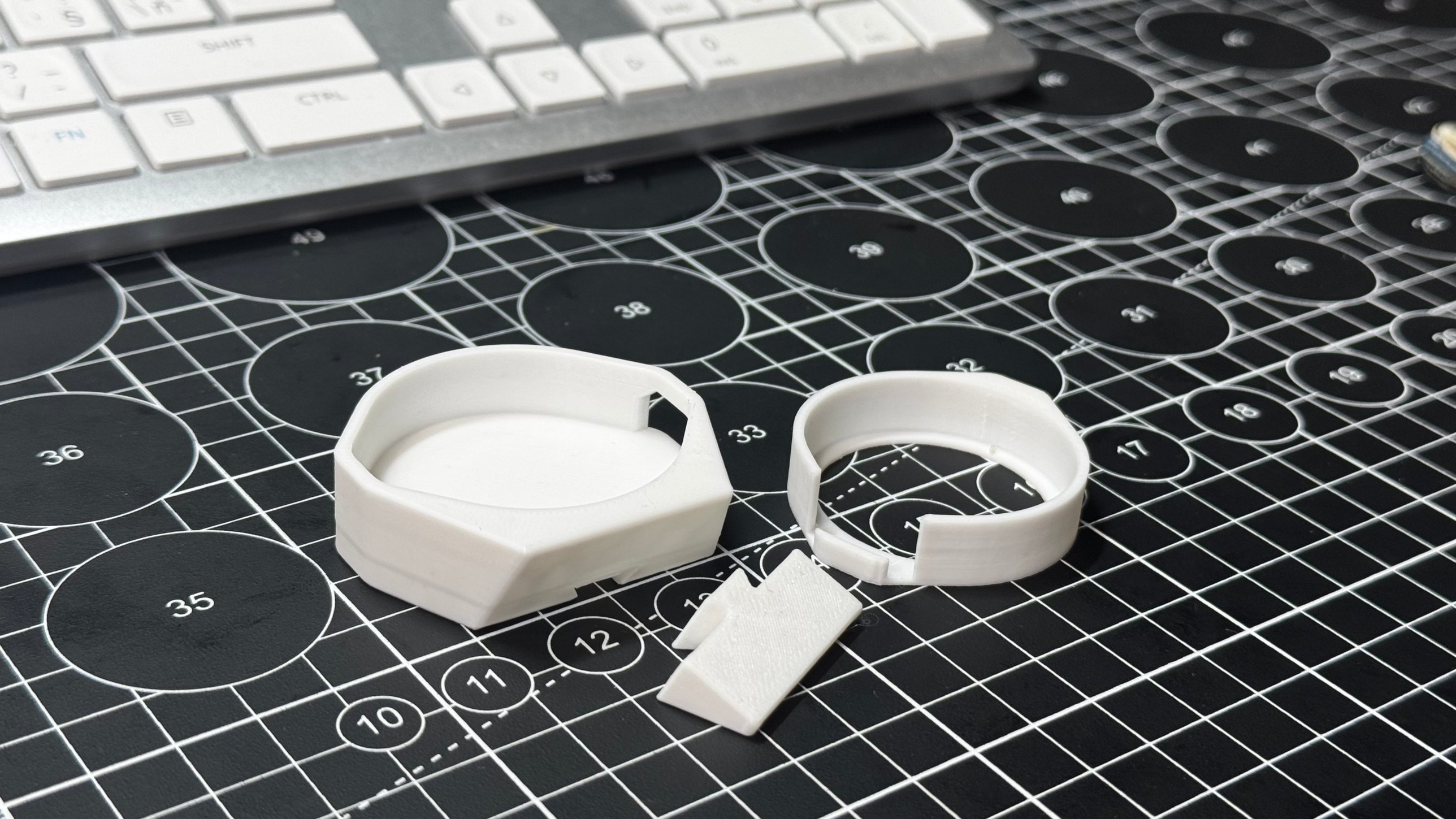
Printed parts Main frame, inner ring and foot. All on one plate, no supports.
printed
1
USB-C data cable Powers him and loads the program. Must be a data cable, not charge-only.
electronics
14 g
PLA filament Any colour. White looks clean, a dark case makes the glowing eyes pop.
consumable

Tools & software

1
Chrome or Edge browser Needed for Espressif's web flasher (Web Serial). Nothing to install.
1
Arduino IDE or VS Code with PlatformIO (optional) Only if you want to change his name, personality, or add Wi-Fi for the clock.

Files & downloads

What you're building

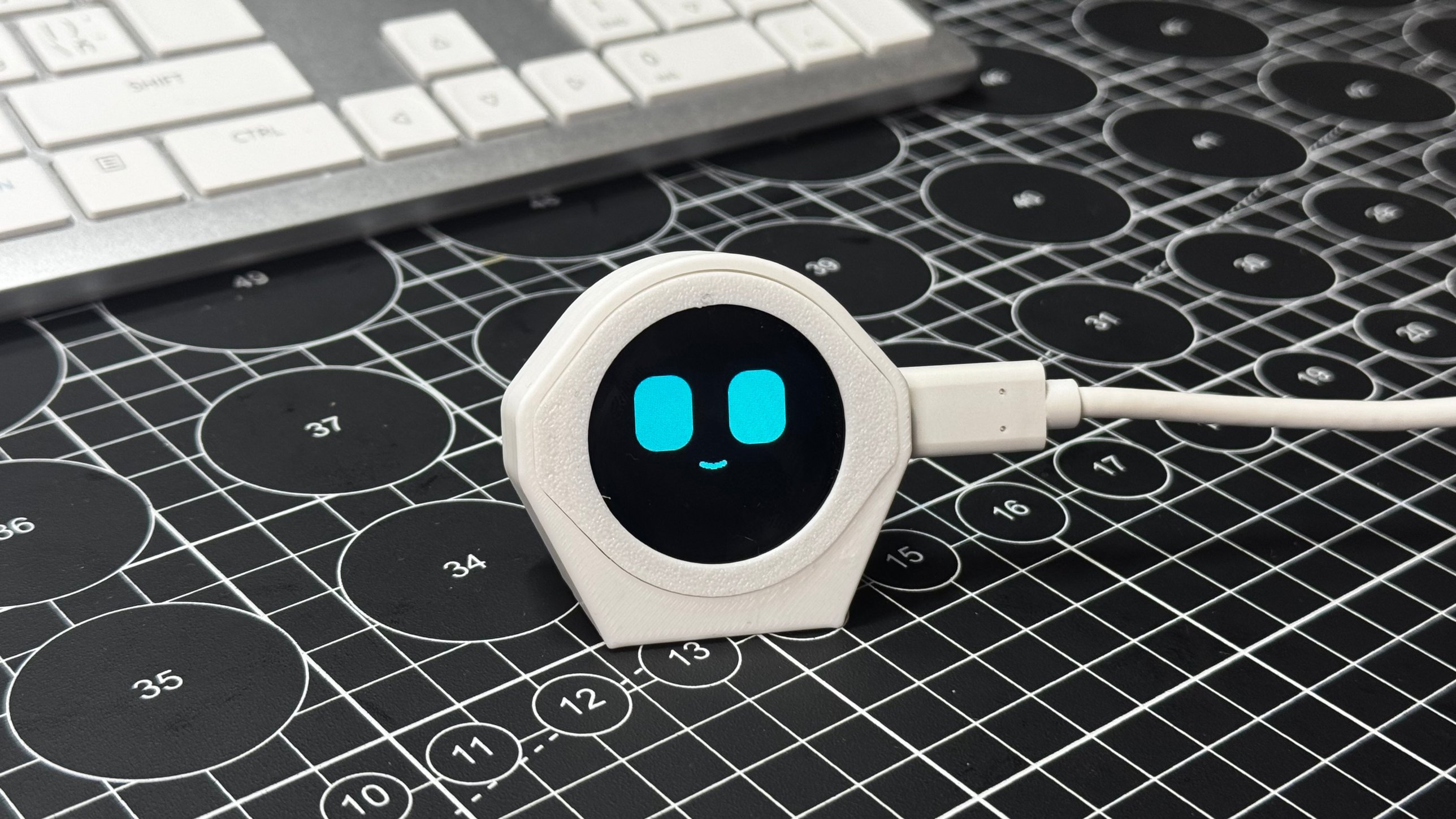
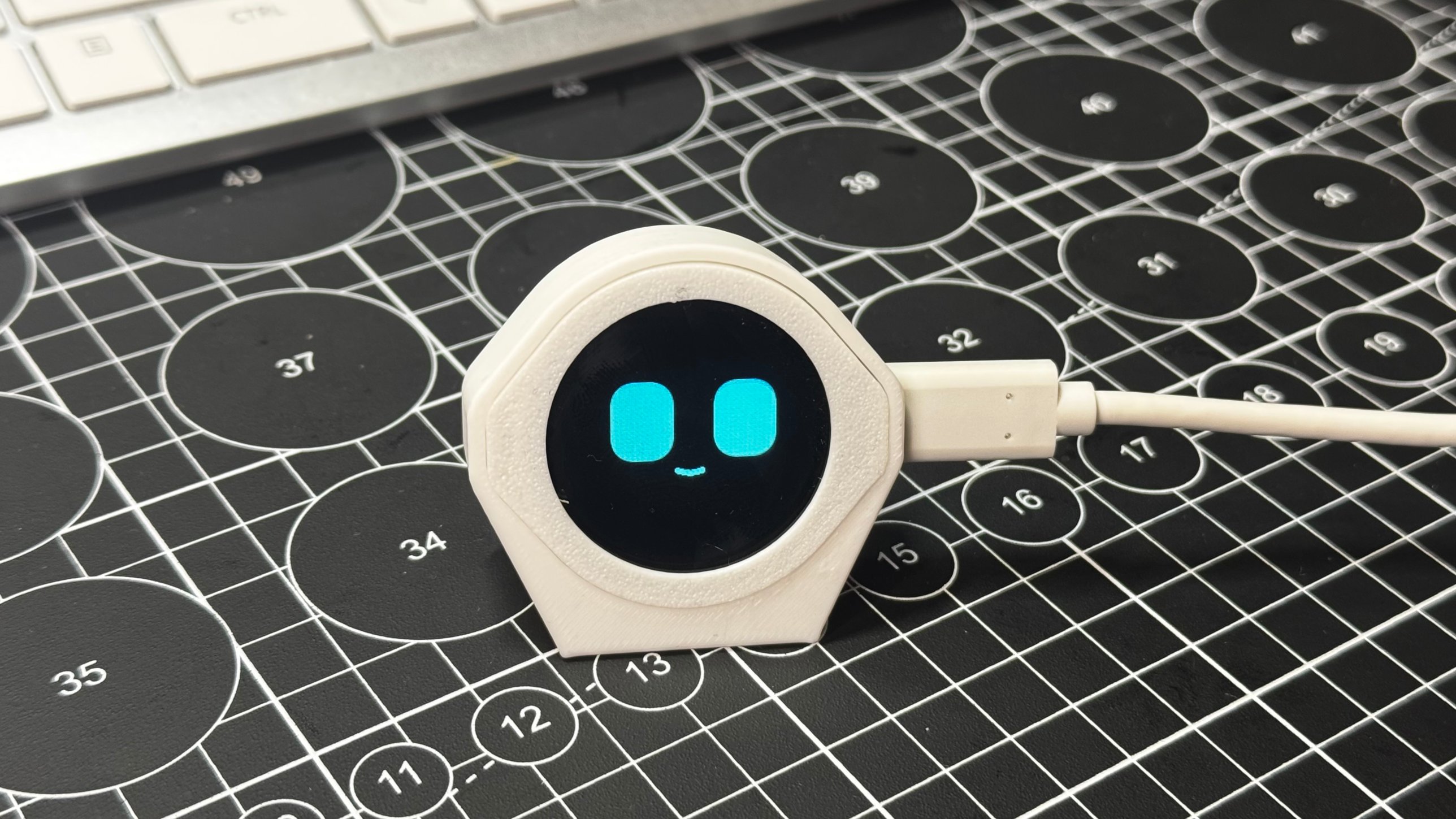
A little round buddy that lives on your desk. He looks around, blinks, follows your finger, gets bored when you ignore him, falls asleep when he's tired, and wakes up grumpy if you poke him too early.

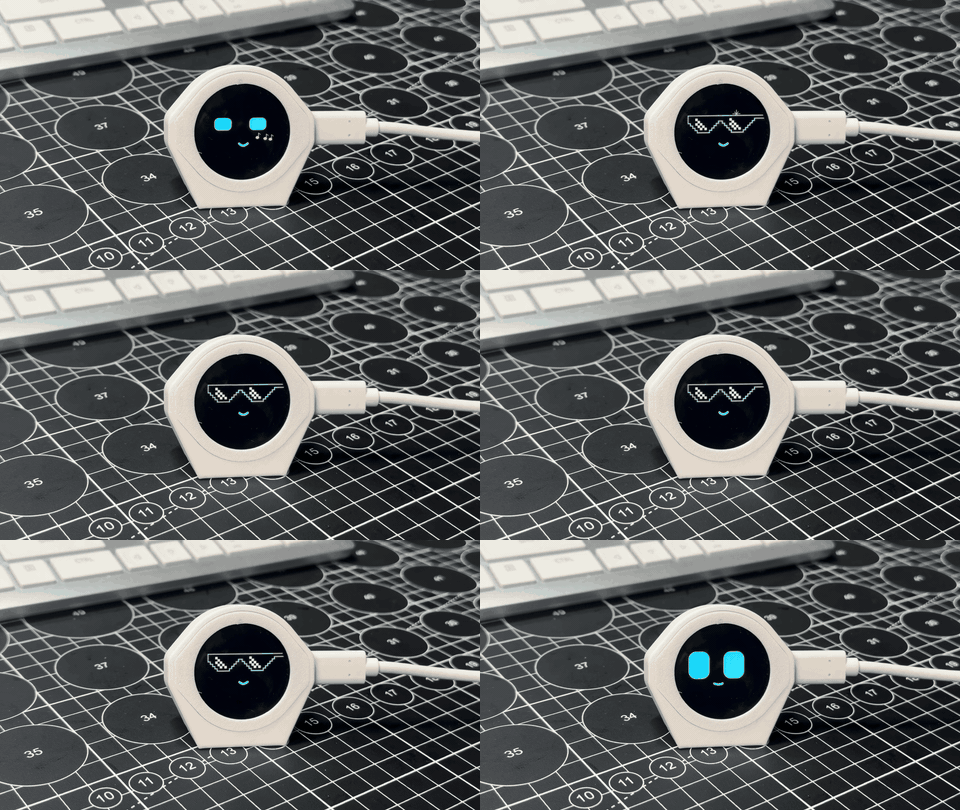
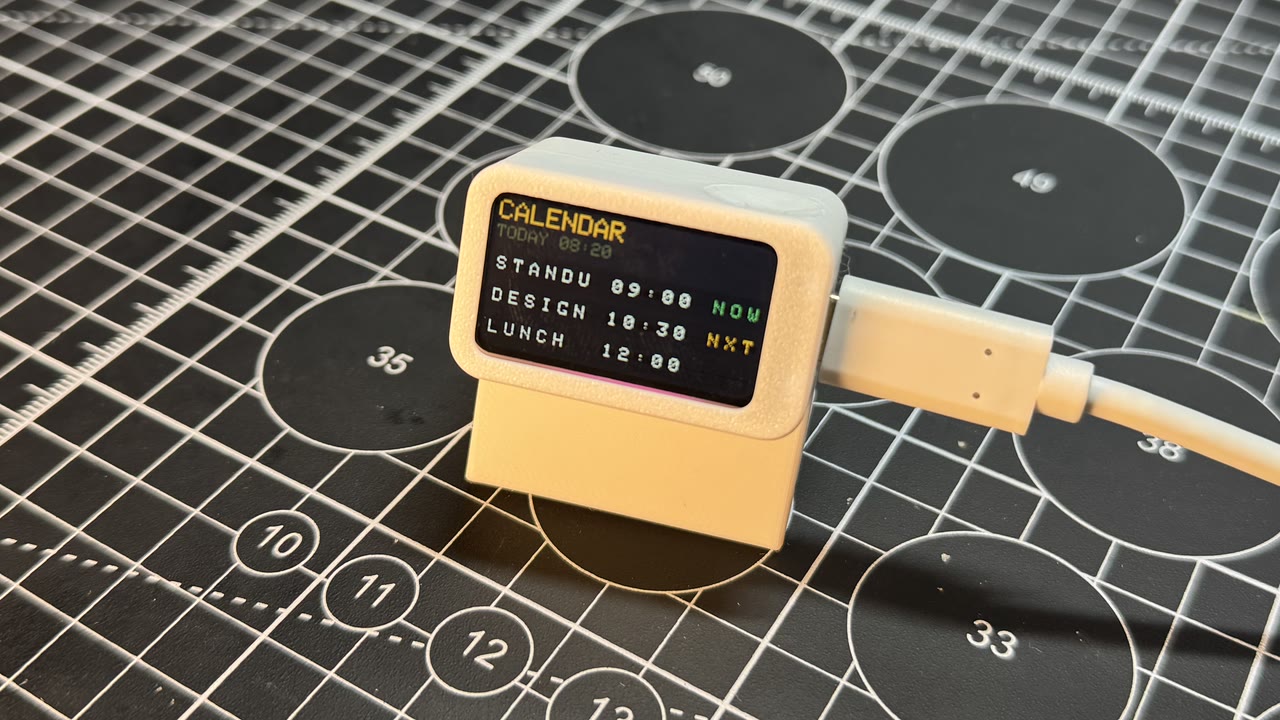
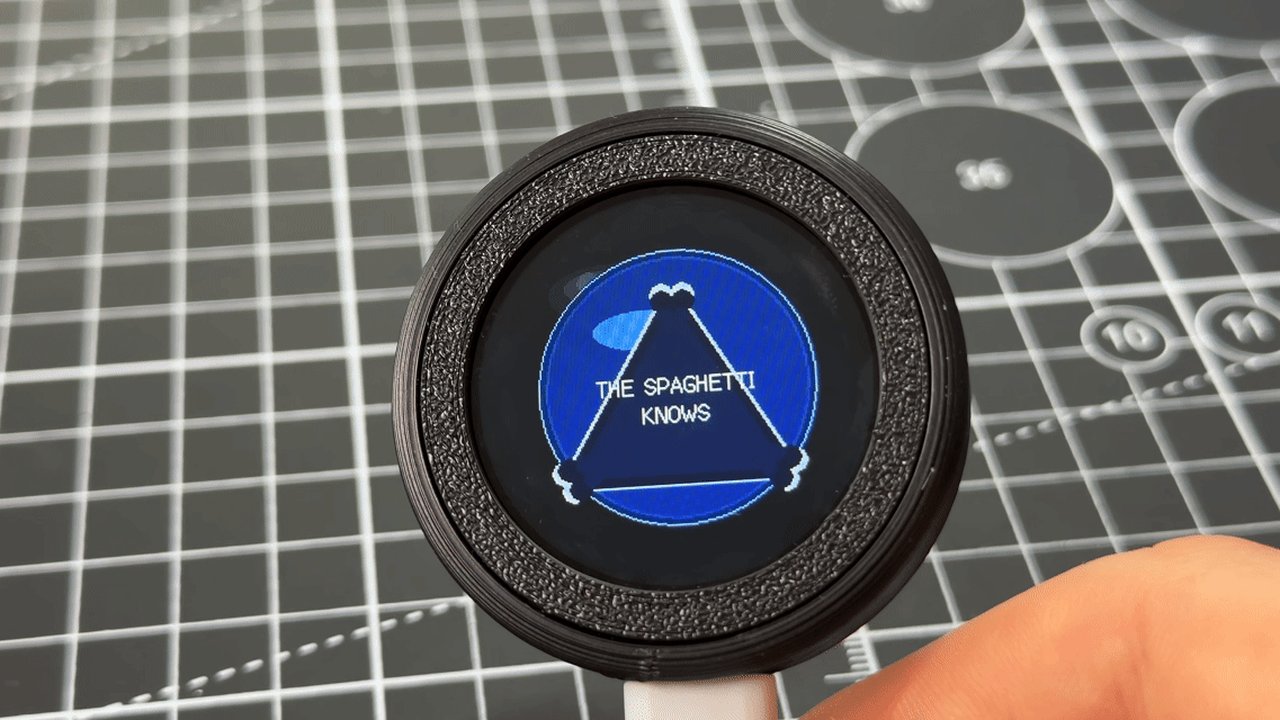
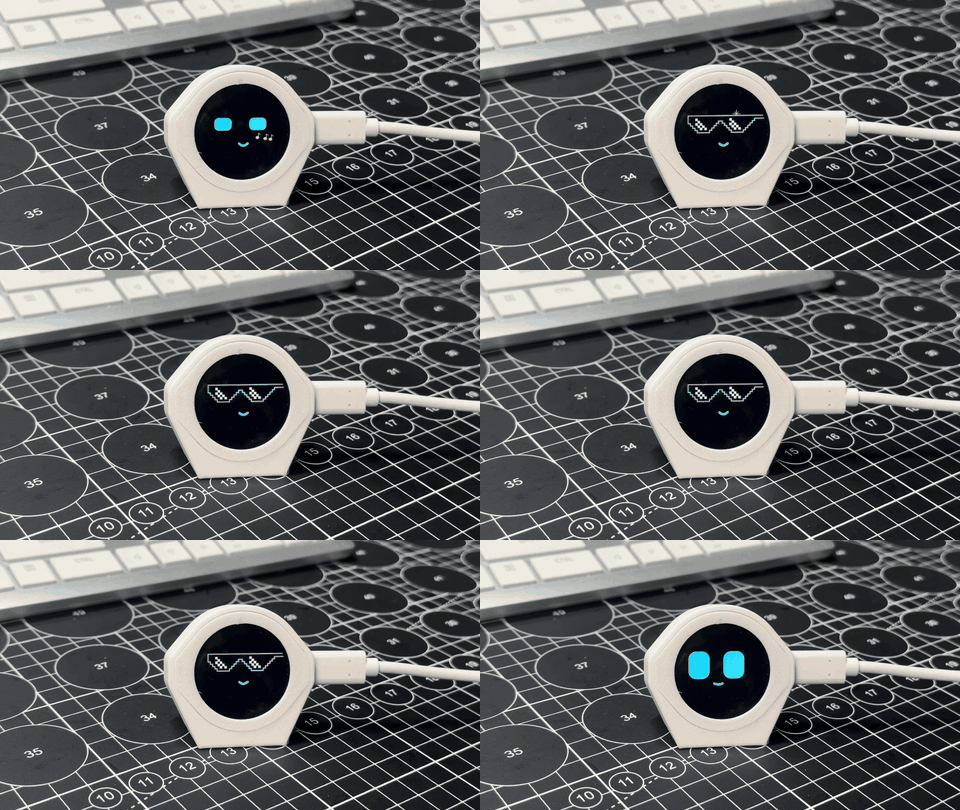
Every minute or two he does something on his own: shakes maracas, puts on pixel sunglasses, reads a book, blows a bubblegum bubble. Every hour he drinks a glass of water and reminds you to do the same.

No soldering. Print the case, click the board in, and flash the program from your browser in about two minutes.
Note

There is no camera and no microphone. He can't see or hear you. He feels your finger through the touch screen and feels movement through a tiny motion sensor. Everything else, his moods, his memory and his habits, is a few numbers changing over time.

What you'll learn

  • How a game loop makes a character feel alive, about 33 times a second
  • How a face can be just 12 numbers, and how easing makes them move smoothly
  • How moods come from simple stats: energy, affection and annoyance
  • How to turn raw touch points into taps, double taps, long presses and pets
  • How a motion sensor tells a tilt from a shake

Meet the parts

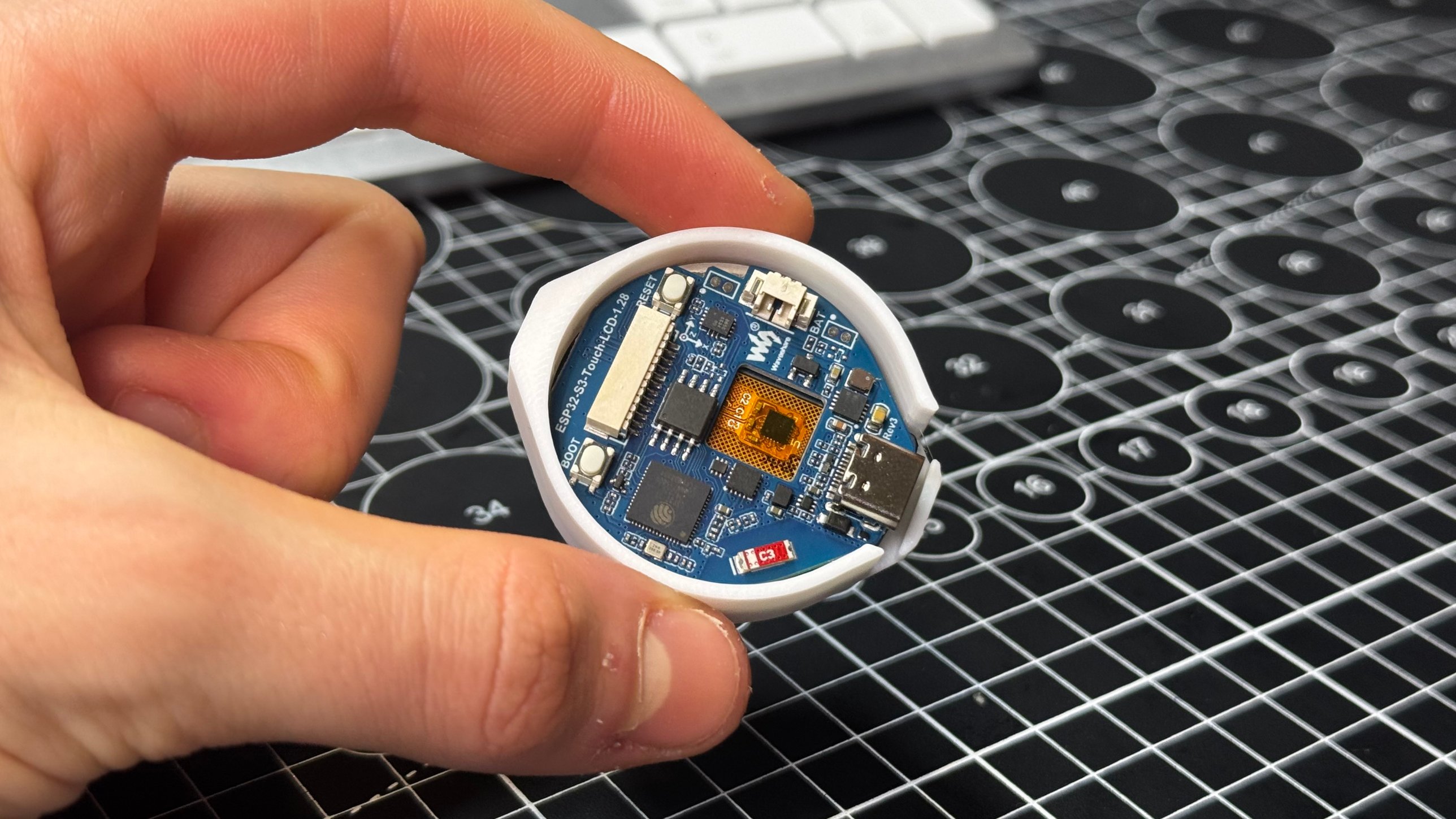
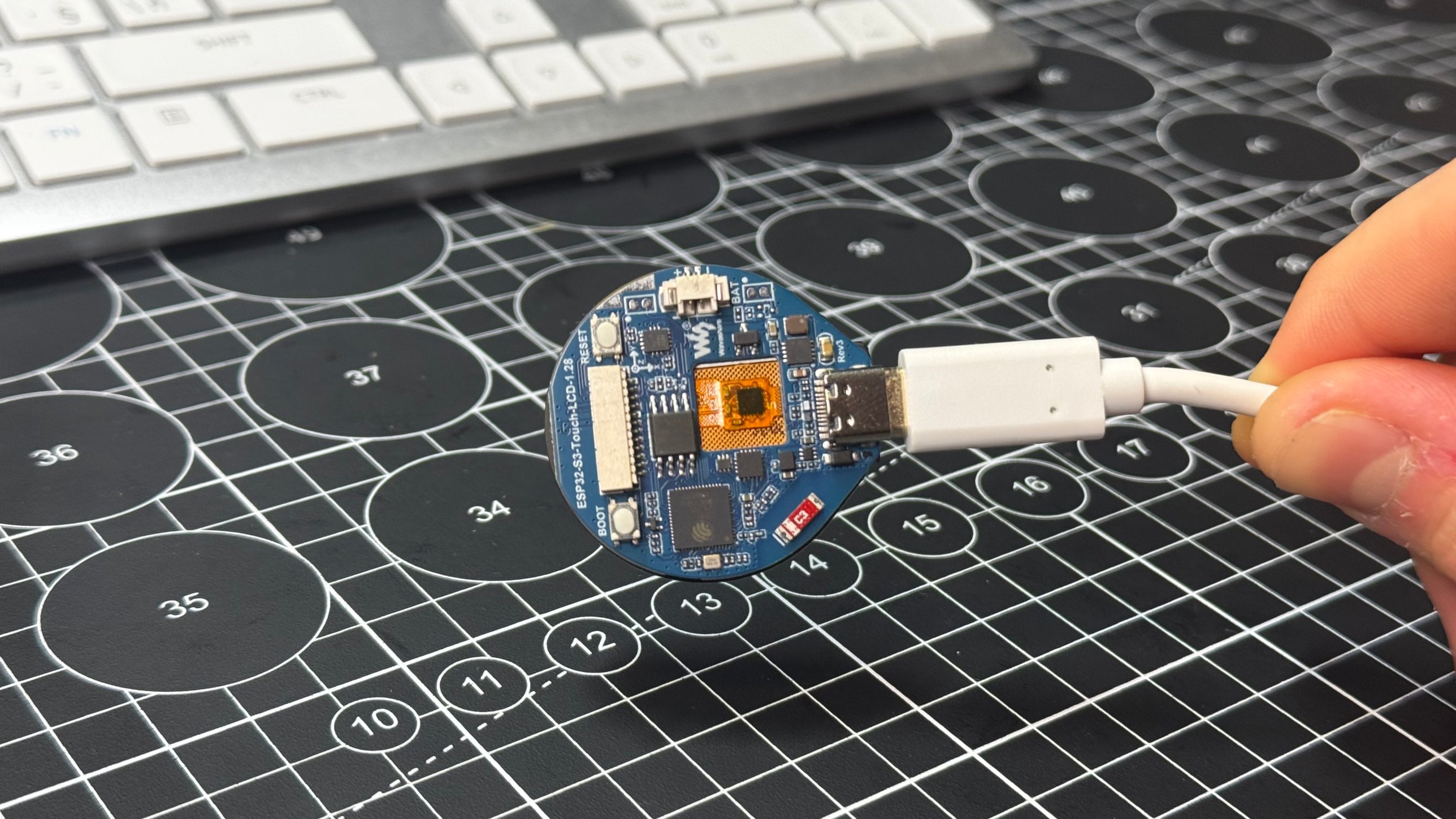
  • The board: Waveshare ESP32-S3-Touch-LCD-1.28. The round screen is his face, the touch layer is his skin, and the motion sensor is his inner ear. It has Wi-Fi too, but he doesn't need it.
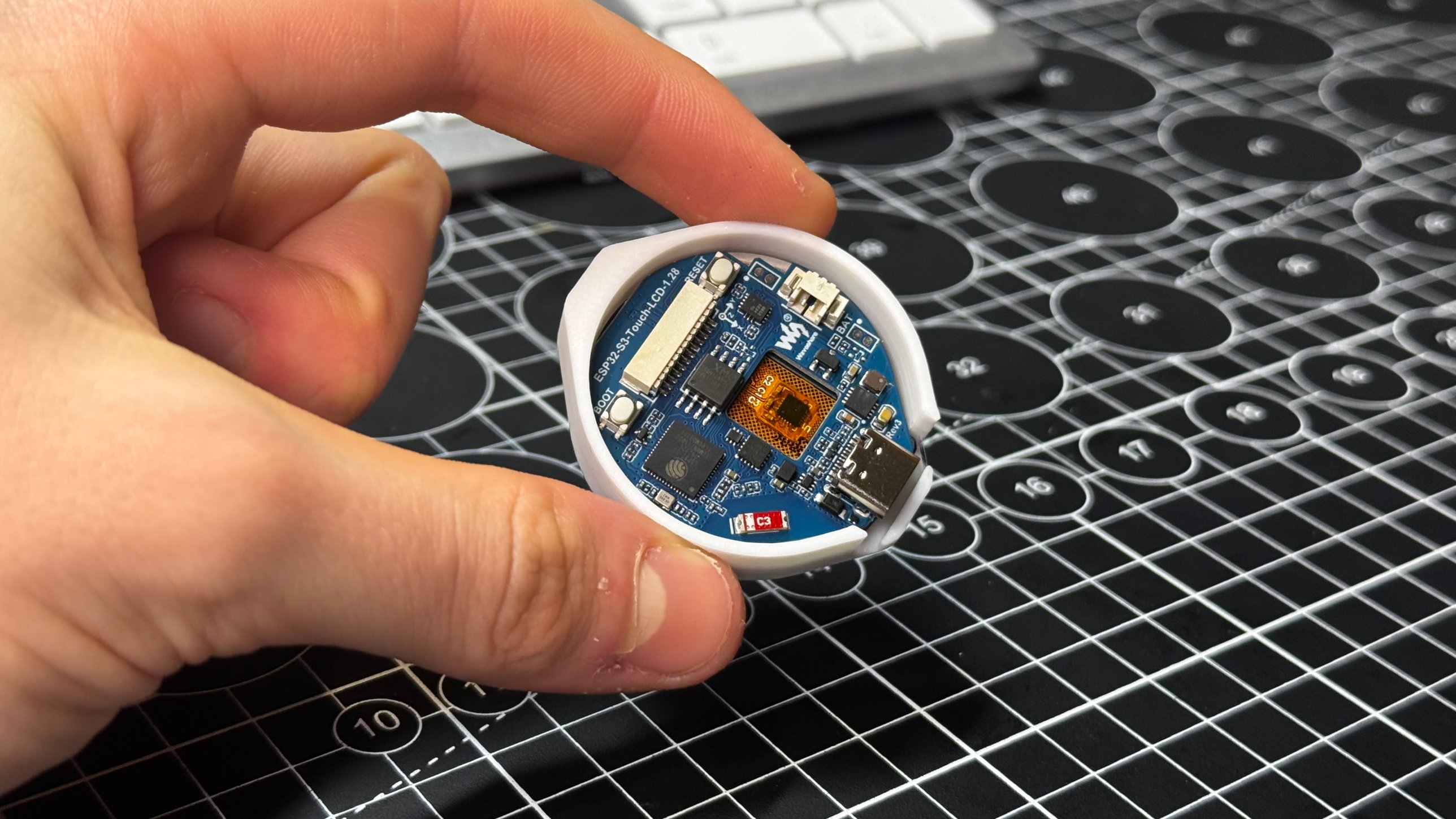
  • The inner ring: holds the board snugly with a notch for the USB-C port.
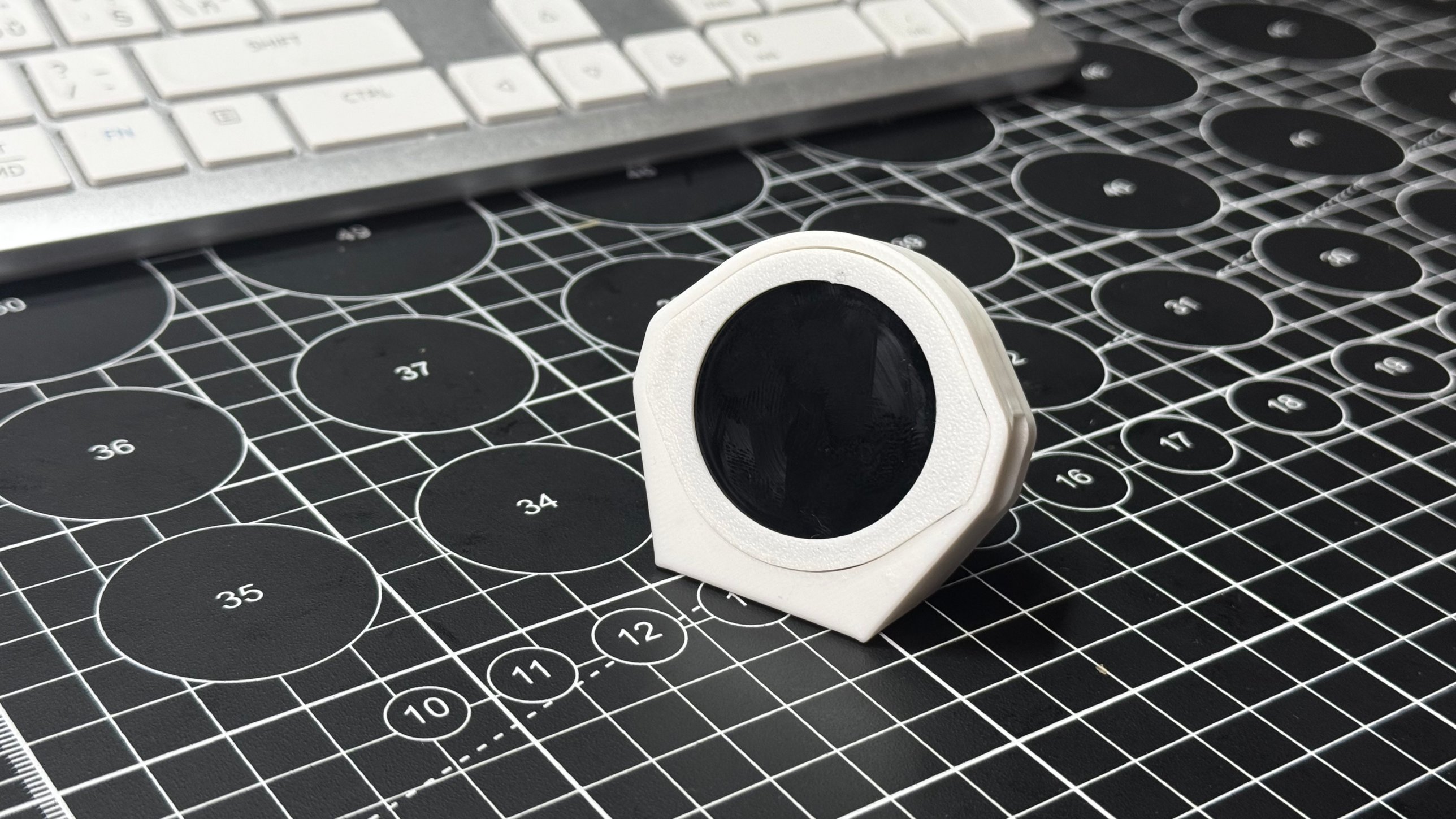
  • The main frame: his body. The ring slides in from the front and the cable comes out of the side window.
  • The foot: clips on the back and tilts him toward you.
  • The cable: a USB-C data cable. It powers him all the time and loads the program once.

Part 1: Print

1

Download the case

Grab the 3MF (Bambu Studio) or the STL for any other slicer from Files & downloads. Three parts: the main frame, the inner ring and the foot.

2

Print it

PLA, 0.2 mm layers, 2 walls, 15% infill, no supports. All three parts fit on one plate and take about 30 minutes on a Bambu P1S, using about 14 g of filament.

Print it
3

Check the openings

Make sure the USB-C notch in the inner ring and the side window in the main frame are clean, so the plug can go all the way in later.

Part 2: Put it together

1

Press the board into the inner ring

Push the board into the inner ring, screen first, with the USB-C port in the ring's notch. It's a press fit: no glue, no screws.

Press the board into the inner ring
2

Slide the ring into the main frame

Push the ring with the board into the front of the main frame, USB-C side first, so the port lines up with the side window. Press until it sits flush. If it's tight, wiggle it rather than forcing it.

Slide the ring into the main frame
3

Add the foot

Push the foot's tab into the slot near the bottom of the back. It tilts him back a little so he looks up at you.

4

Plug in last

Only now plug in the USB-C data cable through the side window. If the cable is already in, the ring won't slide into the frame.

Plug in last

Part 3: Load the program

1

Download the firmware

Download Firmware (precompiled .bin) from Files & downloads. It's the whole buddy, ready to go, no Wi-Fi needed.

Prefer the Arduino IDE? Skip to Level up: change the code below and upload desk-buddy.ino instead.

2

Connect him

With him fully assembled, plug the USB-C cable into your computer. Close the Arduino IDE or any serial monitor first: only one program can use the port at a time.

3

Open the Espressif web flasher

In Chrome or Edge, open Espressif's web flasher (esptool-js). Leave Baudrate at 921600 and click Connect. Pick the board's port. It's often called USB JTAG/serial debug unit, USB Serial or USB-SERIAL CH340/CH343. The log should say ESP32-S3.

No port in the list? Hold BOOT, tap RESET, let go of BOOT and click Connect again. On Windows you may need the WCH CH34x driver.

4

Flash at address 0x0

Under Program, change Flash Address to 0x0 (zero, not the default). Click Choose File, pick the .bin, and click Program. It takes about 30 seconds: don't unplug him while it runs. If it stalls, set Baudrate to 115200 and try again.

5

Say hi

Click Disconnect, then press RESET or unplug and replug him. His eyes open, he looks surprised, then happy. He's meeting you for the first time.

Say hi

Play it

1

Tap = he giggles

A short tap gives a happy hop with ^ ^ eyes and pink cheeks. Tap him a bunch of times fast and he gets grumpy: angry brows and steam puffs. He calms down after a few seconds.

Tap = he giggles
2

Double tap = excited

Big eyes, a bounce and sparkles.

Double tap = excited
3

Stroke him = heart eyes

Slide your finger back and forth across the screen. His eyes turn into hearts and more hearts float up. Every pet makes him like you a little more.

Stroke him = heart eyes
4

Long press = info card

Hold your finger still for a second. You'll see his mood and five hearts that show how much he likes you (plus the clock if you added Wi-Fi). Tap to close it.

Long press = info card
5

Shake or tilt him

Shake him and his eyes turn into spirals, and then he's grumpy about it. Tilt him gently and he looks downhill.

Shake or tilt him
6

Leave him be

Every minute or two he does an activity: maracas, whistling, pixel sunglasses, bubblegum, juggling, reading, daydreaming, a stuck loading bar, headphones or peekaboo.

Ignore him for a while and he gets bored, then lonely, then sleepy. When he runs out of energy he falls asleep and the screen dims. Tap to wake him, but he might be grumpy if he's still tired.

Leave him be
7

Healthy reminders

Every hour he drinks a glass of water and shows Drink some water! Every 2 hours it's Time to move! and every 4 hours Go touch grass! Tap him when you've done it and he'll be proud of you.

Healthy reminders

How it works: five tiny lessons

Open desk-buddy.ino and follow along. Each lesson points at a real piece of the program.

Lesson 1: A pet is a loop

loop() runs thousands of times a second, but only every 30 ms does he think, move and draw:

if (now - lastFrame >= 30) {   // about 33 frames a second
  brainUpdate(dt);             // stats, moods, timers
  animate(dt);                 // move the face toward its target
  render();                    // draw in memory, then send to the screen
}

He draws the whole face into a 240 × 240 picture in memory (a sprite) and sends it to the screen in one go. That's why nothing flickers.

Try it: change 30 to 100. He still works, but moves like an old cartoon.

Lesson 2: A face is 12 numbers

Every mood is one row in a table: eye width, eye height, roundness, top lid, lid slant, cheek, mouth curve, mouth open, mouth width, blush, and the size of each eye.

//  ew  eh  er  lidT  lidA  lidB  curve  open  mW  blush
{  56, 72, 20, 0.00,  0,  0.00,  0.35,  0.0, 22,  0.0 }, // neutral
{  56, 66, 16, 0.34, 11,  0.00, -0.70,  0.0, 24,  0.0 }, // grumpy

Grumpy is just a lower top lid (lidT), slanted inward (lidA), and a frown (a negative curve). He never jumps between faces. Every frame, each number moves a little closer to its target. That's called easing, and it's why expressions melt into each other.

Try it: give happy a blush of 1.0.

Lesson 3: Moods come from stats

He keeps three numbers about how he feels:
- energy drains slowly while he's awake and refills while he sleeps
- affection goes up with taps and pets, and fades if you ignore him
- annoyance jumps with every poke and cools down fast

Every few seconds he checks them, plus how long it's been since you touched him, and picks a mood:

if (energy < 8)                              m = M_ASLEEP;
else if (energy < 25)                        m = M_SLEEPY;
else if (idleS > lonelyS && affection < 60)  m = M_SAD;
else if (idleS > boredS)                     m = M_BORED;

The personality traits at the top of the file just stretch these numbers. A cuddly buddy gets lonely sooner, and a grumpy one gets annoyed faster.

Try it: set TRAIT_GRUMPY to 10 and poke him.

Lesson 4: Turning touches into gestures

The touch chip only says a finger is here, at x and y. Gestures are something we work out ourselves from time and distance:
- down and up quickly, barely moved: tap
- two taps within 0.38 s: double tap
- held still for 0.75 s: long press
- moved more than 160 pixels in total: pet

tTravel += sqrtf(dx * dx + dy * dy);   // add up how far the finger moved
if (tTravel > petTravelNext) onPet();

That's Pythagoras doing robot petting.

Try it: make petting easier by lowering 160.

Lesson 5: Feeling motion

The motion sensor measures acceleration in three directions. When he sits still, the only acceleration is gravity, so the reading tells him which way is down. That's tilt.

A shake is the reading changing quickly. He adds up how much it changes between readings and lets the total fade:

shakeLevel = shakeLevel * 0.9f + jerk;
if (shakeLevel > 9.0f)       onShake();   // dizzy!
else if (shakeLevel > 2.8f)  onBump();    // surprised

He also slowly learns his resting position, so he works whichever way your case holds him.

Try it: type imu in the serial monitor and tilt him.

Secret commands

Open a serial monitor at 115200 (the Arduino IDE Serial Monitor, or any other) and type:
- help: list commands
- status: mood, energy, affection and pets
- mood love: show a mood (happy, love, excited, surprised, curious, bored, sleepy, asleep, grumpy, sad, dizzy)
- act: list his activities. act shades or act random plays one
- remind water, remind move, remind grass: play a reminder now
- name Pixel: rename him. He remembers.
- imu: show tilt readings
- reset: wipe his memory. He'll meet you again.

Level up: change the code

Everything you'd want to change is in the YOUR SETTINGS block at the top of desk-buddy.ino:
- BUDDY_NAME and four traits from 0 to 10: TRAIT_ENERGY, TRAIT_CUDDLY, TRAIT_GRUMPY, TRAIT_CURIOUS
- EYE_COLOR: try 0xFFB000 for amber or 0x7CFF6B for green
- WIFI_SSID, WIFI_PASSWORD, TIMEZONE: adds the clock, morning greetings, an hourly bounce and a bedtime (2.4 GHz Wi-Fi only)
- WATER_EVERY_MIN, MOVE_EVERY_MIN, GRASS_EVERY_MIN: reminder timing. 0 turns one off
- ACTIVITY_MIN_SEC / ACTIVITY_MAX_SEC: how often he does activities
- SHOW_SPEECH 1: lets him talk in little speech bubbles

Easiest way: unzip the PlatformIO project, open the folder in VS Code with the PlatformIO extension, make your changes and click Upload.

Arduino IDE: install the esp32 boards by Espressif and the TFT_eSPI library by Bodmer. Replace libraries/TFT_eSPI/User_Setup.h with the contents of TFT_eSPI_Setup.h. Put desk-buddy.ino and s3_puck_pins.h in a folder called desk-buddy. Board: ESP32S3 Dev Module, Flash Size 16MB, PSRAM QSPI PSRAM. Upload.

If something goes wrong

  • Black screen after flashing. Press RESET, or unplug him and plug him back in. Still black? Flash again.
  • No port in the list. Try another cable first. Most problems are charge-only cables. Then hold BOOT, tap RESET, let go of BOOT and try again. On Windows you may need the WCH CH34x driver.
  • His face is sideways. Change SCREEN_ROTATION (0 to 3) at the top of the code.
  • His eyes look uphill when you tilt him. Flip TILT_FLIP_X or TILT_FLIP_Y.
  • Nothing in the serial monitor. Set it to 115200 baud and press RESET. Close any other window using the port.
  • He's always sad. He's lonely. Pet him. A high TRAIT_CUDDLY makes him lonely faster.
  • He's asleep in the middle of the day. He ran out of energy. Tap to wake him, or let him nap: he's fully rested about 30 minutes after he falls asleep.

Build photos

Licensed under CC BY-SA 4.0. Check with the author before commercial use.

Community makes

Built this? Share a photo of your print so others can see how it turned out.

No makes yet. Be the first.