About this video
Why Supports Damage the Bottom of 3D Prints
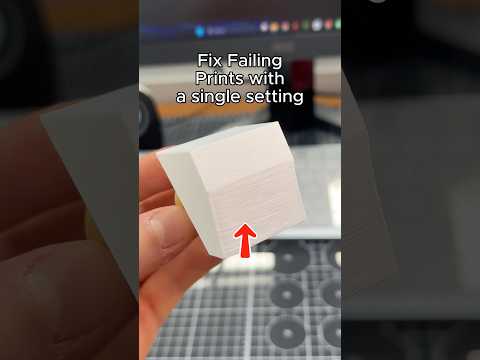
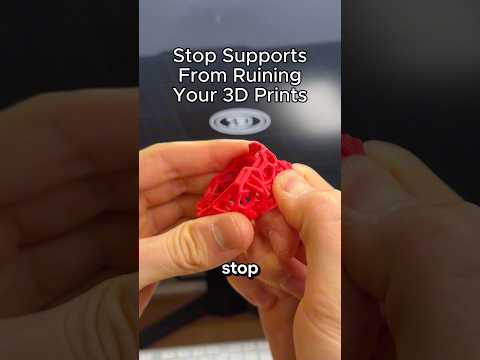
Tree supports and auto-generated supports are lifesavers for overhangs, but they often leave ugly scars, pits, or torn patches on the bottom face of a 3D printed model. The usual culprit is a slicer setting called Support Object First Layer Gap, which controls the vertical distance between the very first layer of the support structure and the surface it touches.
When this gap is set too low (or left at the default 0.2 mm), the support plastic fuses directly into the model. Pulling the support off then rips chunks of the bottom surface with it, leaving a rough, damaged finish that needs sanding, filler, or a reprint.
The Fix: Increase the Support Object First Layer Gap
In your slicer (PrusaSlicer, SuperSlicer, OrcaSlicer, Bambu Studio, Cura with experimental supports, etc.):
- Open Print Settings → Support Material.
- Locate Support Object First Layer Gap (sometimes labeled "Support gap at first layer" or "Support/Build Plate Z gap").
- Increase the value in small increments — start at 0.3 mm, then try 0.35–0.4 mm.
- Slice a small test cube with supports and check the underside.
The goal is a gap large enough that the support strand still lands on the model but does not chemically weld to it. You want the support to look like it is "resting" on the surface rather than fused into it.
Pro Tips for Cleaner Support Removal
- Pair the increased gap with Support Threshold Angle of 45–50° so fewer, smarter supports are generated.
- Use tree supports with the branch diameter set to 4–5 mm for organic, easy-to-snip branches.
- Drop print temperature by 2–3 °C on the support interface to weaken the bond.
- Set support material to a different color (or use soluble PVA/breakaway supports on dual-extrusion printers) so accidental contact is obvious.
- After removal, a few passes with 220-grit sandpaper or a heat gun at 110 °C will erase any remaining witness marks.
Frequently Asked Questions
Will a bigger gap make supports fall over?
Not if you keep the gap under ~0.4 mm and the supports still touch the model. For tall, heavy supports, also raise Support Object Layer Gap slightly.
What is the best value for FDM supports?
Most users find 0.3–0.35 mm works for PLA and PETG. For ABS, try 0.25 mm to maintain adhesion without scarring.
Does this work with organic/tree supports?
Yes — tree supports respect the same first-layer gap, so the improvement is even more noticeable because contact points are smaller.
Can I use this trick in Cura?
Cura's standard support plugin lacks this exact setting, but enabling Experimental Tree Supports and adjusting Support Z Distance to 0.3 mm achieves a similar effect.