OpenSCAD 2D shapes and extrusion: polygon, text, linear_extrude, rotate_extrude
OpenSCAD's 2D shapes (circle, square, polygon, text and imported SVG) live in the XY plane and can't be printed
until you extrude them. linear_extrude() pushes a shape straight up, optionally twisting or tapering it,
and rotate_extrude() spins a profile around the Z axis to make cups, knobs and rings. Most parts that
aren't boxes are easiest to build this way.
- Always pass a height:
linear_extrude(height = 3). Leave it out and you get a 100 mm tower. twistis the total rotation in degrees from bottom to top. Positive turns clockwise seen from above.scalesets the size of the top: 0.5 halves it, 0 tapers to a point.- A
rotate_extrude()profile must stay on one side of the Y axis, normally at x ≥ 0. - Code that only makes 2D shapes can't be exported as STL. Extrude it first.
OpenSCAD 2D shapes at a glance
| Shape | Defaults | Where it sits |
|---|---|---|
circle(r) / circle(d = …) | r = 1 | Centred on the origin |
square(size, center) | size 1, center = false | Corner on the origin |
polygon(points, paths, convexity) | convexity = 1 | Wherever its points are |
text(t, size, font, …) | size = 10 | Starts at x = 0 on a baseline at y = 0 |
import("file.svg") / import("file.dxf") | dpi = 72 for unitless SVGs | The file's coordinates, or centred with center = true |
projection(cut) | cut = false | Flattens 3D children onto the XY plane |
offset(r | delta, chamfer) | r = 1 | Grows or shrinks its children in place |
Desktop OpenSCAD can export a 2D-only design as SVG or DXF, which is handy for laser cutting, but not as STL.
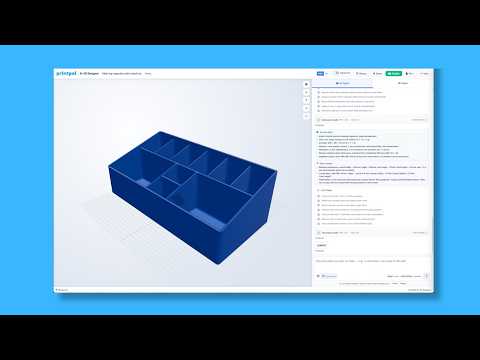
PrintPal's editor asks you to wrap 2D code in linear_extrude(), so every runnable example below is extruded.
circle() and square()
linear_extrude(height = 2) {
  circle(d = 20, $fn = 64);                        // disc
  translate([25, 0]) circle(d = 20, $fn = 6);      // hexagon, d measured across corners
  translate([50, 0]) circle(d = 20, $fn = 3);      // triangle
  translate([65, -10]) square([30, 20]);           // rectangle from its corner
  translate([120, 0]) square(20, center = true);   // centred square
}
Like sphere(), circle() takes r positionally or d by name, and its smoothness follows $fn, $fa and $fs.
OpenSCAD polygon(): any outline, including holes
List the points in order around the outline. Clockwise or counter-clockwise both work, and the last point joins back to the first.
// L-shaped profile, 30 × 20 mm, 5 mm thick legs, extruded 10 mm
linear_extrude(height = 10)
  polygon([[0, 0], [30, 0], [30, 5], [5, 5], [5, 20], [0, 20]]);
Add paths to cut holes. Each path is a list of point indexes, and paths inside the first one become holes:
// 30 mm square frame with a 20 mm window
linear_extrude(height = 3)
  polygon(
    points = [[0, 0], [30, 0], [30, 30], [0, 30],     // outer, points 0-3
              [5, 5], [25, 5], [25, 25], [5, 25]],    // window, points 4-7
    paths  = [[0, 1, 2, 3], [4, 5, 6, 7]]
);difference() { square(30); translate([5, 5]) square(20); } is easier to read than paths. Generated outlines like stars and gears come from a list comprehension (see the language reference).OpenSCAD text(): nameplates, labels and engraving
| Parameter | Default | What it does |
|---|---|---|
text | n/a | The string to draw (one line) |
size | 10 | Roughly the height of capital letters, in mm |
font | "Liberation Sans" | Font name, optionally with a style: "Liberation Sans:style=Bold" |
halign | "left" | "left", "center" or "right" |
valign | "baseline" | "baseline", "top", "center" or "bottom" |
spacing | 1 | Letter-spacing multiplier |
direction | "ltr" | "ltr", "rtl", "ttb" or "btt" |
language / script | "en" / "latin" | Shaping hints for non-Latin text |
// 80 × 25 × 2 mm plate with 1.2 mm raised letters
plate = [80, 25];

linear_extrude(height = 2)
  offset(r = 3, $fn = 32) offset(delta = -3) square(plate, center = true);   // rounded corners

translate([0, 0, 2])
  linear_extrude(height = 1.2)
    text("PrintPal", size = 10, halign = "center", valign = "center");
// letters cut 0.8 mm deep into a 3 mm tag
difference() {
translate([-30, -10, 0]) cube([60, 20, 3]);
translate([0, 0, 3 - 0.8])
linear_extrude(height = 1)
text("M3 x 10", size = 7, halign = "center", valign = "center");
}Desktop OpenSCAD bundles Liberation Sans, Serif and Mono and can use any installed font. PrintPal's browser editor has a
single built-in sans font, so font names fall back to it. text() draws one line, so place each
extra line yourself, about 1.4 × size lower: translate([0, -14]) for size 10.
textmetrics() for measuring text exists only in development snapshots.
Import SVG and DXF outlines
linear_extrude(height = 3)
import("logo.svg", center = true, dpi = 96);- Check the units. SVGs saved in mm or inches import at true size. Unitless pixel SVGs use
dpi, default 72, so 100 px becomes 35.28 mm, or 26.46 mm withdpi = 96. - Convert text and strokes to paths in your drawing app first, so the outline you see is the outline you get.
- Centre it with
center = true, or position it withtranslate(). - DXF works too. Use
import("profile.dxf"), andlayer = "name"picks one layer.
PrintPal's browser editor can't read files from your computer, so SVG and DXF imports need desktop OpenSCAD.
offset(): round corners, fillets and outlines
r grows or shrinks with rounded corners. delta keeps corners sharp, and chamfer = true cuts them at 45°.
linear_extrude(height = 2) {
  offset(r = 3, $fn = 32) square([30, 20]);                    // 3 mm bigger, rounded: 36 × 26
  translate([45, 0]) offset(delta = 3) square([30, 20]);       // 3 mm bigger, sharp corners
  translate([90, 0]) offset(delta = 3, chamfer = true) square([30, 20]);   // 3 mm bigger, chamfered
}
Two offsets in a row round corners without changing the overall size:
// round the outside corners of a 40 × 25 rectangle, keeping its size
linear_extrude(height = 2)
  offset(r = 4, $fn = 32) offset(delta = -4) square([40, 25]);

// fillet the inside corner of an L profile
translate([50, 0, 0])
  linear_extrude(height = 2)
    offset(r = -3, $fn = 32) offset(delta = 3)
      polygon([[0, 0], [30, 0], [30, 5], [5, 5], [5, 20], [0, 20]]);
For a wall of even thickness around any outline, subtract the shape from a grown copy: difference() { offset(r = 2) shape(); shape(); }.
projection(): from 3D back to 2D
// top-down silhouette of a rotated block, made into a 1 mm template
linear_extrude(height = 1)
  projection()
    rotate([0, 0, 30]) cube([40, 20, 10]);

// cut = true keeps only the slice at z = 0: a circle from the middle of a sphere
translate([60, 0, 0])
  linear_extrude(height = 1)
    projection(cut = true) sphere(d = 20, $fn = 64);
In desktop OpenSCAD, render a projection on its own and export it as SVG or DXF for laser cutting or drawings.
OpenSCAD linear_extrude(): height, twist, scale and slices
linear_extrude(height, center = false, convexity = 1, twist = 0, slices, scale = 1)
shape_2d();| Parameter | Default | What it does |
|---|---|---|
height | 100 | Extrusion length in mm. Also the first unnamed argument. Always set it |
center | false | true runs from -height/2 to +height/2 |
twist | 0 | Total degrees of rotation from bottom to top. Positive turns clockwise seen from above |
slices | 1 without twist | How many layers a twist is split into. With twist, it's worked out from $fn/$fa/$fs. Raise it for smoother spirals |
scale | 1 | Size of the top as a factor, a number or [x, y]. 0 tapers to a point |
convexity | 1 | Preview hint. Raise it (around 10) for text and complex outlines |
linear_extrude() square(10); makes a 10 × 10 × 100 mm tower. Write linear_extrude(height = 2) every time.
Development snapshots also accept v = [x, y, z] to extrude along a direction, and segments. Neither exists in 2021.01.
// plain: a 20 mm puck, 10 mm tall
linear_extrude(height = 10) circle(d = 20, $fn = 64);

// tapered post: 20 mm square at the bottom, 10 mm at the top
translate([30, 0, 0])
  linear_extrude(height = 30, scale = 0.5) square(20, center = true);

// tapered to a point: a hexagonal pyramid
translate([60, 0, 0])
  linear_extrude(height = 15, scale = 0) circle(d = 20, $fn = 6);

// twisted: a rounded triangle turning 120° over 60 mm
translate([95, 0, 0])
  linear_extrude(height = 60, twist = 120, slices = 60, scale = 1.3)
    offset(r = 4, $fn = 24) circle(r = 12, $fn = 3);
What does linear_extrude() square(10); produce?
The default height is 100. It's one of the most common surprises in OpenSCAD, so name the height every time.
OpenSCAD rotate_extrude(): cups, knobs, rings and elbows
rotate_extrude(angle = 360, convexity = 2)
  profile_2d();
Picture the 2D sketch standing up: its X becomes the distance from the Z axis and its Y becomes the height. The profile must sit entirely on one side of the Y axis, all at x ≥ 0 or all at x ≤ 0. If it crosses x = 0, OpenSCAD reports an error and produces nothing. Touching the axis along an edge is fine, and that's how solid shapes get a closed centre.
// 60 mm cup with 2 mm walls and a 2 mm floor: draw half the cross-section, then spin it
rotate_extrude($fn = 120)
  polygon([[0, 0], [30, 0], [32, 60], [30, 60], [28, 2], [0, 2]]);
// torus: a 10 mm circle swept at radius 20, 50 mm across
rotate_extrude($fn = 96)
translate([20, 0]) circle(r = 5, $fn = 32);
// 90° pipe elbow (angle needs 2019.05+): 12 mm tube, 2 mm wall, 25 mm bend radius
translate([70, 0, 0])
rotate_extrude(angle = 90, $fn = 96)
translate([25, 0]) difference() { circle(d = 12, $fn = 48); circle(d = 8, $fn = 48); }Every slice sits at the same height, so there's no helix. For a spiral, twist a linear_extrude().
For real screw threads, use BOSL2's threaded_rod() (OpenSCAD libraries).
The start angle parameter is snapshot-only.
Which profile can rotate_extrude() sweep without an error?
Only the shifted circle stays at x ≥ 0 (it spans x = 5 to 15), so it sweeps into a ring. The others cross the Y axis and OpenSCAD refuses them.
roof(): sloped tops from a 2D outline (snapshot only)
Development snapshots add roof(), which raises any 2D outline into 45° slopes, like a hip roof. It isn't in
2021.01, and some snapshots keep it behind an experimental switch. PrintPal's editor has it turned on.
// 30 × 20 mm outline: the ridge reaches 10 mm, half the short side
roof(method = "straight") square([30, 20]);
method = "straight" gives classic flat planes. The default, "voronoi", follows curved outlines more smoothly.
Try it with the CAD Agent
Extrusions are where describing a part beats typing it. The button only fills in the prompt, and nothing is sent until you press send. For quick vases without code there's also the vase generator.
Design a twisted vase 120 mm tall: a rounded hexagon 60 mm across the corners at the base, widening to 75 mm at the top, twisted 90° over its height, with 2 mm walls and a 3 mm solid floor. Make the height, twist and wall thickness adjustable.
Frequently asked questions
What is the default height of linear_extrude in OpenSCAD?
100. If you leave the height out, linear_extrude() makes the shape 100 mm tall, so always pass it, as in linear_extrude(height = 3). The first unnamed argument is also read as the height.
Why does rotate_extrude give an error?
The 2D profile crosses the Y axis. rotate_extrude() spins the profile around Z and uses its X coordinate as the radius, so every point must be on the same side, normally x ≥ 0. Move the profile with translate([r, 0]) or trim it so it only touches x = 0 along an edge.
How do I make 3D text in OpenSCAD?
Extrude it: linear_extrude(height = 2) text("Hello", size = 10, halign = "center", valign = "center"); The size is roughly the height of capital letters in mm. To engrave instead, subtract the extruded text from a plate with difference().
How do I import an SVG into OpenSCAD at the right size?
Use linear_extrude(height = 3) import("logo.svg", center = true); SVGs saved with mm or inch units import at true size. Unitless pixel SVGs are read at 72 dpi by default, so a 100 px shape becomes 35.28 mm. Pass dpi = 96 if the file was drawn at 96 px per inch.
How do I make a twisted vase in OpenSCAD?
Extrude a 2D outline with twist and scale, for example linear_extrude(height = 120, twist = 90, slices = 60, scale = 1.25) offset(r = 5) circle(r = 25, $fn = 6); Print the solid result in your slicer's vase (spiral) mode, or subtract a smaller copy to give it real walls.
Related articles
Further reading
Tools for thisAll tools
Watch it doneVideo library
Thanks! We read every note and use them to decide what to update next.