About this video
What Is the Desk Command Slab?
The desk command slab is a compact, customizable macro pad designed for beginners who want to dip their toes into electronics and 3D printing. It is one of the simplest DIY macro pad projects available, making it an ideal starter build for anyone with zero soldering or coding experience.
Why This Project Is Perfect for Beginners
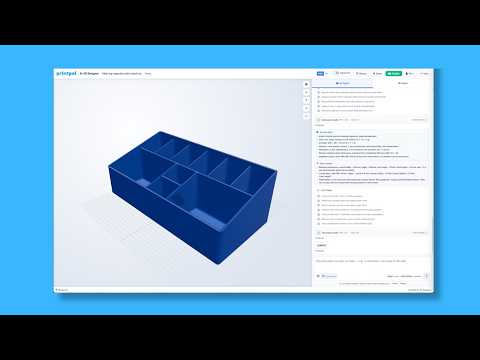
Unlike many DIY electronics builds that require breadboards, custom PCBs, or advanced firmware flashing, the desk command slab uses a guided workflow on PrintPal. The platform handles the tricky parts so you can focus on learning:
- No prior electronics knowledge required
- Step-by-step instructions included
- Pre-written code ready to upload
- Total component cost under $20
- Free downloadable build guide
How to Get Started with PrintPal
Getting the project files and firmware is straightforward:
- Visit PrintPal and navigate to the Projects section
- Search for the Desk Command Slab project
- Download the printable STL files for the enclosure and button caps
- Use the PrintPal Flash button to upload the pre-configured code directly to your microcontroller
- Follow the wiring diagram in the guide to assemble the switches and microcontroller
Materials and Tools You Will Need
The build is intentionally low-cost and uses commonly available components:
- A 3D printed enclosure (printed from the provided files)
- Mechanical key switches (typically 3x3 or 4x4 layout)
- A compatible microcontroller board
- Keycaps (3D printed or off-the-shelf)
- Basic wiring and a USB cable
Tips for a Smooth First Build
- Print the enclosure first so it is ready when your electronics arrive
- Test each switch with a multimeter before final assembly
- Use the PrintPal flash tool to avoid manual firmware compilation
- Customize the key mappings in the code to match your most-used shortcuts
Frequently Asked Questions
Do I need coding experience?
No. The code is pre-written and uploaded with a single click using the PrintPal flash button.
How much does the project cost?
The full build comes in under $20 for the electronic components, and the 3D print files and guide are free.
Can I customize the buttons?
Yes. The 3D printed keycaps can be relabeled and the firmware remapped to trigger any keyboard shortcut or macro you need.