About this video
Why Use Slicer Connectors for 3D Printed Parts?
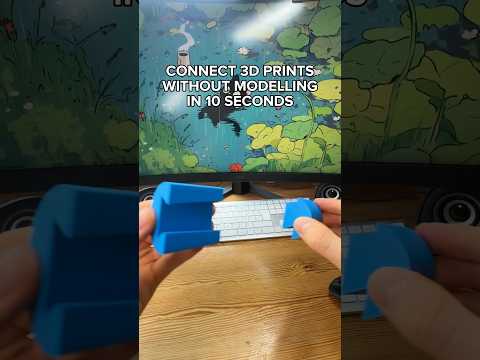
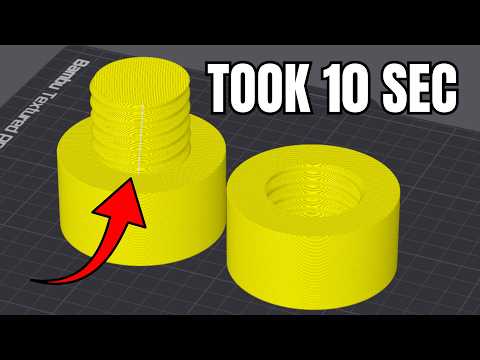
Assembling multi-part 3D prints can be tricky. Glue is messy, screws add hardware costs, and friction fits often fail when tolerances are off. Many modern slicers now include a connector tool that lets you design peg-and-hole joints directly on your model, so parts snap together cleanly after printing. This approach is ideal for enclosures, modular prints, and any project shipped in flat-pack style.
Step-by-Step: Adding Dowel Connectors in Your Slicer
- Select the model you want to split and click the Cut tool.
- Adjust the cut plane to define where the part will be divided.
- Click Add Connectors and choose the Dowel type from the connector menu.
- Place the connector on the cut surface of your part.
- Use the Middle of Geometry option to automatically center the peg on the cross-section.
- Adjust the dowel size (diameter and length) to match your printer's tolerances.
- Click Confirm Connectors, then perform the Cut operation.
- Slice and print both halves, and push them together — they should snap-fit in seconds.
Tips for Strong, Reliable Peg Joints
- Match your nozzle size: A 0.4 mm nozzle typically prints clean dowels between 4–8 mm in diameter.
- Add a small chamfer at the peg entry point to make alignment easier.
- Orient the peg vertically on the print bed to avoid bridging issues and weak layer adhesion.
- Test tolerances: Print a single connector first as a calibration piece before committing to a full multi-part print.
- Use multiple dowels for larger parts to distribute stress and prevent rotation.
When to Use Dowel Connectors vs. Other Joinery
Dowel connectors work best for flat-pack assemblies, enclosures, and modular designs that need to be disassembled occasionally. For permanent bonds, consider designing integrated snap clips or dovetail joints. For load-bearing parts, combine dowels with a small amount of CA glue or epoxy for added strength.
FAQ
Do slicer connectors add print time?
Minimal — the pegs are tiny features that add only seconds to the total print time.
Can I use this with any filament?
Yes, but PLA and PETG produce the most consistent snap-fit results. ABS may warp and loosen the joint.
Which slicers support connectors?
Bambu Studio, PrusaSlicer (via add-ons), and OrcaSlicer all offer built-in or community connector tools.
How strong are dowel joints?
When properly sized and oriented, dowel connectors can withstand significant shear force, making them suitable for functional assemblies.