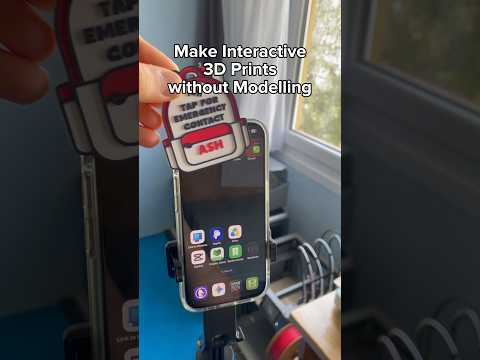
About this video
Why 3D Prints Break (and How to Fix Them)
If your 3D printed parts keep snapping at the layer lines, the slicer is usually the culprit—not the printer. Three small adjustments in your slicer can dramatically improve the strength of a weak 3D print, without adding hours of print time or burning through extra filament.
1. Switch to Gyroid Infill
Head into the Strength tab of your slicer and change the infill pattern from the default grid or lines to Gyroid. Gyroid is a crisscrossing, three-dimensional lattice that distributes force evenly in every direction, making it one of the strongest infill patterns for most functional prints. Bonus: Gyroid typically prints faster and uses less material than traditional rectilinear infill at the same density.
2. Add Wall Count Instead of More Infill
Most users reach for the infill percentage slider when a part feels weak, but that often wastes filament. A smarter move is to bump the wall count (perimeters) by one or two. The outer walls carry most of the load, so thick walls beat dense infill almost every time when it comes to improving part strength. Two extra perimeters add only a few minutes to your print but can noticeably increase impact resistance.
3. Raise the Nozzle Temperature by 5–10°C
Higher printing temperatures help the molten plastic bond more aggressively to the layer below. Increase your nozzle temperature by 5 to 10 degrees (stay within the filament manufacturer's recommended range). Better layer adhesion means fewer delamination cracks along the Z-axis—which is where most weak prints fail first.
Quick Settings Recap
- Infill pattern: Gyroid
- Wall count: +1 to +2 perimeters
- Nozzle temperature: +5–10°C
FAQ
Does gyroid infill use more filament?
No—gyroid is typically lighter than cubic or rectilinear patterns at the same percentage, yet stronger in shear and tension.
Will more walls clog small nozzles?
For 0.4 mm nozzles, going above 5–6 perimeters can get tight on intricate geometry. Test on a calibration cube first.
Can I combine all three settings?
Yes. Stacking gyroid infill, extra perimeters, and a slightly hotter nozzle gives the best strength-to-time ratio for functional parts like brackets, clips, and tooling.