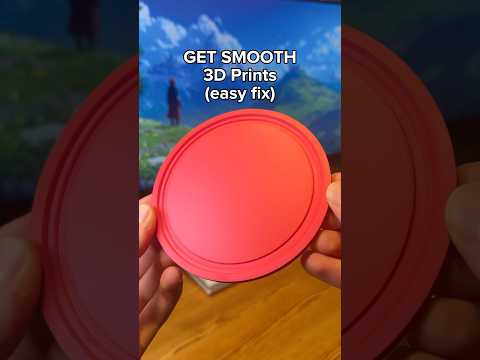
About this video
Why Embed NFC Tags in 3D Prints?
One of the most profitable niches in 3D printing combines printable models with NFC (Near Field Communication) tags. The video highlights a custom NFC tag for kids that costs roughly 10 cents in filament and a few cents per tag, yet retails for around $27 on Etsy with over 15,000 sales. The use case is simple but powerful: a parent programs the tag with their phone number, contact card, or emergency link, then attaches it to a child's backpack, jacket, or lunchbox. Anyone who taps the tag with a smartphone instantly gets the parent's contact details.
What You'll Need
- A 3D printer (FDM works best for this project; Bambu, Prusa, and Ender models all handle it well)
- NTAG215 NFC tags — the most widely compatible sticker or coin-style tags
- A Makerworld account to download the free base model
- The NFC Tools app (iOS or Android) for programming
- A slicer with a pause-at-layer or "filament change" feature (Bambu Studio, PrusaSlicer, Cura)
Step-by-Step Process
- Download the model from Makerworld and open it in your slicer.
- Customize the text with your slicer's text tool to add the child's name.
- Add a pause command at the layer where the NFC cavity is located.
- Start the print, then pause when prompted.
- Insert the NFC tag flat into the cavity, antenna-side up.
- Resume the print to encapsulate the tag inside the model.
- Program the tag using NFC Tools—import a phone number, contact card, URL, or Wi-Fi credential.
- Test it by tapping a smartphone to the finished print.
Pro Tips for Reliable NFC Prints
- Keep the tag's antenna centered and avoid covering it with too much plastic—1–2 mm of wall thickness reads best.
- Use NTAG215 tags; they balance memory (504 bytes) with universal smartphone compatibility.
- Test the tag before resuming the print to confirm it programs correctly.
- Print in PETG or PLA—both work, though PETG is slightly more durable for kid use.
- Offer color and name customization on Etsy to justify the $27 price point.
Frequently Asked Questions
Can I use a resin printer? Yes, but you'll need to design a snap-fit cavity since you can't pause mid-layer as easily. FDM is far simpler.
What if the phone doesn't read the tag? The tag may be too deep inside the print, or the antenna could be misaligned. Try thinning the top wall or repositioning the tag.
Is this still profitable? Absolutely. With under $1 in materials and a 5-minute print time, even a $10 sale offers strong margins—especially when bundled as a set.