About this video
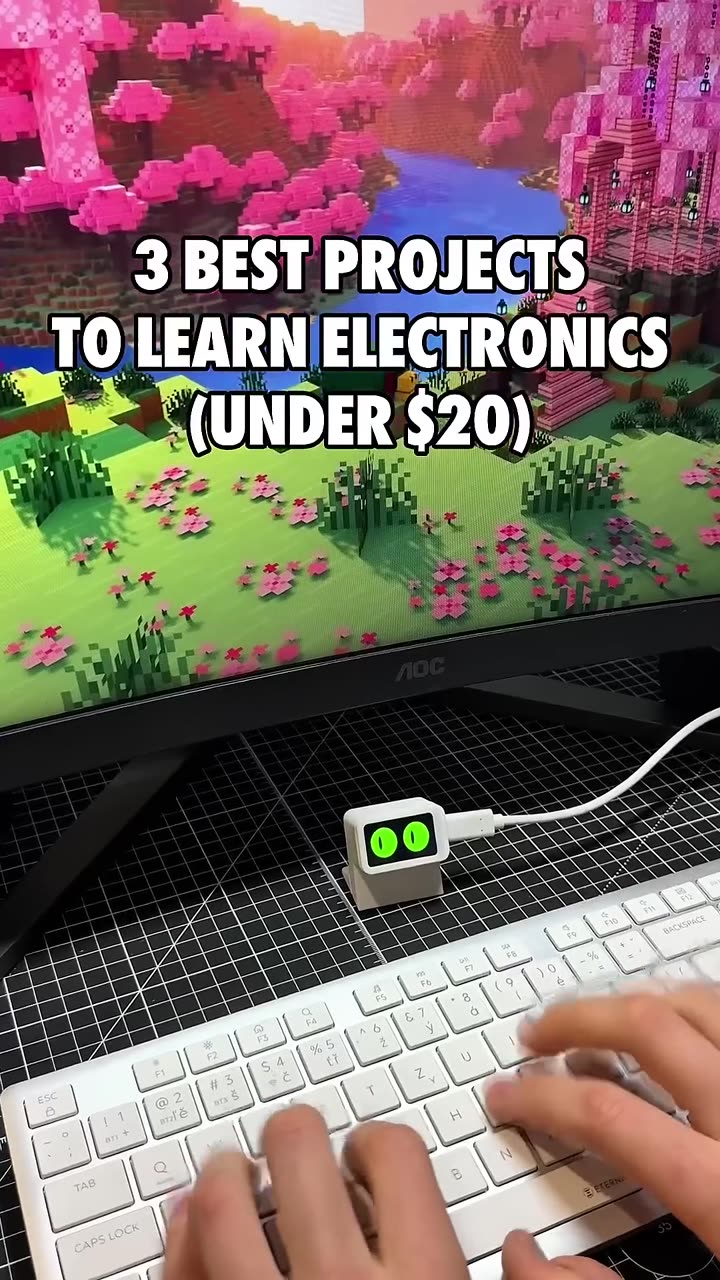
One round screen, three desk projects
All three builds in this video run on the same board: the Waveshare ESP32-S3-Touch-LCD-1.28, a microcontroller with a round 1.28-inch touch screen, a motion sensor and Wi-Fi built in. Each one has a free step-by-step guide on PrintPal Projects with the print files, ready-made firmware and the full source code. No soldering is needed. You print a small case, press the board in and flash the program from Chrome or Edge.
| Project | What it does | Time | Cost | Difficulty |
|---|---|---|---|---|
| Desk Pal buddy | A desk pet with moods that reacts to taps, pets and shakes, and reminds you to drink water and move | 45 min | about $32 | Beginner |
| Desk Pal plane radar | Shows the real planes flying within 25 km of your home, with their callsigns | 1 h 30 min | about $32 | Intermediate |
| Desk Pal fortune 8-ball | Shake or tap it and one of 20 answers floats up | 45 min | about $30 | Beginner |
The costs are the totals listed in each guide. Because all three use the same board, you can buy one, print all three cases and move the board between them. The board press-fits into each case with no glue or screws, and you flash the next program when you swap it.
1. Desk Pal buddy: a desk pet that reminds you to take breaks
He looks around, blinks, follows your finger and gets grumpy if you poke him too much. Stroke the screen and his eyes turn into hearts, shake him and he gets dizzy, ignore him and he gets bored and eventually falls asleep. Every minute or two he does something on his own, like putting on pixel sunglasses or reading a book.
The reminders are what make him useful at work. Every hour he drinks a glass of water and shows Drink some water!, every 2 hours it's Time to move! and every 4 hours Go touch grass! There is no camera or microphone. He feels your finger through the touch screen and movement through the motion sensor.
The case is three parts (frame, inner ring and foot) that print in about 30 minutes from 14 g of PLA. The precompiled firmware needs no Wi-Fi. Adding your Wi-Fi in the code is optional and gives him a clock.
What you learn: how a game loop makes a character feel alive at about 33 frames a second, how a face can be 12 numbers that ease from one mood to the next, and how taps, pets and shakes are worked out from raw touch and motion readings.
Watch him in action in the desk buddy short or the full 2-minute desk buddy video.
2. Desk Pal plane radar: real planes over your home
You are the dot in the middle of the scope, with north at the top. Every plane within 25 km of your home appears as a small green arrow pointing the way it's flying, with its callsign next to it, while a sweep line circles the screen. Tap the glass to change the range between 5, 10, 15 and 25 km.
The planes are real. Most aircraft broadcast an ADS-B radio message about twice a second with their identity, position and speed. Volunteers around the world pick those messages up and share them online, and the radar asks one of those free sites, adsb.fi, what is flying near you every 20 seconds. Between downloads it moves each plane along its heading at its speed, so the arrows glide instead of jumping.
This is the intermediate build of the three because you edit the code once. The radar needs your 2.4 GHz Wi-Fi name and password and your home's latitude and longitude, which you type into the program and upload with VS Code and the free PlatformIO extension. The guide walks through every step, including how to read your coordinates off Google Maps.
What you learn: how latitude and longitude pin a place on Earth, how the haversine formula turns two positions into a distance and a direction, how sin and cos put a dot on a round screen, and how the chip's two cores download and draw at the same time.
3. Desk Pal fortune 8-ball: let it decide
Ask a yes-or-no question, then shake it or tap the glass. The big 8 fades, a blue window swirls open and a triangle rises with one of 20 answers, including a few only a 3D printing fan would get, like Ask your printer. A hard shake gives a longer, wilder swirl, and it never gives the same answer twice in a row.
The case is just two parts, a back cup and a front ring, which print in about 25 minutes from 11 g of PLA. You flash the program with the Flash to board button on the guide page, with no coding needed.
What you learn: how a state machine keeps track of what the toy is doing, how a "leaky bucket" tells a real shake from a bump on the table, and how random numbers pick the answer.
What every build needs
| Item | Details |
|---|---|
| Board | Waveshare ESP32-S3-Touch-LCD-1.28 (the same board for all three) |
| Cable | A USB-C data cable. Charge-only cables can't load the program. |
| Filament | 11 to 14 g of PLA per case, any color |
| Print settings | 0.2 mm layers, 2 walls, 15% infill, no supports. Each case prints on one plate. |
| Browser | Chrome or Edge, to flash the firmware over USB |
| Optional | VS Code with PlatformIO, to change the code. The plane radar needs it once for your Wi-Fi details. |
Which one to build first
If you have never built electronics before, start with the desk buddy or the 8-ball. You print, assemble and flash, and both work without touching the code. Build the plane radar next. It's the first step into editing a program, and the payoff is a screen that shows real planes overhead.
More projects for this screen
- Desk Pal touch doodle, a finger-painting pad that uses the same round case as the 8-ball.
- The Desk Pal Maker designs your own animal or robot head around the same board and flashes animated eyes from the page.
- The ESP32 web flasher loads firmware from your browser.
- 3 beginner ESP32 and Arduino projects to 3D print is the same idea on the rectangular ESP32-C6 screen.
- Browse every guide on PrintPal Projects.
FAQ
Do I need to solder?
No. The board press-fits into the printed case and connects to your computer with a USB-C cable.
Which board do I need?
The Waveshare ESP32-S3-Touch-LCD-1.28. All three cases and programs are made for that exact board.
Can one board run all three projects?
Yes. Print each case, move the board between them and flash the program for the project you want. Each case takes 11 to 14 g of PLA.
Do I need to know how to code?
Not for the desk buddy or the 8-ball. You flash a ready-made program from your browser. The plane radar asks you to type your Wi-Fi details and home location into the program and upload it with PlatformIO, and the guide shows exactly where.
How does the plane radar know where the planes are?
Planes broadcast their position over ADS-B. Volunteers collect those signals and share them on adsb.fi, and the radar downloads the planes near your home every 20 seconds over Wi-Fi.
Are these good projects for kids?
Yes. The guides are written in plain language, and each one ends with short lessons and "try it" challenges that explain the maths and code behind the toy. Younger builders will want an adult's help with the Wi-Fi password for the radar.

Sell custom QR code 3D prints to businesses
Autoplay paused while you read — scroll back up to continue
3 best projects to learn electronics for about $30
Three beginner electronics builds on one round ESP32-S3 touch screen: a desk buddy with break reminders, a radar showing real planes overhead and a magic 8-ball. No soldering.