About this video
Why You Don't Need CAD Skills to 3D Print Anymore
For years, getting into 3D printing meant learning complex modeling software or paying a designer. That barrier no longer exists. With PrintPal's CAD Agent, anyone can describe a part in plain English and receive a ready-to-print, parametric model in return.
What the CAD Agent Does
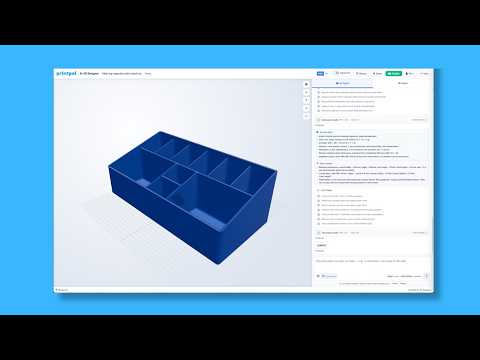
CAD Agent is an AI-powered text-to-CAD generator built directly into the PrintPal platform. Instead of clicking through toolbars or writing code, you simply:
- Describe the part you want — type a short prompt like "living hinge box" or "phone stand with cable slot."
- Specify your dimensions — provide exact length, width, thickness, or hole sizes.
- Generate the model — CAD Agent produces a parametric design that adjusts automatically based on your inputs.
- Download the CAD file — export it to continue editing in your preferred software or send straight to your slicer.
The Custom Living Hinge Example
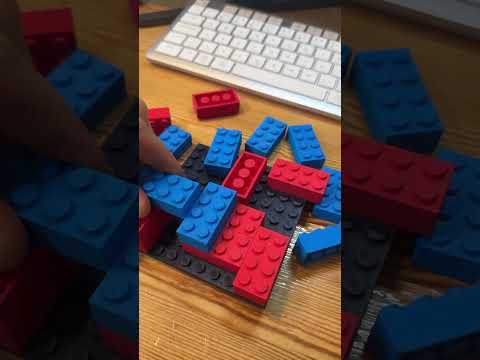
In the video, a flexible living hinge is created without a single mouse drag in a CAD program. Living hinges are notoriously tricky because they require precise wall thickness and cut patterns to flex without cracking. CAD Agent handled the parametric geometry in seconds, producing a clean model that can be printed flat on any FDM printer using a flexible filament such as PETG or polypropylene.
Tips for Getting Better Results from CAD Agent
- Be specific about measurements. "A 60 mm by 40 mm box" works better than "a small box."
- Mention the function. Words like "hinge," "snap fit," or "threaded" guide the AI toward correct geometry.
- Iterate in small steps. Generate, download, preview, then refine your prompt.
- Always verify tolerances. CAD files generated by AI still benefit from a quick dimensional check before printing.
- Use the download feature. If you want to tweak something advanced, the exported file opens in Fusion 360, FreeCAD, Blender, or OnShape.
Who This Is Best For
CAD Agent is ideal for hobbyists prototyping a quick fix, makers testing an idea before committing to a full design, small business owners who need a one-off part, and educators introducing students to the 3D printing workflow without overwhelming them with software.
Frequently Asked Questions
Do I need any design experience to use CAD Agent?
No. The whole point of the tool is to remove the design step. If you can describe the part, CAD Agent can generate it.
What file formats can I download?
CAD Agent exports standard parametric CAD files that can be opened in most 3D modeling tools or imported directly into slicing software.
Can I edit the model after generating it?
Yes. You can download the file and continue editing in any compatible CAD program.
Is CAD Agent free to try?
Yes, PrintPal lets new users test the feature directly from the link in the bio.
Final Thoughts
AI-assisted design is changing who can participate in 3D printing. With CAD Agent, the gap between "I have an idea" and "I have a printed part" has never been shorter.