About this video
What is PrintPal's Brick Builder Tool?
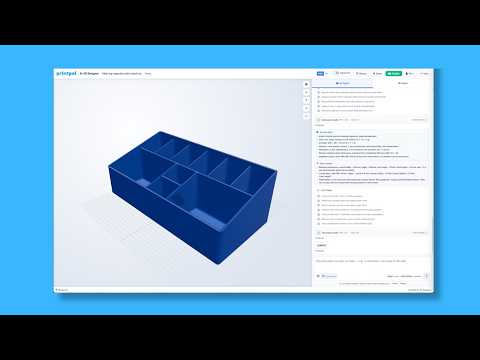
PrintPal's Brick Builder is a free, browser-based tool designed for creating custom 3D printing projects using modular blocks. Part of PrintPal's ongoing "3D Printing Tools You Should Know" series, this intuitive builder allows users to select pre-made block components, arrange them in their desired configuration, and export complete, print-ready designs without any CAD experience required.
Key Features of Brick Builder
- Modular Block System: Choose from a library of standardized block shapes and sizes
- Drag-and-Drop Placement: Intuitive interface for positioning and arranging blocks
- 3D Print Export: Generate STL and other print-ready file formats instantly
- Assembly Guide PDF: Automatically creates step-by-step assembly instructions for your build
- Free Access: Available at no cost via PrintPal's website
Who Should Use Brick Builder?
This tool is perfect for:
- Beginners exploring 3D design without learning complex software
- Educators creating custom teaching aids and classroom models
- Hobbyists building prototype enclosures or structural models
- Anyone wanting to prototype modular designs before committing to custom fabrication
How to Get Started
- Visit PrintPal's website and navigate to Brick Builder
- Browse available block libraries
- Click to select blocks and add them to your canvas
- Position, rotate, and arrange blocks to match your vision
- Preview your assembled creation in 3D
- Export your file in your preferred format
- Download your assembly guide PDF for easy building
Tips for Better Results
- Plan your design with standard block sizes to minimize material waste
- Use the assembly guide preview to ensure your build sequence makes sense
- Consider print orientation for optimal strength and surface finish
- Save your project frequently while building complex models
Supported Export Formats
Brick Builder generates industry-standard 3D printing files compatible with most slicers including Cura, PrusaSlicer, and Bambu Studio.
Frequently Asked Questions
Is Brick Builder free to use?
Yes, the tool is completely free with no subscription required.
Do I need to install any software?
No, Brick Builder runs entirely in your web browser.
Can I create my own custom block shapes?
The current version uses a curated library of modular blocks designed for optimal printability.
What print settings work best for Brick Builder designs?
Standard 0.2mm layer height with 15-20% infill works well for most modular block projects.
Start building your custom modular creations today with PrintPal's Brick Builder tool.