About this video
Create Custom Bricks with PrintPal
PrintPal's 3D Brick Builder makes it possible to design a custom structure from bricks that connect with a familiar snap-fit style. Instead of searching through a library of existing parts or buying expensive toy sets, you can create a model based on your own idea and export it for 3D printing. The tool is useful for making decorative builds, desk organizers, game pieces, prototype structures, and personalized gifts.
How the 3D Brick Builder Works
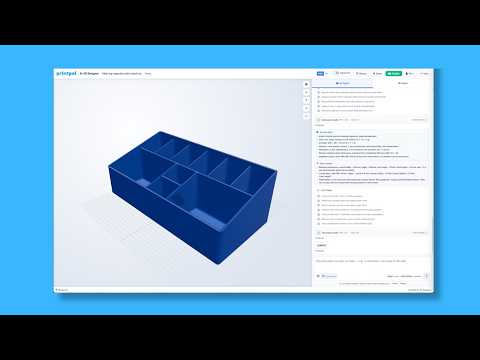
Start by opening PrintPal and selecting the Tools category. Choose the 3D Brick Builder, then arrange bricks in your browser to create the structure you want. The interface is designed to let you experiment quickly:
- Add or remove bricks as your design changes.
- Check how the pieces fit together before exporting.
- Review the overall size and proportions of the build.
- Export the finished model for slicing and 3D printing.
Because the bricks are generated as a connected printable model, the exported design should be treated as a finished assembly rather than as loose parts. This can make printing and handling easier, especially for a small decorative project.
Tips for a Better Print
Before printing, test the tool with a simple shape to understand the snap-fit behavior. If a connection feels too tight or too loose, reduce the size slightly, use a smaller layer height, and avoid excessive force when assembling the parts. Standard PLA is a practical material for a first test because it is easy to print and can be sanded or painted after printing.
Inspect the exported model in your slicer and choose an orientation that keeps the brick studs and connection points clearly supported. If the model includes large overhangs, enable supports where needed. Printing one small sample piece first can help confirm fit, scale, and dimensional accuracy before committing to a full project.
Frequently Asked Questions
Can I print a custom brick design? Yes. Once the structure is designed, export it from PrintPal and use your preferred slicer to prepare the file for your 3D printer.
What can I make with the tool? You can create custom bricks and structures for toys, models, organizers, signs, decorative objects, and prototyping projects.
Do I need to model every part manually? No. The 3D Brick Builder provides a simplified way to assemble a structure from digital bricks, so you can focus on the overall design and export the result.
What should I check before printing? Confirm the model scale, layer height, supports, orientation, and snap-fit tolerance. A small test print is the fastest way to find the right settings for your printer and material.