About this video
What Is Image-to-3D Printing?
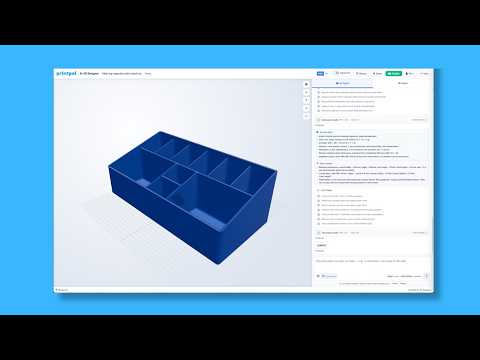
Image-to-3D printing is a beginner-friendly workflow that lets anyone create custom sculptures without learning CAD software. Instead of modeling from scratch, you start with a reference photo and let an AI generator build the 3D mesh for you. PrintPal's high-production model is designed to capture fine surface detail from a single image, making it ideal for portrait busts, figurines, and decorative pieces.
Step-by-Step Workflow
- Choose a high-detail reference image — Front-facing, well-lit photos with clear contrast produce the most accurate geometry. Avoid heavy shadows or busy backgrounds.
- Open PrintPal and enable the high-production model — This setting prioritizes mesh fidelity over speed, giving you cleaner edges and smoother curves.
- Upload your picture and generate — The AI returns a 3D mesh in seconds. Preview it directly in the browser.
- Download the file — Export as STL or OBJ, both widely supported by slicers like Cura, PrusaSlicer, and Bambu Studio.
- Slice with the right settings — Apply gyroid infill at 8% to keep prints lightweight while maintaining strength.
Why Gyroid Infill at 8% Works
Gyroid is a triply periodic minimal surface that distributes stress evenly in every direction. For sculptures, it offers a strong strength-to-weight ratio, reduces material costs, and supports complex overhangs better than grid or cubic patterns. At just 8% density, prints are light enough to ship or hang on a wall without cracking.
Best Use Cases
- Custom gifts — pet portraits, wedding cake toppers, memorial keepsakes
- Products to sell — Etsy shops, local craft fairs, personalized merchandise
- Home decor — wall art, bookshelf figurines, lampshade panels
Tips for Better Results
- Use a 0.16mm layer height for smoother surfaces on visible faces
- Enable tree supports for delicate features like ears, fingers, and antlers
- Print in PLA or PETG for vibrant color reproduction
- Scale the model to at least 80mm tall to preserve facial detail
Frequently Asked Questions
Do I need any 3D modeling experience? No. PrintPal handles the entire conversion from image to 3D file, so beginners can skip CAD entirely.
What slicer settings should I use? Gyroid infill at 8%, 0.16mm layer height, and tree supports deliver the cleanest results on sculpture-style prints.