By the PrintPal team
On this page
- The short answer
- The hand tools that save the most prints
- Slicers: the most important software you will use
- Your first design software
- Four calibrations that fix most bad prints
- Check and fix files before you slice
- Watching the printer from another room
- Keep filament dry
- Safety: the air, the heat and the fire risk
- Free PrintPal tools beginners use most
- FAQ
- Sources and method
Key takeaways
- Start with your printer maker's slicer; its profiles are tuned for your machine. OrcaSlicer is the best single slicer for printers from several brands, with calibration tests built in.
- Nine hand tools cover almost every beginner problem for $86.83: flush cutters, calipers, a scraper, a deburring tool, nozzle needles, hex keys, a glue stick, 99% isopropyl alcohol and tweezers.
- Four calibrations fix most bad prints: extruder steps, flow, pressure advance and maximum volumetric speed.
- Wet filament causes more mystery failures than bad settings. A $45 dryer pays for itself in saved spools.
- Ventilate. UL measured up to 1 trillion particles an hour from printers; NIOSH recommends at least 6 air changes an hour or a HEPA filter, and nobody should leave a printer running unattended.
The short answer
A beginner needs three things besides the printer: the right slicer (your printer maker's, or OrcaSlicer), a few hand tools (the core nine on this page cost $86.83) and a way to keep filament dry. Add free browser tools to check files and calibrate, and be wary of anything that promises better prints without a test print.
- for the nine core hand tools
- $86.83
- for every slicer we recommend
- $0
- calibrations worth doing first
- 4
- air changes an hour (NIOSH)
- 6+
The hand tools that save the most prints
Every tool here fixes a problem you will meet in your first month. Prices are from the retailer pages in our sources on November 12, 2026, for one example of each; any equivalent works.
| Tool | What it fixes | Example | Price |
|---|---|---|---|
| Flush cutters | Clean, angled filament tips and support stubs | Hakko CHP-170 | $5.47 |
| Digital calipers | Measuring parts and calibration prints to 0.01 mm | Pittsburgh 6" (Harbor Freight) | $24.99 |
| Plastic scraper | Lifting prints without gouging the plate | Harbor Freight 3-piece set | $3.99 |
| Deburring tool | Trimming elephant's foot and sharp edges | Noga NG8150 | $18.89 |
| Nozzle cleaning needles | Clearing a partial clog from the tip | 10-pack | $4.99 |
| Hex keys | Tightening the frame, hotend and pulleys | Metric T-handle set, 10 pieces | $7.99 |
| Glue stick | Adhesion help, and a release layer for PETG on smooth PEI | Elmer's purple, 6-pack | $3.53 |
| 99% isopropyl alcohol | Degreasing the build plate; resin cleanup | ForPro, 32 oz | $9.99 |
| Tweezers | Pulling ooze off the nozzle before the first layer | Harbor Freight 6-piece | $6.99 |
| Filament dryer | Wet filament: stringing, popping, weak parts | Sunlu S2 | $44.99 (list $79.99) |
| Spare textured PEI plate | Grip for PLA and PETG without glue | Bambu Lab textured PEI | from $15.99 |
| Smoke detector | An early warning in the printer room | First Alert P1000 | $19.18 |
Slicers: the most important software you will use
Use the slicer from your printer's maker first: its profiles are tuned for your machine. If you own printers from several brands or want more calibration tests, use OrcaSlicer. All five below are free.
1. OrcaSlicer
Best for one slicer for every printer, with calibration built in
Free and open source, with the most complete set of built-in calibration tests of any slicer: temperature, volumetric speed, pressure advance, flow ratio and retraction, plus cornering, input shaping and tolerance tests. Version 2.5.0 adds Python plugins and an experimental parametric Design tab.
- Version
- 2.5.0, November 7, 2026
- Runs on
- Windows (x64, Arm), macOS, Linux
- License
- AGPL-3.0
- Note
- The repository moved to OrcaSlicer/OrcaSlicer
- Calibration tests for every key setting
- Printer profiles from many brands
- Support, seam, color and fuzzy-skin painting
- More settings than a beginner needs on day one
2. Bambu Studio
Best for Bambu Lab printers
The default for Bambu printers, with automatic Flow Dynamics (pressure advance) calibration on the H2D, X1 and A1 (manual on the P1), flow and max-flow tests, multi-material painting and STEP import. Version 2.9.1 lets one model use mixed nozzle diameters.
- Version
- 2.9.1, November 3, 2026
- Runs on
- Windows, macOS, Linux (AppImage, Flathub)
- License
- AGPL-3.0
- Tuned profiles for every Bambu printer
- Helio failure prediction built in
- Less suited to other brands than OrcaSlicer
3. PrusaSlicer
Best for Prusa printers, and learning one step at a time
Simple, Advanced and Expert modes show only the settings you are ready for. It has 200+ tested Prusa printer and filament profiles, organic and paint-on supports, a built-in Printables browser, and needs no account.
- Version
- 2.9.7, November 2, 2026 (security fixes); 3.0 in alpha
- Runs on
- Windows, macOS, Linux (Flathub)
- License
- AGPL-3.0
- Simple mode hides advanced settings
- No account required
- Its best profiles are for Prusa printers
4. UltiMaker Cura
Best for UltiMaker printers and plugin fans
Over 400 settings in Custom mode, normal and tree supports, and paint-on supports new in 5.14.0. The marketplace has plugins for almost anything.
- Version
- 5.14.0, November 5, 2026
- Runs on
- Windows (x64, Arm), macOS, Linux
- License
- LGPL-3.0
- Large plugin marketplace
- Recommended mode for beginners
- 400+ settings in Custom mode can overwhelm
5. Creality Print
Best for Creality printers
Creality's slicer is built on OrcaSlicer, with profiles for its printers and an "AI Edition" beta that adds model search, error detection and print-risk analysis. Version 7.3.1 adds an AI Assistant.
- Version
- 7.3.1, October 31, 2026
- Runs on
- Windows, macOS, Linux
- License
- AGPL-3.0
- OrcaSlicer underneath
- Profiles for Creality printers
- The AI features are still beta
For resin printers, Lychee Slicer 8.0.4 has a free Lite tier (with ads on export) and CHITUBOX Basic is free with unlimited slicing, hollowing and supports; CHITUBOX Pro is $15.99 a month or $169 a year.
Your first design software
You will want to make your own parts sooner than you think: a hook that fits your shelf, a spacer, a name tag. Start simple, and pick the tool that matches the kind of thing you make. Our wiki compares the free CAD programs in more depth.
| Program | Cost | Runs on | Good for | The catch |
|---|---|---|---|---|
| Tinkercad | Free, no ads; kidSAFE and COPPA certified | Browser | First designs, kids, classrooms | Simple shapes only |
| PrintPal CAD agent (ours) | Pay per AI generation; editing and export free | Browser | Exact parts from a written description | Organic shapes are out of scope |
| Autodesk Fusion (personal use) | Free, non-commercial | Windows, macOS | Real mechanical CAD | 10 editable documents; no DXF, DWG or IGES export |
| Onshape Free | Free, non-commercial | Browser | CAD on any computer | Every document is public |
| FreeCAD 1.1.4 | Free, open source (LGPL-2.1) | Windows, macOS, Linux | Parametric CAD with no strings | Steeper learning curve |
| OpenSCAD | Free, open source | Windows, macOS, Linux | Parts written as code | Stable release is still 2021.01; the project recommends nightlies with Manifold |
| Blender 5.3.0 | Free, open source | Windows, macOS, Linux | Sculpting and organic shapes | Not built for exact dimensions |
| Shapr3D | Free: 2 projects, low-res exports; Pro $299/yr | Windows, macOS, iPad | CAD with a pen on iPad | The free tier is very limited |
Four calibrations that fix most bad prints
Modern printers ship close to right, but filament changes everything. These four tests, in this order, fix most stringing, gaps, blobs and weak parts.
- Extruder steps (e-steps)
Mark the filament 120 mm above the extruder, ask for 100 mm, and measure what is left. If 100 mm asked is not 100 mm pushed, every other setting is off. Many current printers ship with this set; older Marlin machines often need it. E-steps calculator.
- Flow rate
Print a single-wall cube and measure the wall with calipers. The flow rate calculator turns that into the new flow ratio. OrcaSlicer has a built-in flow ratio test.
- Pressure advance
Print a pressure advance test (built into OrcaSlicer) and pick the cleanest corners. Bambu Studio runs this automatically on the H2D, X1 and A1.
- Maximum volumetric speed
Find how fast your hotend can melt plastic before it under-extrudes, then cap it in the filament profile. Volumetric flow calculator.
Good free references: our own calibration guide, Ellis' Print Tuning Guide (needs only a ruler, tape or a marker), the Teaching Tech calibration site (generates test G-code; preview it before printing) and the OrcaSlicer calibration wiki.
Check and fix files before you slice
Downloaded and generated models are often the wrong size, open, or too big for the bed. These free PrintPal tools run in your browser with no account.
 3D model viewer
Open STL, OBJ, 3MF and GLB files to check size and shape.
 Mesh repair
Close holes, fix flipped normals and check a mesh is watertight before slicing.
 3D model converter
Convert between STL, OBJ, 3MF, GLB and PLY in the browser.
 3D model splitter
Cut a model that is too big for your bed into parts that fit.
 G-code viewer
See every layer and move of a sliced file before it reaches the printer.
 Print time estimator
Rough print time from size, layer height and speed.
Watching the printer from another room
| Tool | For | Cost | Good to know |
|---|---|---|---|
| Bambu Handy | Bambu Lab printers | Free app | Live view, remote control, MakerWorld printing, error diagnosis, timelapses |
| Prusa Connect | Prusa printers | Free, 1 GB storage | CORE One, XL, MK4/S, MK3.9, MK3.5, MINI, SL1/S; MK3 needs a Raspberry Pi; still labelled beta |
| Creality Cloud app | Creality printers | Free | Remote printing, monitoring, timelapses |
| OctoPrint 1.11.8 | Most printers, through a Raspberry Pi | Free (AGPL-3.0) | 2.0 is in release candidates |
| Mainsail 2.19.0 or Fluidd 1.38.0 | Klipper printers | Free (GPL-3.0) | Web interfaces for Klipper |
| SimplyPrint (our pick) | Almost any printer: Bambu Lab, Prusa, Klipper, OctoPrint | Free for 2 printers | Remote control, a browser slicer and AI failure detection, 12 hours a month free |
| Obico | OctoPrint or Klipper printers | Free for 1 printer | Open source; AI failure detection, 10 hours a month free |
Running printers from more than one brand, or want one app for all of them? SimplyPrint connects Bambu Lab printers through its own client app, recent Prusa printers directly, and anything else through Klipper or OctoPrint, with failure detection that watches for spaghetti, warping and blobs. More options are in AI failure detection.
Keep filament dry
Most filaments absorb water from the air. Wet filament strings, pops and crackles at the nozzle, prints rough surfaces and makes weaker parts, and it looks exactly like a settings problem. Dry it before you start changing settings.
- Dryers: Sunlu S2 $44.99 (list $79.99), Sunlu S4 $116.99, Creality Space Pi V2 $84.90.
- Storage: gasket boxes such as IRIS WeatherPro ($12.99 to $69.99) with desiccant, or a dry box with a hygrometer ($35.99 for Sunlu's). Sunlu says its SP2 box holds about 25% humidity inside when the room is about 50%.
- How long, how hot: it depends on the material. The filament drying calculator gives a temperature and time for PLA, PETG, TPU, nylon and more, and our filament drying guide has the full chart.
Safety: the air, the heat and the fire risk
UL Chemical Insights. Pair a HEPA filter for particles with activated carbon for VOCs.
- Ventilate. NIOSH recommends at least 6 air changes an hour, a portable HEPA filter, or both; it found 3 air changes an hour was not enough.
- Place it well. Keep the printer away from return-air vents so particles do not spread through the house.
- Enclose hot materials. ABS and ASA print better and more safely in a vented enclosure; Creality's multifunction enclosure is $79.99.
- Do not leave it running unattended. That is UL's guidance because of fire risk. Fit a smoke detector in the room and use printers certified by a recognized testing lab.
- Resin is different. Wear nitrile gloves (not latex) and UV eye protection, clean up with IPA, and ventilate well: a University of Nebraska–Lincoln guide notes resin printing and post-processing can emit more than five times the VOCs of filament printing.
More detail, including fire safety and material-by-material advice, is in our 3D printing safety guide.
Free PrintPal tools beginners use most
These are ours. They are free, run in the browser and need no account.
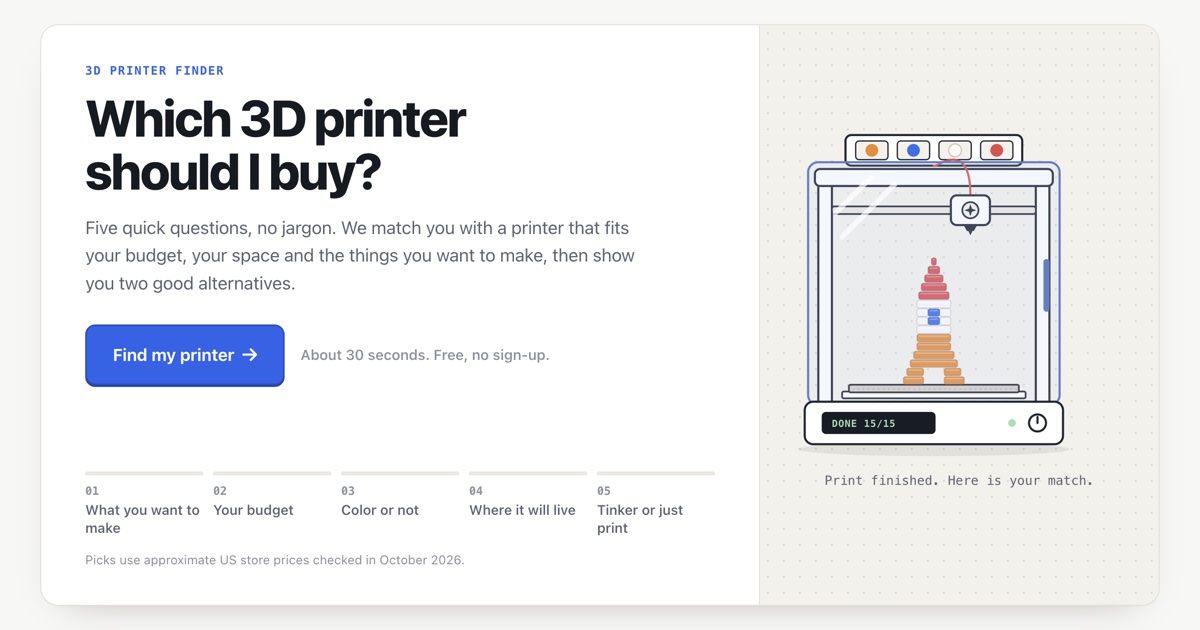 Printer finder
Answer a few questions and compare printers that fit.
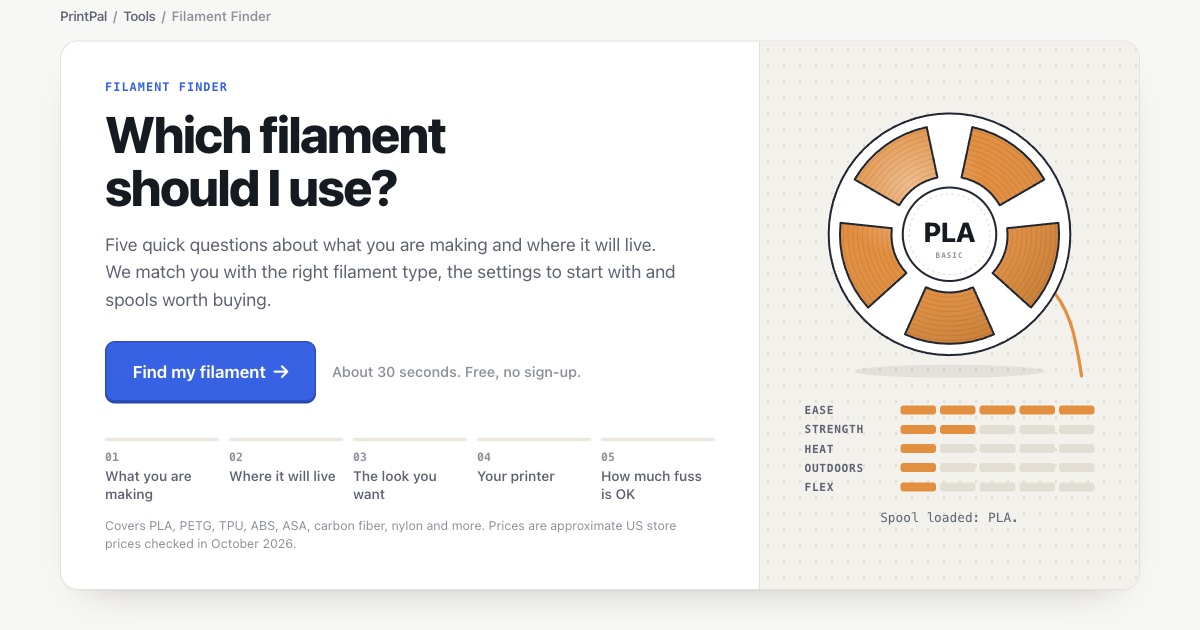 Filament finder
Pick a material by strength, heat, flex and ease of printing.
 Lithophane generator
Turn a photo into a backlit print.
 Name plate generator
Multi-color name plates and desk signs.
 Bin generator
Storage bins and drawer organizers sized to the millimetre.
Frequently asked questions
What tools do I need to start 3D printing?
Beyond the printer: a slicer (free), flush cutters, digital calipers, a plastic scraper, a deburring tool, nozzle cleaning needles, hex keys, a glue stick, 99% isopropyl alcohol and tweezers, about $86.83 in total, plus a way to keep filament dry. A smoke detector in the room is a good idea.
Which slicer is best for beginners?
Use the slicer from your printer's maker first: Bambu Studio for Bambu Lab, PrusaSlicer for Prusa, Creality Print for Creality, Cura for UltiMaker. OrcaSlicer is the best choice if you have printers from several brands or want built-in calibration tests. All of them are free.
What is the easiest 3D design software for beginners?
Tinkercad: it is free, runs in the browser, has no ads and is kidSAFE and COPPA certified. When you need exact mechanical parts, move to Fusion (free for personal use), Onshape Free, FreeCAD, or describe the part to an AI CAD tool such as the PrintPal CAD agent.
Do I really need calipers for 3D printing?
For calibration and for designing parts that fit, yes. A 6-inch digital caliper costs about $25 and measures to 0.01 mm. Some tuning guides, such as Ellis' Print Tuning Guide, work with only a ruler, but calipers make flow calibration and fit checks much easier.
How do I keep filament dry?
Store spools in a sealed box with desiccant and a hygrometer, and dry filament that has been out for a while in a filament dryer before printing. Dryers start around $45. Drying temperature and time depend on the material.
Is 3D printing safe indoors?
With precautions. Printers release ultrafine particles and some volatile compounds, PLA less than ABS or nylon. Ventilate (NIOSH recommends at least 6 air changes an hour or a HEPA filter), keep the printer away from return-air vents, enclose hot materials, use a smoke detector and do not leave printers running unattended.
Are Meshmixer and 3D Builder still available?
Microsoft removed 3D Builder from the Microsoft Store in July 2024. Autodesk Meshmixer is no longer developed, though version 3.5.0 can still be downloaded for Windows. Free browser tools such as PrintPal's 3D model viewer and mesh repair cover their most common uses.
Sources and method
Software versions and release dates come from each project's GitHub releases or download page, and plans and limits from the vendors' own pages, checked on November 12, 2026. Tool prices are US retail prices on the linked retailer pages that day, for one example of each tool; they change often and any equivalent tool works. Safety figures come from UL Research Institutes, NIOSH and university environmental health and safety offices. PrintPal tools and plugins are ours and are marked.
- Bambu Studio 2.9.1 release
- Bambu Lab wiki: pressure advance calibration
- OrcaSlicer 2.5.0 release
- OrcaSlicer wiki (calibration)
- PrusaSlicer 2.9.7 release
- PrusaSlicer page
- UltiMaker Cura 5.14.0 release
- Creality Print 7.3.1 release
- Lychee Slicer changelog
- CHITUBOX download and pricing
- Tinkercad · free, kidSAFE and COPPA
- Autodesk Fusion personal use limits
- Onshape pricing
- FreeCAD 1.1.4 release
- OpenSCAD downloads
- Blender download
- Shapr3D pricing
- Microsoft: removed Windows features (3D Builder)
- Autodesk Meshmixer
- OctoPrint releases
- Prusa Connect and PrusaLink
- SimplyPrint pricing
- SimplyPrint: AI failure detection
- Ellis' Print Tuning Guide
- Teaching Tech calibration
- Harbor Freight 6" digital caliper
- Hakko CHP-170
- Noga NG8150 deburring tool
- Harbor Freight putty scraper set
- ForPro 99% isopropyl alcohol
- Elmer's glue stick 6-pack
- Bambu Lab textured PEI plate
- Sunlu filament dryers
- Creality Space Pi V2
- Nozzle cleaning needles
- Harbor Freight metric T-handle hex keys
- Creality multifunction enclosure
- First Alert P1000 smoke detector
- UL Chemical Insights: 3D printing · particles, enclosures
- UL 200B guidance · do not print unattended
- NIOSH: approaches to safe 3D printing · air changes
- NIOSH: safe 3D printing (resin)
- University of Nebraska–Lincoln: 3D printer safety
Spotted something out of date? Tell us and we will re-check it.