3D printer calibration guide: the order that works
3D printer calibration means tuning the mechanics, firmware and slicer so the printer lays down exactly the right amount of plastic in exactly the right place. The order matters more than any single test: mechanics first, then the extruder, then each filament, then motion.
- Mechanics and first layer: belts, wheels and frame, then bed level and Z-offset.
- Extruder, once: e-steps (Marlin) or rotation_distance (Klipper). Factory-tuned printers can skip it.
- Each filament: temperature tower, max volumetric speed, pressure advance, flow ratio, retraction.
- Motion: input shaping.
- Only for parts that must fit: dimensional accuracy and shrinkage.
What 3D printer calibration covers
In short: calibration has three layers. Hardware (belts, bed, Z-offset) is re-checked after moves, crashes and repairs. Extruder and motion (e-steps, input shaping) are done once, then after hardware changes. Filament tests are done once per filament brand and type and saved in its slicer profile, so the next spool just works.
Why calibration order matters
Every test assumes the ones before it are right. A flow test is meaningless if the extruder feeds 10% too much. A pressure advance value found at the wrong temperature is wrong at the right one. Input shaping measured on a slack belt tunes a printer you won't have once you tighten it. And change one thing at a time, or you won't know what fixed it.
This order follows OrcaSlicer's calibration guide and Ellis' Print Tuning Guide. Pressure advance and flow ratio affect each other slightly; OrcaSlicer, Bambu Lab and Ellis all tune pressure advance first because clean corners make the flow test easier to read. If flow then changes a lot, re-run a quick pressure advance test.
The calibration order, as a checklist
Tick each step as you go. Progress is saved in this browser.
- Mechanical check. Belts, V-slot wheels, frame, pulley grub screws.
- Bed level and Z-offset. Tram, mesh, then live-adjust a first-layer test.
- E-steps or rotation_distance. Once per extruder.
- Temperature tower. Per filament.
- Max volumetric speed. Per filament and hotend.
- Pressure advance (linear advance). Per filament and nozzle.
- Flow ratio. Per filament.
- Retraction. Only if stringing remains.
- Input shaping. Per printer.
- Dimensional accuracy. Per material, for functional parts.
1. Mechanical check: belts, wheels and frame
Fixes: layer shifts, ghosting and wobble that no slicer setting can tune away. Software can't calibrate around a loose pulley.
- Belts: a low twang when plucked, both belts matched on CoreXY. Targets per printer are in belt tension and calibration.
- V-slot wheels: turn the eccentric nut until the carriage doesn't rock but each wheel still turns with your fingers.
- Frame: bolts tight, gantry parallel to the bed, Z moving without binding.
- Pulleys and nozzle: grub screws tight on the shaft flat; nozzle tightened as your hotend maker specifies.
How often: after building or moving the printer, after a crash, and monthly.
2. Bed level and Z-offset
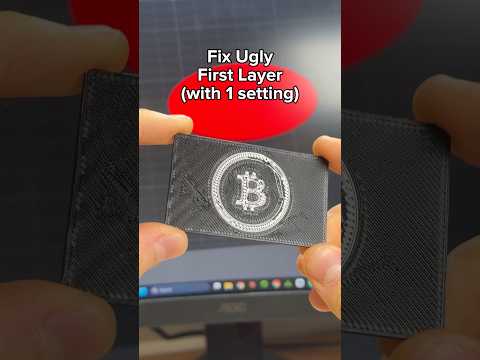
Fixes: first layers that won't stick, go see-through in one corner, or get ploughed into ridges. Tram the bed if it has screws, let the probe build a mesh, then set the Z-offset by live-adjusting a first-layer test; the paper test only gets you close. Full method in bed leveling and Z-offset, and adhesion fixes in first layer not sticking.
How often: mesh before every print or plate change; Z-offset after a nozzle or sheet change. Printers that sense nozzle contact (load cell, strain gauge) re-measure it themselves.
3. E-steps calibration (Klipper: rotation_distance)
Fixes: an extruder feeding more or less than the firmware asks, which skews every flow test after it. Most Bambu Lab, Prusa and other factory-tuned printers can skip it; OrcaSlicer's guide notes most modern printers ship with it set correctly. It matters on kits, budget printers and extruder upgrades.
- Heat the nozzle to printing temperature (Bowden users can disconnect the tube at the hotend and do it cold).
- Mark the filament 120 mm above the extruder entrance.
- Extrude 100 mm at 1 mm/s, slowly so back-pressure doesn't skew it.
- Measure what's left to the mark. 20 mm left means exactly 100 mm went in. Save, then repeat once.
M503            ; note the current M92 E value
M83             ; relative extrusion
G1 E100 F60     ; extrude 100 mm at 1 mm/s
; new steps/mm = current x 100 / actual length extruded
M92 E415.0      ; your new value (example only)
M500            ; save to EEPROM
Klipper's maths flips, because rotation_distance is millimetres per motor turn. Its own method marks 70 mm and extrudes 50 mm, inside the default single-move limit:
G91             ; relative moves
G1 E50 F60      ; extrude 50 mm (20 mm of the 70 mm mark should remain)
; new rotation_distance = old x actual / 50, set under [extruder], then RESTART
Don't measure-and-trim X, Y or Z. On belt axes the value comes from geometry (a 20-tooth GT2 pulley is 40 mm per turn), and Klipper's documentation warns against it.
How often: once per extruder, and after changing its gears or motor.
Free PrintPal toolE-Steps CalculatorEnter your current value and the measured length; it writes the M92 and M500 lines for youOpen tool4. Temperature tower (per filament)
Fixes: weak layers (too cold), and stringing, blobby overhangs and sagging bridges (too hot). Print a tower that steps 5 °C per block across the filament's range, then pick the block with clean bridges, little stringing and layers you can't snap by hand. Lean hotter if you print fast. Starting ranges: PLA 200–220 °C, PETG 225–245 °C, ABS 235–255 °C.
- OrcaSlicer: Calibration → Temperature.
- Cura: the free Calibration Shapes plugin (Marketplace) adds a tower and the per-block temperature script.
- PrusaSlicer: no built-in calibration menu; import a tower and add
M104 S<temp>custom G-code at each block from the preview's layer slider. - Klipper:
TUNING_TOWERwithSTEP_DELTAandSTEP_HEIGHTsteps a value in bands.
If the temperature swings mid-print, PID-tune first: M303 E0 S220 C8 U1 then M500 (Marlin), or PID_CALIBRATE HEATER=extruder TARGET=220 then SAVE_CONFIG (Klipper).
5. Max volumetric speed (per filament and hotend)
Fixes: gaps, rough walls and a clicking extruder when the slicer asks for more plastic than the hotend can melt. Speed is really flow: line width × layer height × speed. A 0.45 mm line at 0.2 mm layers and 150 mm/s needs 13.5 mm³/s.
OrcaSlicer's max flowrate test (Calibration menu; Bambu Studio has one too) speeds up with height, by default 5 to 20 mm³/s in 0.5 steps. Find where walls first go rough: a fault at 19 mm gives 5 + 19 × 0.5 = 14.5 mm³/s. Set the filament's limit 10–20% below that, as OrcaSlicer advises; spool numbers are often optimistic.
How often: per filament, and after changing nozzle, hotend or temperature.
6. Pressure advance calibration (linear advance)
Fixes: bulging corners, thin line ends and messy seams. Molten plastic lags the extruder, so pressure advance pushes a little extra as the head accelerates and eases off before it slows. Marlin calls it linear advance.
- OrcaSlicer: Calibration → Pressure Advance (line, pattern or tower test).
- Bambu Studio: Calibration tab → Flow Dynamics, automatic on X1, A1 and H2D series, manual on P1. Bambu Lab says to do it before Flow Rate.
- Prusa MK4 family, XL and MINI: set with
M572in the filament profiles; Prusa recommends keeping its defaults.
SET_VELOCITY_LIMIT SQUARE_CORNER_VELOCITY=1 ACCEL=500
TUNING_TOWER COMMAND=SET_PRESSURE_ADVANCE PARAMETER=ADVANCE START=0 FACTOR=.005
; measure the height (mm) with the best corners: pressure_advance = height x 0.005
; long Bowden: FACTOR=.020. Set pressure_advance under [extruder], then RESTART
M900 K0.05 ; linear advance K factor (example only)
M500 ; save to EEPROMKlipper gives a typical range of 0.050 to 1.000, high for Bowden. Don't copy someone else's number; it depends on extruder, hotend, filament and firmware.
How often: per filament and nozzle, and after a nozzle swap or a change of temperature or max volumetric speed (Bambu Lab's advice).
7. Flow rate calibration (flow ratio, extrusion multiplier)
Fixes: rough, ridged top surfaces (too much; see over-extrusion) or gaps between top lines (too little). It's called flow ratio in OrcaSlicer and Bambu Studio, extrusion multiplier in PrusaSlicer, and Flow in Cura.
- OrcaSlicer: Calibration → Flow ratio. The recommended YOLO test prints surfaces from −0.05 to +0.05 in 0.01 steps; add the smoothest one's modifier to your current flow ratio. On Bambu Lab printers, untick the printer's own "Flow calibration" option when sending it.
- Bambu Studio: Calibration tab → Flow Rate, automatic on X1 series, otherwise a coarse (80–120%) then fine manual test.
- PrusaSlicer and Cura: print 30 mm squares with solid tops at different values and judge by eye and fingertip.
Measuring one wall with calipers is shaky: Ellis notes a 0.02 mm error on a 0.45 mm wall is about 5%. If you use it, the Flow Rate Calculator does the maths; average several readings.
How often: per filament brand and type.
8. Retraction test
Fixes: strings on travel moves. Tune it after pressure advance and flow, which both change nozzle pressure; tuned pressure advance often means less retraction. OrcaSlicer's Calibration → Retraction test (and Cura's Calibration Shapes) print a tower where retraction rises with height; pick the shortest length with no strings, plus a small margin. Ellis' starting points: direct drive 0.5 mm at about 35 mm/s, ideally under 1 mm; Bowden from 1 mm up, depending on tube length.
Dry the filament first; wet filament strings whatever you set. More in stringing and oozing. How often: per filament type, or after a hotend change.
9. Input shaping calibration
Fixes: ringing, the faint echoes after sharp features. Input shaping cancels the frame's resonances so you can raise acceleration. Other causes are in ghosting and ringing.
- Built-in routines first: Bambu Lab vibration compensation; Prusa MK4 family, CORE One, XL and MINI ship pre-calibrated, with optional accelerometer calibration at Settings → Hardware → Input Shaper; Creality K-series self-check. OrcaSlicer says built-in routines are usually more accurate than printed tests.
- Klipper with an accelerometer (ADXL345, LIS2DW, LIS3DH and others) on the toolhead, or on the bed for a bed-slinger's Y axis:
SHAPER_CALIBRATE        ; measures X and Y, recommends shaper type and frequency
SAVE_CONFIG             ; writes [input_shaper] to printer.cfg
No accelerometer? OrcaSlicer's input shaping tests print a ringing tower for frequency, then a damping test. Apply the result with SET_INPUT_SHAPER in Klipper, or M593 on Marlin 2.1.2+:
M593 X F37.25 D0.16     ; X frequency (Hz) and damping (example values)
M593 Y F37.5 D0.06
M500
SHAPER_CALIBRATE suggests a max acceleration but doesn't apply it. The Acceleration Distance Calculator shows whether more acceleration will even help on your part sizes.
How often: after belt or toolhead changes, or moving the printer to a new surface.
10. Dimensional accuracy, shrinkage and XY compensation
Fixes: tight holes, fat pegs, slightly small parts. Do it last. There are two different errors:
- Scale (shrinkage): everything a fixed percentage small, worse on big parts and on ABS, ASA, nylon and PC. Ellis puts typical ABS scaling at 100–101%. Fix with the filament's shrinkage setting.
- Offset (bulge): outsides big and holes small by the same amount at any size. Fix flow first, then XY compensation.
Conventions differ: PrusaSlicer's shrinkage compensation takes the shrink percentage (1% if 100 mm prints 99 mm), OrcaSlicer's Shrinkage (XY) takes measured over designed (99%), and Cura's Scaling Factor Shrinkage Compensation takes the scale-up (about 101%). Offsets go in X-Y hole/contour compensation (OrcaSlicer, Bambu Studio), XY size compensation (PrusaSlicer) or Horizontal Expansion (Cura). The Material Shrinkage Calculator turns measurements into a scale factor.
Why the 20 mm calibration cube is a poor dimensional test
The XYZ calibration cube is fine for a quick look at letters, ringing and layer consistency. As a measuring tool it misleads:
- It's too small. A 0.1 mm caliper error is 0.5% of 20 mm but 0.1% of 100 mm.
- Its walls mix errors. Bulge, seams, corner overshoot and elephant's foot all land in one reading.
- It points to the wrong fix. People change X/Y steps per mm to make it read 20.00, which makes every larger part wrong.
Use instead: a part 100 mm or longer with outside faces and inside slots or holes, such as OrcaSlicer's tolerance test or the dimensional accuracy test in Cura's Calibration Shapes. Measure flat faces away from seams and corners. Outsides big and insides small by the same amount means offset; both off by the same percentage means shrinkage.
Your 20 mm calibration cube measures 20.20 mm in X and Y. What should you do?
0.2 mm on a small cube is almost always wall bulge, not scale. On belt printers, steps per mm come from pulley geometry, so changing them makes big parts wrong. Belt tension doesn't change scale either.
What modern printers calibrate automatically
Many recent printers handle part of this list. Features vary by model and firmware, so check your manual. Typical examples:
- Bed mesh and nozzle height: Bambu Lab printers sense nozzle contact (force sensors under the bed on X1 and P1, in the toolhead on A1); Prusa's MK4 family, XL and CORE One use a load cell; Creality's K1 uses bed strain gauges and the K2 Plus a hotend strain gauge.
- Input shaping: Bambu Lab vibration compensation, Prusa factory calibration, Creality K-series self-check.
- Pressure advance and flow: Bambu Lab Flow Dynamics (automatic on X1, A1 and H2D series) and X1 flow rate; Creality's K2 Plus uses a nozzle camera.
- Belts: the Prusa CORE One has a belt tuning wizard; Bambu Lab printers can warn about loose belts.
What's usually left to you: temperature, retraction and max volumetric speed for third-party filaments, and dimensional accuracy.
Calibration summary: what each step fixes and how often
| Step | What it fixes | How often |
|---|---|---|
| 1. Mechanical check | Layer shifts, ringing, wobble | After building, moving or a crash; monthly |
| 2. Bed level and Z-offset | First-layer adhesion and squish | Mesh every print; Z-offset after a nozzle or sheet change |
| 3. E-steps / rotation_distance | Extruder feeding the wrong amount | Once per extruder |
| 4. Temperature tower | Weak layers, stringing, sagging bridges | Per filament |
| 5. Max volumetric speed | Under-extrusion at speed | Per filament, nozzle and hotend |
| 6. Pressure advance | Bulging corners, gappy line ends | Per filament and nozzle |
| 7. Flow ratio | Rough or gappy top surfaces | Per filament |
| 8. Retraction | Stringing | Per filament type, if needed |
| 9. Input shaping | Ringing and ghosting | After belt or toolhead changes, or a move |
| 10. Dimensional accuracy | Parts that don't fit | Per material, for functional parts |
Frequently asked questions
What order should I calibrate my 3D printer in?
Mechanics first, then bed level and Z-offset, then e-steps or rotation_distance once per extruder. For each filament: temperature tower, max volumetric speed, pressure advance, flow ratio and retraction. Finish with input shaping and, for parts that must fit, dimensional accuracy.
How often should I calibrate my 3D printer?
Printer-level steps (belts, e-steps, input shaping) once, then after hardware changes, a crash or a move. Filament steps once per filament brand and type, saved in its slicer profile. The bed mesh usually runs before every print.
Do I need to calibrate e-steps on a Bambu Lab or Prusa printer?
Usually not. Most factory-built printers ship with the extruder calibrated, and OrcaSlicer's guide assumes it is. E-steps or rotation_distance matter most on kits, budget printers and after an extruder upgrade.
Is a 20 mm calibration cube good for checking dimensional accuracy?
Not really. On 20 mm, a 0.1 mm measuring error is 0.5%, and the outer walls include bulge and seams, so you can't separate scale from flow errors. Measure a part 100 mm or larger with outside faces and holes instead.
Related articles
Sources & further reading
- OrcaSlicer Wiki — Calibration guide
- Ellis' Print Tuning Guide — Extruder, pressure advance, extrusion multiplier and dimensional accuracy
- Klipper documentation — Pressure advance
- Klipper documentation — Measuring resonances
- Bambu Lab Wiki — Flow Dynamics calibration
- Prusa Knowledge Base — Input Shaper
Tools for thisAll tools
Watch it doneVideo library
Thanks! We read every note and use them to decide what to update next.